
Basket Random Unblocked – 2 Player Fun
Extension Actions
Play Basket Random unblocked in your browser! Crazy physics basketball, 2-player mode & instant arcade fun anytime.
Basket Random Unblocked Extension – Your Instant Arcade and Multiplayer Game Hub
Basket Random Unblocked is a versatile browser extension that transforms your browsing experience into an engaging arcade environment. It centers around the wildly popular Basket Random game, delivering instant access to this fun, physics-driven basketball challenge along with a curated collection of other popular unblocked web games. Whether you’re seeking a quick solo gaming break or a competitive two-player showdown, this extension offers an uncluttered, user-friendly interface with seamless game launches directly from your browser popup. It supports dynamic theme toggling between light and dark modes, ensuring comfortable gameplay both day and night.
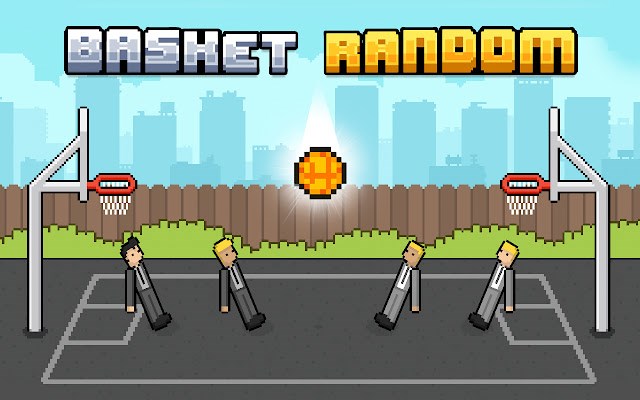
At its core, Basket Random Unblocked offers the complete in-browser Basket Random experience. This unique basketball game stands out due to its unpredictable physics and random gameplay twists, making each round hilariously different and exciting. A one-click 2-player mode lets you challenge friends effortlessly, perfect for fun competition without network restrictions often imposed by schools or workplaces. Games start smoothly, either in embedded modal windows or in full-screen mode, with just a simple click ensuring instant play.
Beyond Basket Random, the extension functions as a hub for carefully selected casual and arcade-style web games, including well-loved titles like Cookie Clicker, Retro Bowl, and Slope. The game list is dynamically maintained through a built-in JSON file, efficiently retrieving game icons, descriptions, and direct play links. All games run through lightweight and secure embeds to provide quick launches and minimize any latency or hassle. Each time you open the extension popup, you get fresh game suggestions complete with instant previews to keep the arcade vibe vibrant.
User experience is prioritized by a simple, elegant design that avoids complicated menus or unnecessary distractions. The theme toggle feature enables switching between dark and light modes, saving your preference in local storage so your chosen theme loads automatically every time. Game previews are visually appealing, featuring clear icons and titles alongside straightforward play buttons that let you dive into action instantly—no accounts or logins needed for immediate fun.
Installation and removal of Basket Random Unblocked are designed to be smooth and informative. On first use, a welcome tab introduces you to the full-screen version of Basket Random, helping new users get started swiftly. When uninstalling, the extension respectfully redirects you to a feedback page to gather suggestions for future improvements, all without collecting personal data.
This extension is especially valuable for users who want to bypass common access restrictions on web games imposed by educational or workplace networks. By providing a stable, distraction-free arcade environment accessible from the browser toolbar, Basket Random Unblocked helps elevate casual gaming to a seamless and enjoyable daily experience. Whether playing alone or competing with a friend, this hub keeps the gameplay fast, fun, and hassle-free whenever you need a well-deserved break.
Key Features:
- Instant access to Basket Random gameplay directly from the popup or in full-screen mode, featuring wild physics and random game twists.
- Curated selection of popular unblocked web games such as Cookie Clicker, Retro Bowl, and Slope, available for quick launch from the extension.
- One-click embedded game launches to ensure smooth and uninterrupted play without external redirects unless opting for full screen.
- Dynamic theme toggle between dark and light modes for comfortable play anytime, with preferences saved locally for consistency.
- Rich visual game previews showcasing icons, titles, and direct play buttons for easy browsing and selection.
- User-friendly installation with welcome guidance and considerate removal process that includes optional feedback collection.
- Privacy-conscious design requiring minimal permissions, no user accounts, and no personal data collection.
How It Works:
1. Install the Basket Random Unblocked extension from the Edge Extension Store.
2. Upon first launch, a welcome tab opens automatically to guide you through accessing Basket Random in full-screen mode and quick gameplay options.
3. Click the browser toolbar extension icon to open the popup and visually browse the curated list of unblocked games displayed with icons and titles.
4. Select any game, including Basket Random, to instantly launch it in an embedded modal window or switch to full screen for an immersive experience.
5. Use the theme toggle button to switch between light and dark modes; your choice is saved and applied on every future use.
6. Play solo or activate the simple one-click 2-player mode to enjoy competitive games with friends. Switch games anytime from the organized game picker.
7. When uninstalling, you will be directed to a feedback page if you wish to provide suggestions for future enhancement; no personal data is collected in this process.
Privacy: - No personal data collected. The extension operates solely on your device without storing or sharing any browsing or personal information. Please refer to the privacy policy for complete details.