
Icons in Gmail™
Extension Actions
Easily determine the sender of email messages in Gmail without the need to open the message.
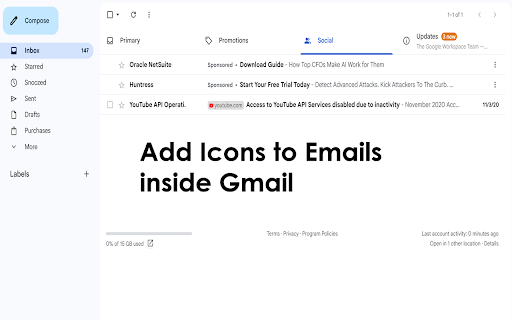
Instantly Recognize Email Senders in Gmail
Icons in Gmail™ is a powerful Chrome extension designed to enhance your Gmail experience by making email identification effortless. With this tool, you can instantly see who sent you an email—without even opening the message. By displaying the sender’s company domain and official favicon directly in your inbox, the extension adds a layer of visual clarity that helps you prioritize and manage your emails more efficiently.
Visual Clarity Meets Smart Functionality
Every email in your Gmail list becomes more informative at a glance. Whether you're scanning your inbox, browsing search results, or reviewing archived messages, Icons in Gmail™ overlays a virtual label showing the sender’s domain (like google.com) and their organization’s favicon. This means you’ll immediately recognize trusted brands, colleagues, or clients—saving time and reducing the risk of phishing or spam.
Seamless Integration with Gmail
The extension works quietly and effectively behind the scenes. It uses the Google S2 service to fetch favicons and leverages the Inbox SDK framework to parse Gmail messages—all within your browser. Importantly, Icons in Gmail™ does not alter your actual Gmail labels or folders. The sender icons are applied virtually, ensuring your email organization remains untouched while gaining a powerful visual upgrade.
Disclaimer: Please note this extension is NOT made by Google and is made by an independent development team. All copyrights belong to their respective owners. Google doesn’t endorse or sponsor this Chrome extension. This extension is not owned by, it is not licensed by and is not a subsidiary of Google Inc.