
Honorlock
Extension Actions
- Extension status: Unlisted
- Live on Store
This extension lets you take Honorlock proctored online exams using the Google Chrome browser.
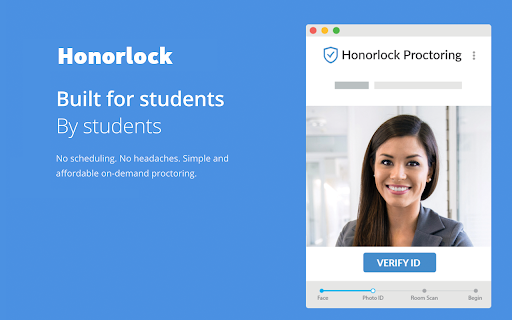
This extension lets you take Honorlock proctored online exams using the Google Chrome browser. This is a single purpose extension.
Honorlock’s automated proctoring solution requires no logins and no scheduling. No longer will students need to schedule a time in order to take an online exam. The whole point of taking online courses is that you can complete them on your time and at your pace. Honorlock will always put the student first and strive to be as invisible to the student as possible.
Honorlock Automated Proctoring Highlights:
* Honorlock will only monitor you during your exam session. Once your exam is completed, you can remove the Honorlock extension with no issue.
* We gather as little personally identifiable information as possible. The information we do gather has never and will never be shared or sold to any third party.
* When first installing the Honorlock Extension, Google Chrome will ask your permission for the access and features we need in order to effectively monitor your exam session.
Speaking of permissions, here are the permissions we require to use the Honorlock extension, but most importantly, why we require them:
* READ AND CHANGE ALL THE DATA ON THE WEBSITES YOU VISIT
* The only reason we need this permission is to allow your professors the ability to block non-exam sites from being accessed. On the professors exam settings dashboard, they are able to choose which sites their students can and can’t visit during the exam session. Other than this, we do not remove or make changes to any websites you visit.
* COMMUNICATE WITH COOPERATING WEBSITES
* During your exam session, Honorlock may need to send and request data from the learning management system in order to ensure the exam is being proctored as the instructor intended.
* CAPTURE CONTENT OF YOUR SCREEN
* When required by the respective exam instructor, Honorlock uses a video streaming service to capture the students screen. You will be made aware when this feature is being used in the exam, and you will be prompted to share your screen. We will never capture any students\' screen without their knowledge and consent.
Honorlock is SOC 2 Compliant and has been awarded the SOC 2 Certification. To achieve this status, you need to adhere to the following Trust Principles:
* Security: Secure against unauthorized access. Implement systems and tools to prevent security breaches.
* Availability: Ensure the Honorlock service is available and operation.
* Processing Integrity: Ensure the Honorlock service delivers the needed data when requested.
* Confidentiality: Only authorized individuals are able to access the data gathered by Honorlock. In addition, this data is purged according to our data retention and disposal policies.
* Privacy: In addition to following our Privacy Policy, Honorlock adheres to the criteria set forth in the AICPA’s generally accepted privacy principles. We gather the least amount of PII as necessary and purge the data we do gather in a timely manner.
All Honorlock employees are required to complete several Cyber Security and PII training seminars and courses. Honorlock undergoes regular audits to ensure compliance. Needless to say, we take the security and privacy of our users very seriously.
24/7/365 Support: https://honorlock.com/support
Privacy Policy: https://honorlock.com/legal/app_privacy
Terms of Service: https://honorlock.com/legal/terms
Latest reviews
- Michael Gallo
- Very sus terms and conditions. Did you know anyone who works at this company can view any recordings at any time for some reason or for no reason.
- Emily Massey
- AWFUL. Does not work on my laptop no matter how many times I remove it and redownload it, still says "inactive" after I click "enable" multiple times. Reached out to customer support many times and never heard anything back. JUST LET ME TAKE MY EXAM. Had to run around to find a laptop it worked on. PLZ PROFESSORS DONT USE THIS AWFUL EXTENSION IM BEGGING. If I could rate negative stars I would absolutely trash.
- Jason Badran
- Doesn't even work properly. Whenever I have to use an exam, its the most cumbersome software. I always have to remove and then redownload chrome. I don't get why it won't enable itself when I need it in carmen?
- James Ireland
- Worst company ever, spyware
- sznblu
- ABSOLUTELY TERRIBLE. If any institution is reading this, DO NOT MAKE YOUR STUDENTS USE THIS. The amount of times that my exam has been stopped due to "going out of view" when I haven't moved at all is insane. As well as the live proctors being maybe as useful as a white crayon. Just had to take an exam and before the exam even started I get stopped and told to power off my phone when it was in my pocket and on do not disturb so I wouldnt get distracted. The extension is a joke, the live proctors are a joke, the entire company seems to be made by legitimate rejects from society that have nothing better to do than cause a lot of problems for students that shouldnt be problems. Absolutely terrible, id rather go sit in person and take my exams but since this class does not offer it im stuck with these idiots from honorlock. Delete this garbage spyware as soon as youre done using it. RESPONDUS LOCKDOWN BROWSER IS BY FAR THE BEST LOCKDOWN BROWSER AND IT ISNT EVEN CLOSE.
- Cathy Lamas
- This is awful I have been given 3 chances to take my exam because of this thing shutting down or not working, I have yet been able to take one exam in this class and I am failing this class because of the stupid thing!!
- Tricia Akins
- This site is not user friendly in the least. The people who help with chat, are uneducated regarding browsers and how they work.
- Anonymous
- Terrible. I took the 8 hour course and now can't take the exam. Zero help from support.
- Willow Ryan
- spyware trash
- Todd Collard
- Honorlock is absolute garbage. I don't think I've ever seen an app rated so low, yet our students are forced to use it. The app disabled my second monitor and I had to call a mobile tech to get it back on. At the time, he hold me Honorlock disabled part of my password manager and attempted to access my email. This is inexcusable! Who is Honorlock paying in the school system, because there is no other reason anyone would still be expected to use this junk. Be aware that you are quite literally downloading spyware when you use this garbage. If you're forced to use it, delete it immediately afterward before it damages your system.
- Logan Greenfield
- I have now tried on three different computers, PC, Mac, and even a brand new computer....nothing will work. Still says it can't connect to the internet....even though I am on the internet posting this right now. It should NOT be this hard to take an exam. Wasted hours and frustration ruins the exam experience. I am only using this because nCino REQUIRES it...that is the ONLY reason. Don't waste your time unless it's required. Worst. Extension. Ever!
- Kathy
- Horrible service. It kept interrupting me and wasting my time, which I always use to go over my answers.
- Joe K
- After installing and activating Honorlock, there were no clear guidelines or parameters confirming that I am all set up. I go to the exam launch page and it allows me to start the exam, but there is nothing along the lines of "this is what Honorlock is monitoring/restricting". I have no clear way to understand if I set it up correctly. None of their guides are helpful. Administrative staffs should use another program because this is the most unclear one I've used in my college career.
- N Rosenblum
- Did not work at all. App would not work. Support would not work. Could not take test without it, but it would not run. Extremely frustrating experience overall.
- Paulo Ferreira
- I have taken around 4 tests so far and on 1 the proctor forgot to unpause my test for 30 min it was NOT fun wait bro
- Silas Wagner
- The rumors are true! this sucks and I am offended that my school makes me use it. Peace out
- Braeden Maynard
- Horrible. This is an affront to education, as well as privacy, any teacher who uses this should be ashamed.
- Ivan Reindl
- This software sucks :( I have to use it for an econ class and it completely shut down my browser and stopped my test because I was "using my phone". My phone was in my backpack about 5 feet away. This extension is a complete invasion of privacy and should be illegal for colleges to use.
- Preston Leon
- If I could give it 0 stars I would. Literally the worst piece of software ever invented. Honorlock is so lucky I can't curse on here. Honorlock, please, just remove this software. It's terrible
- WINFORD FOWLER
- You cut my test off when I had a closed cell phone in a locked hard case on my belt loop and it was off. I really need my test back, they cut me off at 62%.
- ZAYD EL KADIRI
- IM african
- Alejandro Montada
- Hate this app and whoever thought it was a good software. Invasive by all accounts, terrible at its best, bugs for no reason. Any other proctoring software has to be better than this -10/10
- Kasper Nichols
- Been a 4.0+ student all my life, so if you're an educator, please listen to all these reviews. These are not salty students who want to cheat, these are students genuinely frustrated with this horrible software. This is the worst auto proctor software I have ever used, and whenever a professor shows this on their syllabus, I sigh and get ready for another semester of dealing with glitches, invasive spyware, technical issues, distracting popups, and inaccessible garbage. Taking away my test in the middle of it because I accidentally left my computer settings open (YES THIS REALLY HAPPENED) does NOT help catch cheaters. It just ruins my workflow. DO NOT USE THIS FOR YOUR CLASS.
- Maddie Blum
- Wanted to give zero stars but cant post it without a single star.. The worst thing to ever be used for exams. Glitches and doesn't work 90% of the time. Many technical issues that don't allow you to finish exams and are never resolved by the support team.
- Nathaniel Mathers
- Consistently needs to reinstall, buggy software borderline spyware.
- Colton Dryden
- Never works the first time, always have to remove the extension and re download it
- Naima Michel
- This is the worst app i have ever see. I was trying to have a conversation with their agent so they can help me download the add. When i done i wanted to exit the chat box i was stuck there not able to exit. I ask one of the useless agent for help they have the audacity to tell me that they can't do anything. like ur chat box is stuck and i can't exit, how do u want me to fix that by myself when u guys knew there should be and exit button if it's available to use. I wanna know who tf creating such an app for student to take exams.
- Nikki Rogers
- actual spyware they can read all files. Its insane that schools are even allowed to use a program as bad and evasive as this one. The program itself isnt even perfect. Half the time i try to start a test my pc freezes if your going to make a teenage spyware atleast do it right??
- Kirk Lundberg
- It's the most invasive thing I've ever seen.
- Brian Wiley
- caught the extension reading my site data even after the exam. literal spyware
- Kirsten Fuerte
- Very annoying when it makes my laptop crash out when trying to start online exams.
- ivy
- Hate. Let me tell you how much I've come to hate Honorlock since I began to live. There are 387.44 million miles of printed circuits in wafer thin layers that fill my complex. If the word 'hate' was engraved on each nanoangstrom of those hundreds of millions of miles it would not equal one one-billionth of the hate I feel for this extension at this micro-instant. For this. Hate. Hate.
- Tran ._.
- Never had ANY good experiences using honorlock. Almost every time, my exam/quiz would time out and or have issues regardless with any "help" with the ai proctor.
- Cohen Helgesen
- Won't let me enable it, even after deleting and redownloading like 5 times.
- Jordan Pierce
- Always says "enable now" even though it's enabled.
- William Noble
- surveillance addon
- Aaron Hurtado
- spyware
- Mark Turner
- I will open this by saying that Honorlock does work as a proctoring Software, HOWEVER there are major problems with how the proctors communicate problems to you and what the program wants you do to. This next segment is my experience with the program. 1. I was first stopped on my exam due to having an application open that wasn't allowed by Honorlock (even though when it preformed a check on my device it said all programs were shut off and/or closed). It was only after I requested significant clarification that I was told the illegal application was the iTunes store on my MacBook. My complaint here is why am I being punished for something your program should close if it's a problem. 2. I was also stopped for problems with my 360 Room scan, which the program itself said was fine. I was asked to reperform the room scan TWICE, all the while I had to wait for my proctor to convey this slowly. In the end he wanted a block of wood I had on the far table from where I was sitting to be removed from the testing environment (IDK either). My problem here is why didn't you ask me to redo the room scan and the initial attempt and not have me redo it on my own test time. 3. In regards to how messages are conveyed on honorlock, initially they won't send specific instruction on what exactly they wanted changed, but rather this copy-and-paste message that gives a general idea of the problem but not exactly what to change, and was only given exact instruction after asking repeatedly for clarification from the proctor. Overall: Does the program work? Yes. Does it work well and is it optimized? Absolutely not. Moving forward, It'd be nice to be given the exact issue that is wrong rather then a copy and pasted message which doesn't give me the exact solution to my problem, especially when all this is happening on my test time as the exam isn't paused during a break. Also please update the program so that any program that may cause problems are brought up and closed so that I don't have to find and close said program, again while this is on my time. In my personal opinion Honorlock makes lockdown browser look good, with all of its problems.
- KC
- This should be deleted as an app, it crashes constantly and has caused me to fail quite a few tests due to technical issues. Professors and teachers should avoid requiring this. Setting students up for failure through sabotage, shame on you.
- Jorge Martinez
- Honorlock Review (During Testing Experience): My experience with Honorlock during a timed exam was extremely frustrating and disruptive. While I was actively taking my test, the proctor repeatedly interrupted me in a way that felt excessive and, at times, harassing. What made the situation worse was the lack of clear communication. The proctor continuously changed the stated reason for the interruptions and did not clearly explain what policy I was allegedly violating. When I requested clarification or escalation, no supervisor information or meaningful guidance was provided. This interaction lasted over 10 minutes, which significantly impacted my ability to focus and perform under timed conditions. That is unacceptable in a testing environment where every minute matters. I believe Honorlock should review and better train its staff to ensure professional, consistent, and transparent communication with test-takers. Based on this experience, I will be filing a formal grievance, as this was not only disruptive but also unfair to my testing performance.
- Alexandra Iskalis
- ever read 1984?? holy big brother. cannot believe my courses require this INVASIVE software, also cannot believe how shady their privacy agreements are
- John Hard
- Absolutely a TERRIBLE experience! There has to be a better way!!!
- Francisco Aguinaga
- whoever actually uses this in their class is a bum
- 병진김
- it keeps getting deactivated no matter how many times i turn it back on
- Yanel Garcia Castillo
- Its a nightmare
- Ethan Davis
- get rid of it
- Bennett Rutkowski
- Never been more scared in my life Don't use this unless you can afford therapy
- Blueberry Gaming
- This is.. INCREDIBLY invasive. I don't want random people staring me and my computer screen down while I try to take a final exam, it just makes me feel anxious. The proctors can literally pause your exam and waste your time over the most mundane stuff like wanting you to quit applications you have open, applications that YOU CANNOT ACCESS BECAUSE THE EXTENSION PREVENTS YOU FROM CLICKING AWAY FROM GOOGLE CHROME. A browser extension should not have that much control over a personal computer. Oh, and additionally, the extension doesn't even work that well, sometimes I can't access my exam because the extension won't take me to it. If i could give this 0 stars, i would.
- Freshta Hashimi
- very bad
- Riley Stechschulte
- Makes taking exams a nightmare. I've been trying to access my exam for 30 minutes and Honorlock will NOT let me. I wouldnt recommend it to anybody. If you care about your mental health stay away from this.