
cobas infinity browser extension
Extension Actions
- Extension status: Unlisted
This extension configures the browser for cobas infinity IT solutions
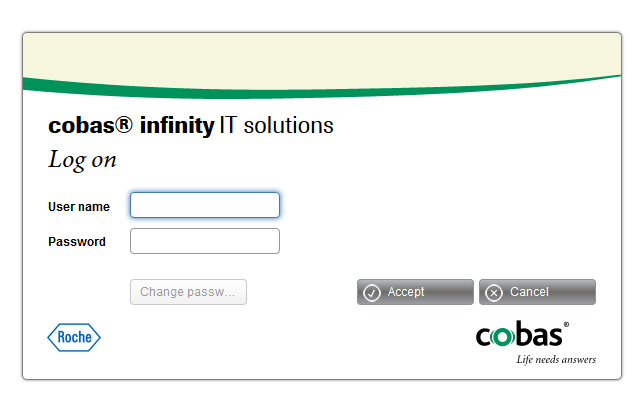
In order to use "Roche cobas infinity IT solutions" web application, this extension needs to be installed. It will configure the browser accordingly (security and usability improvements) and allow opening the application in a full screen mode, avoiding the user need and hassle of configuring manually all the settings.
The extension will open the application in a separate fullscreen tab when the "Roche cobas infinity IT solutions" login page is accessed from any tab, setting the browser configuration to run the application and avoid possible issues, this includes deleting the browser cache, form data and passwords prior to opening the application.
The extension will close the original tab where the login page was accessed and will also allow closing the window when the user logs out from the application, to be sure that no other user can enter without the appropriate permissions.
All the extension actions are:
- Change the new tab page to a blank one to avoid having the application in a thumbnail or a fast access shortcut so that it's secure to use it.
- When the login page is detected, inform the application the extension installed version to proceed with the login process.
- Open the application in a new fullscreen pane window when the application requests so and allow scripts to close to get the best layout of the application and close it when logging off.
- Close the window when the application requests so, from the login screen.
The browser configuration applied by the extension to the browser to ensure usability is:
- Disable network prediction to avoid consuming extra licenses before accessing the application.
- Allow third-party sites to set cookies as the application uses cookies from different domains.
- Allow cookies for all urls for the current session, this ensures that all cookies set by the application are accepted and deleted at the end of session.
- Allow showing images for all urls, this ensures usability and ensures that all the images in the application are shown, whatever domain they come from.
- Allow javascript to tun from all urls, this ensures that all the scripts on the application are executed to ensure usability, as they can be from different domains.
- Allow plugins to run automatically for all urls to ensure that all the needed plugins are executed.
- Allow popups to be shown on all urls so that confirmation and selection dialogs are always visible and not blocked by the browser.
- Delete the following browsing data on opening: appcache, true, cache, form data, passwords. This ensures that when opening the application, no old browsing data is present such as app caché, site caché, previous form data and passwords.
- Make all cookies only persistent for current session: this ensures that the cookies are deleted at the end of the session to ensure security.
- Disable browser cache: This disables the browser caché and ensures that the last version of the items is always downloaded from the server.
- Allow popups in response for user events: to ensure usability, the popups are enabled to be sure that a dialog is not blocked.
Latest reviews
- Nelson
- UNSTABLE