
Dual Monitor Incognito
Extension Actions
Moves the current tab to a new window on another monitor
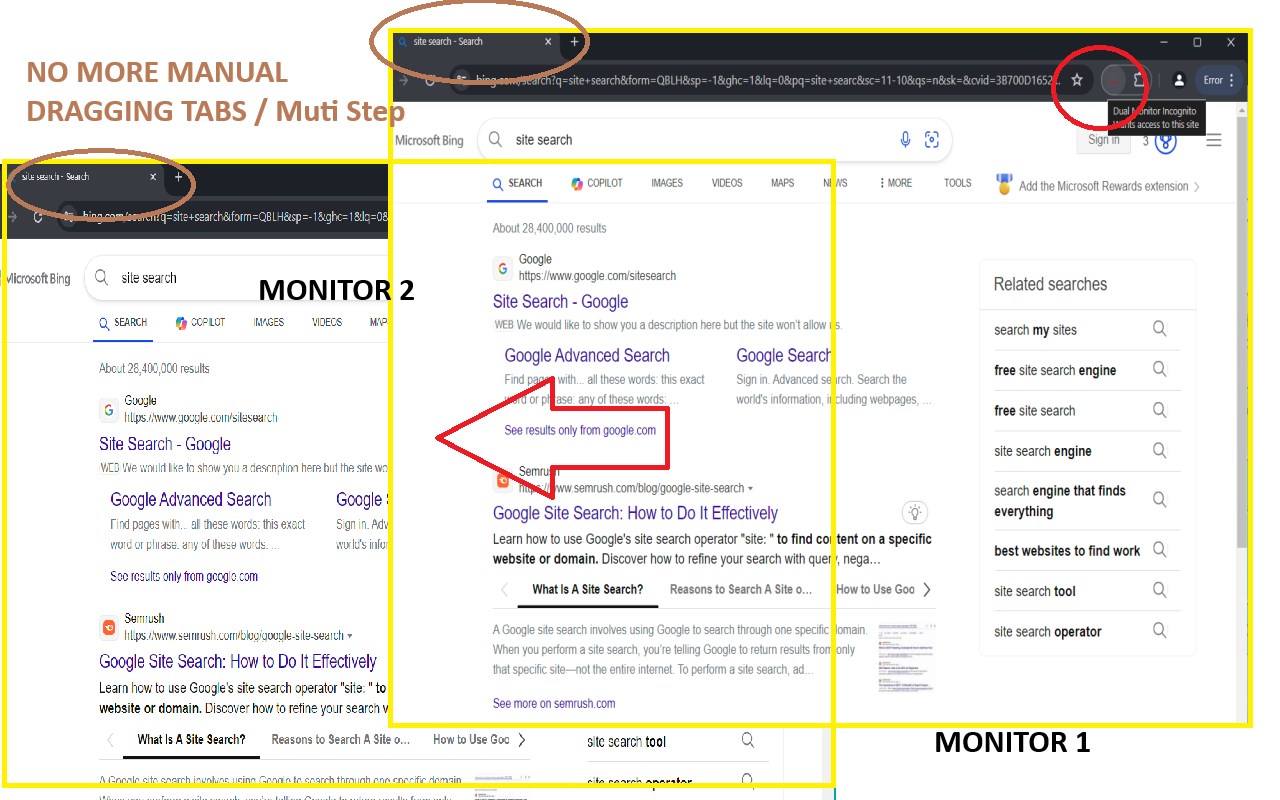
Instantly move tabs, open sites in incognito mode on another screen, and close all incognito windows with customizable settings.
Dual Monitor Incognito: Browse Easier, Browse Privately
What it does:
_________________
1.Move tabs instantly: One click sends your tab to a new window or on your other screen.
2.Go incognito fast: Open the current site in incognito on your other monitor or new windows, instantly.
Your choice: Decide if new windows always open on your main screen.
3.Close all incognito windows: Quickly close all incognito windows with a single command.
How to use it:
_________________
1.Click the icon: Your tab moves to a new window on your other monitor.
2.Right-click the icon:
"Open in Incognito": Same site, new incognito window on your other screen.
"Close All Incognito Windows": Close all incognito windows with one click.
Checkbox:
"Close After Incognito": Turn this on/off. When you open the current site in incognito mode, it will close the original tab in the normal window.
"Main Monitor Only": Turn this on/off to control where new windows appear.
Use Cases:
_________________
1.Instead of manually dragging tabs with your mouse (especially difficult with many tabs), move them to another monitor instantly.
2.When you need to temporarily log into a site in incognito mode, skip the hassle of opening a new window, copying the URL, and pasting it.
3.When you want to close all incognito mode without switch to find and close each windows.