
New Tab
Extension Actions
New Tab
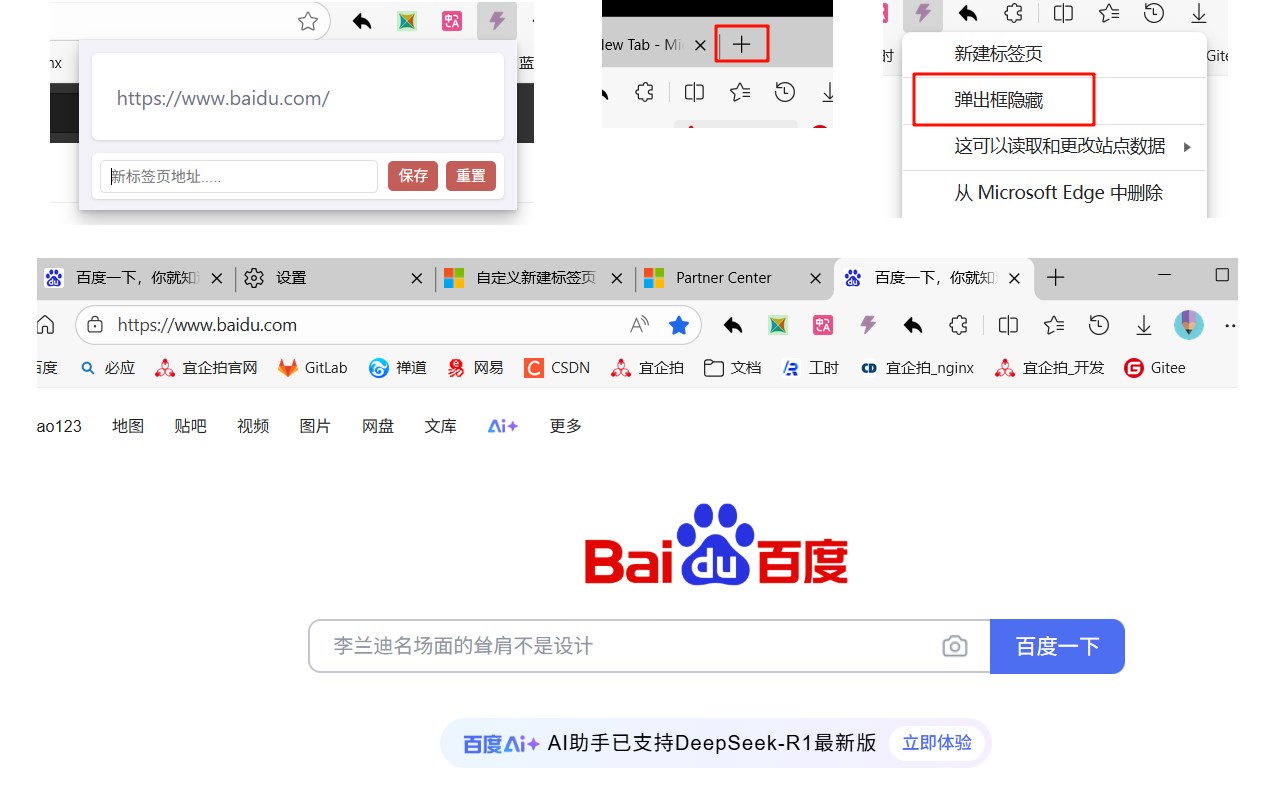
The main function of the new TAB is that when the Edge browser opens a new TAB, it will automatically load Baidu web pages
When you open a new TAB, you will open the https://www.baidu.com website, which mainly addresses the issue that edge cannot set a new TAB.
At the same time, you can also customize the URL of the new TAB page
Compared with other new TAB page components that list favorites and a bunch of other functions, it is simple and convenient. It's refreshing.
Function Description
"Baidu search
Youdaoplaceholder0 Opening a new TAB leads to the Baidu search page, where you can use Baidu to quickly search for what you want
Youdaoplaceholder0 can also log in to baidu and view baidu news
The address bar is empty
Youdaoplaceholder0 The address bar is empty and you can directly search for the content
Youdaoplaceholder0 because of the embedded web pages, it loads very fast
● Convenient and fast
Youdaoplaceholder0 open a new TAB and use, convenient
Youdaoplaceholder0 nothing else, in a good mood
● Custom new TAB URL function
Youdaoplaceholder0 users can set their favorite url as a new TAB
Youdaoplaceholder0 some users may have websites that are better than baidu, and there may also be people from other countries using it, so this feature is added
More new features are under development. Stay tuned
Github: https://github.com/huyunan/edge-new-tab-diy
Question feedback: https://github.com/huyunan/edge-new-tab-diy/issues