
安全书签 (Secure Bookmarks)
Extension Actions
添加一个受密码保护的书签列表
Secure Bookmarks: Password-Protected, Encrypted Bookmark Manager for Enhanced Privacy
Secure Bookmarks is a powerful and privacy-focused browser extension designed to safeguard your digital references by managing your bookmarks in a fully encrypted and password-protected environment. Ideal for Chrome and Chromium-based browser users who prioritize data security, this extension provides a secure vault for storing, organizing, and accessing your bookmarks without risking exposure to unauthorized users or browsers' syncing vulnerabilities.
Key Features:
- Password-protected encrypted bookmarks: Securely store all links, folders, and metadata using your password combined with robust TEA encryption. Access is granted solely upon successful login.
- Intuitive, user-friendly interface: Manage your bookmarks through a sleek popup or detailed options page, featuring drag-and-drop folder organization and keyword-based tagging for efficient browsing.
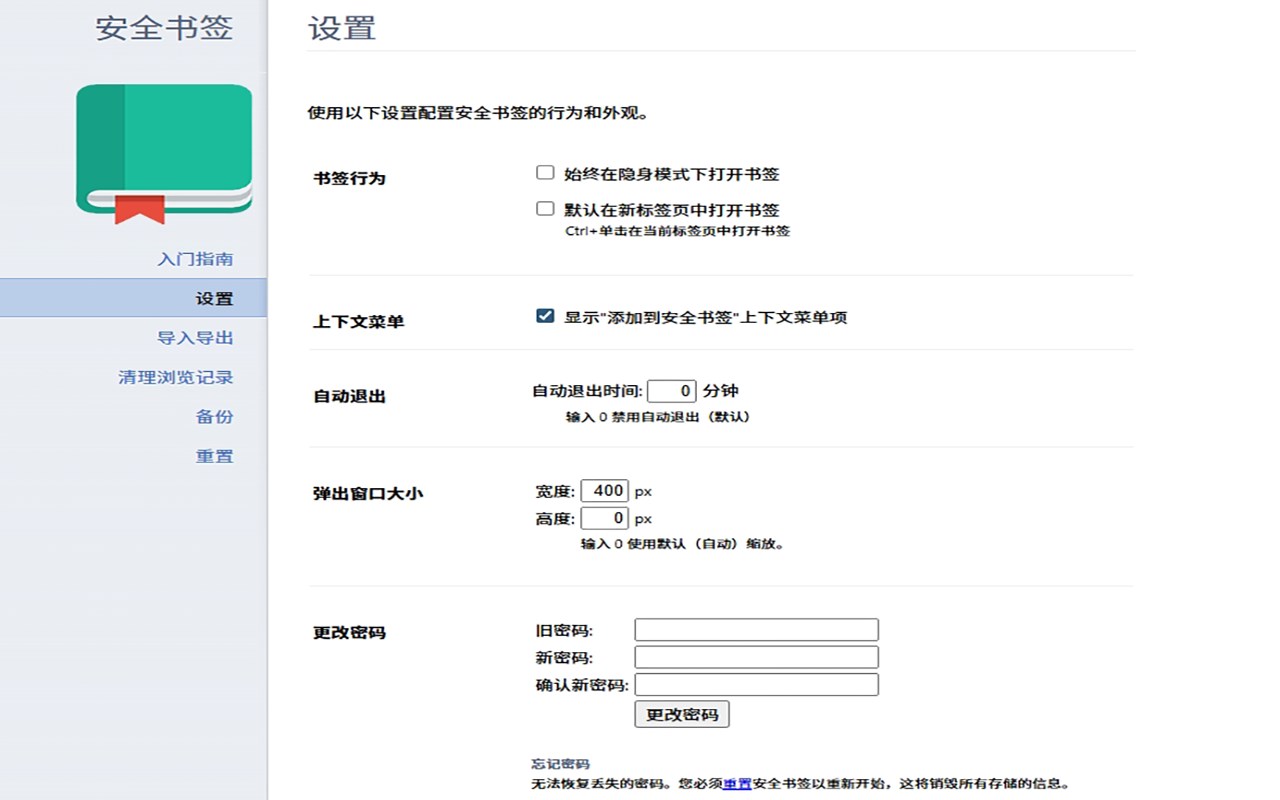
- Robust authentication and auto-logout: Protect your bookmarks with custom session timeouts and automatic logout triggered by browser closure or inactivity, ensuring data stays secure.
- Dark/light theme support: Easily switch between comfortable visual themes to suit your environment or preferences, with options to follow system settings or save your choice.
- Temporary URLs and keyword management: Assign keywords for rapid searching and organizing; use temporary one-time URLs to accommodate dynamic browsing needs.
- Import/export and backup functionality: Export your encrypted bookmarks database for secure backup or device migration; import supports restoring your secure collection without leakage risk.
- Privacy-first design: Completely separate storage from the browser’s native bookmarks; no data sync or external transmission occurs, and all sensitive data remains encrypted locally.
How It Works:
1. Install Secure Bookmarks and open it via the browser’s toolbar icon.
2. Upon first use, set a strong password that will encrypt all your stored bookmark data using the TEA algorithm.
3. Add and organize bookmarks and folders through the popup interface or the options page—data is encrypted and inaccessible until you log in each session.
4. Authenticate upon each access; the extension automatically locks and logs out when you close the browser or after a set timeout period to prevent unauthorized access.
5. Sort bookmarks with drag-a