Download Files as PDF by cloudHQ
Extension Actions
Convert and download files as PDF documents.
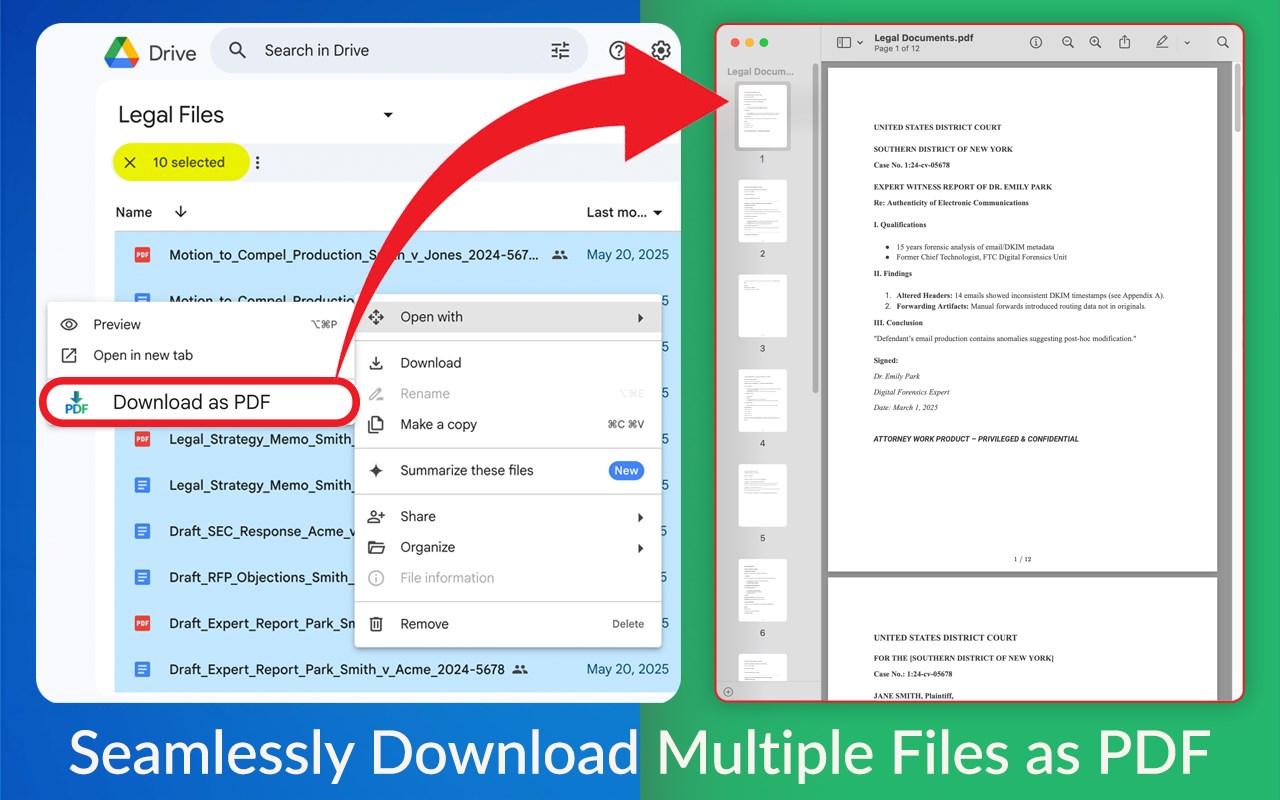
Convert and download any file as a high-quality PDF, no matter the format.
Select a single file or an entire folder from your Google Drive™, or upload files directly, and let the conversion happen automatically. Documents, spreadsheets, presentations, and images are all transformed into professional PDFs in seconds. Once ready, your PDFs are easy to save, share, or print. Simplify your file management with fast, effortless files to PDF conversion.
KEY FEATURES:
* Convert and download any file as PDF:
* One click is all it takes: select your files and instantly download them as a PDF
* Full support for all type of files (images, txt, docs, spreadsheets, etc.)
* Every file you convert is instantly stored in your Google Drive™ and / or downloaded straight to your computer
* No complex software required
* Batch support: convert and download a large number of files to PDF in parallel (or all files in a folder)
HOW TO USE:
1. Install the extension
2. Go to drive.google.com
3. Select a folder or file and in the dropdown select "Download Files as PDF"
4. You can also click on the "Download Files as PDF" icon in the upper right corner of your browser and upload files to be converted to PDF
cloudHQ. Helping your productivity, 1 click at a time.
cloudHQ website: https://www.cloudhq.net/
App website: https://www.download-as-pdf.com/
Pricing: https://www.download-as-pdf.com/pricing/
Support page: https://support.cloudhq.net/category/browser-extensions/download-as-pdf/
Blog: https://blog.cloudhq.net/
Google Shared Drive, Google Drive, and Google Workspace are trademarks of Google LLC. Use of these trademarks is subject to Google Permissions.
cloudHQ is trademark of cloudHQ LLC.
Latest reviews
- maggie
- Ok so I was skeptical because I've tried like three other PDF converter extensions and they all either had watermarks or file size caps. This one actually just works. No catches that I've found so far.
- Eliza
- This is perfect for what I need. I send out a lot of proposals and reports and having everything as a clean PDF makes me look way more professional. Easy to use, no learning curve.
- Favour
- Just converted about 40 images to PDF for a client presentation. The whole thing took less than two minutes and the quality was really good. Not sure why I was doing this manually before.
- Odisi
- Been using cloudHQ stuff for years and this one doesn't disappoint. Select a folder, convert everything to PDF, and it all saves back to Drive automatically. Exactly what you'd expect from them.
- hart
- Honestly this is one of those extensions you install and forget about until you need it, and then you're so glad it's there. Saved me a ton of time converting a bunch of old Word docs into PDFs for an audit at work.
- Rosline
- So our office was switching to a paperless system and we had hundreds of files in random formats sitting in Drive. This extension let us batch convert entire folders. Took maybe 20 minutes to do what would have been a full day of work.
- femi
- My teacher asked us to submit everything as PDFs and I had no idea how to do that lol. This made it super easy, just right click in Google Drive and done.
- Ruby
- Honestly this is one of those extensions you install and forget about until you need it, and then you're so glad it's there. Saved me a ton of time converting a bunch of old Word docs into PDFs for an audit at work.
- Omotayo
- Honestly this is one of those extensions you install and forget about until you need it, and then you're so glad it's there. Saved me a ton of time converting a bunch of old Word docs into PDFs for an audit at work.