
Acorny
Extension Actions
Capture web highlights and sync them to the cloud for spaced repetition review.
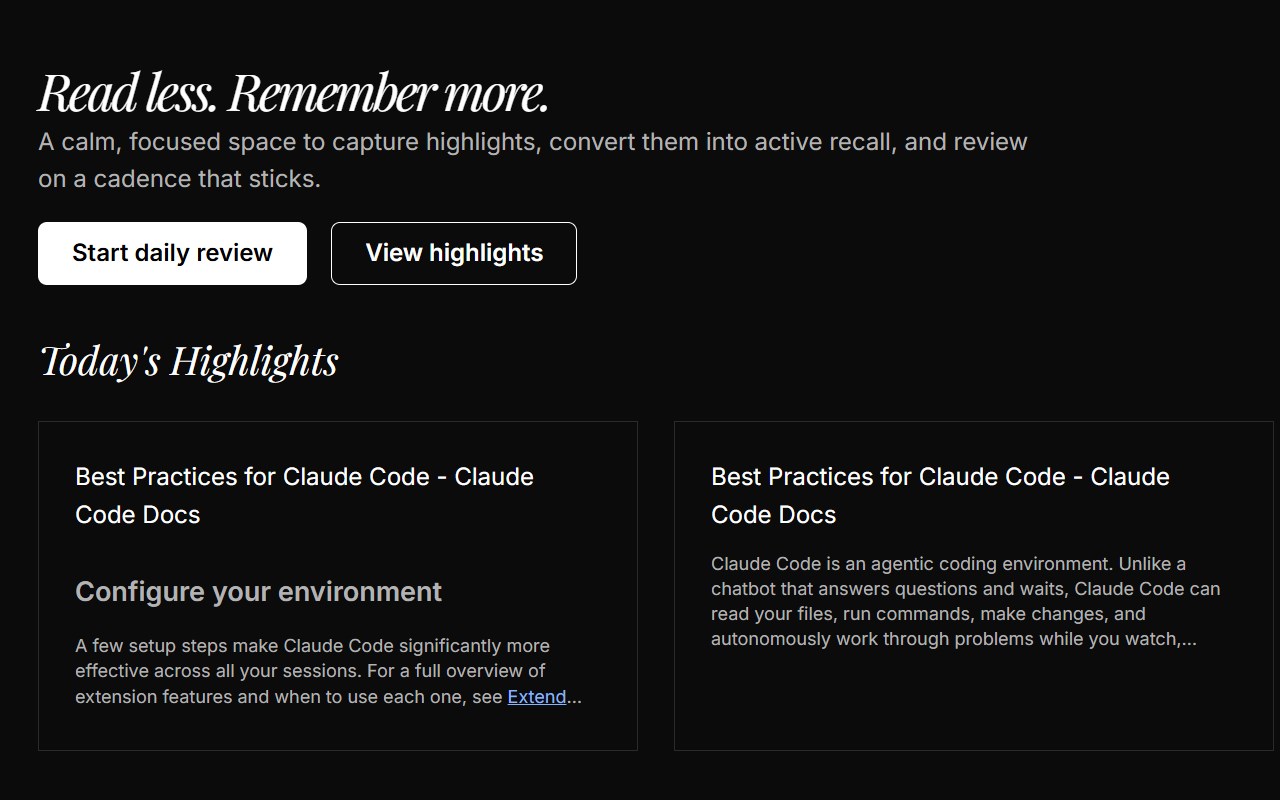
Capture web highlights and sync them to the cloud for spaced repetition review.
Acorny — Highlight, Remember, Master
Acorny helps you capture highlights from any webpage and review them using spaced repetition (SRS), so you actually remember what you read.
Key Features
• Highlight text on any webpage with a keyboard shortcut (Ctrl+Shift+H)
• Highlights are saved locally and synced to the cloud automatically
• Revisit any page and see your highlights restored in place
• Review your highlights with spaced repetition to boost long-term retention
• Add notes and tags to organize your knowledge
• Cloze deletion support for active recall practice
How It Works
1. Select text on any webpage and press Ctrl+Shift+H (or Cmd+Shift+H on Mac)
2. Your highlight is saved and synced to your Acorny account
3. When you revisit the page, your highlights are automatically restored
4. Review your highlights on a daily schedule powered by the SM-2 algorithm
Privacy & Permissions
Acorny requires access to all websites so it can:
• Capture text you select as highlights on any webpage
• Restore your previously saved highlights when you revisit a page
Acorny only activates when you explicitly save a highlight or visit a page with existing highlights. It does not read, collect, or transmit any browsing data in the background. Your data is encrypted in transit (HTTPS) and stored securely. See our full privacy policy at https://acorny.io/privacy.
Open & Transparent
Acorny is built with your trust in mind. We only collect the data necessary to provide the service: your email (for authentication), highlighted text, page URL, and page title.