
Reading Ruler
Extension Actions
A digital reading guide overlay — tinted sheet with a focus line, controlled by arrow keys.
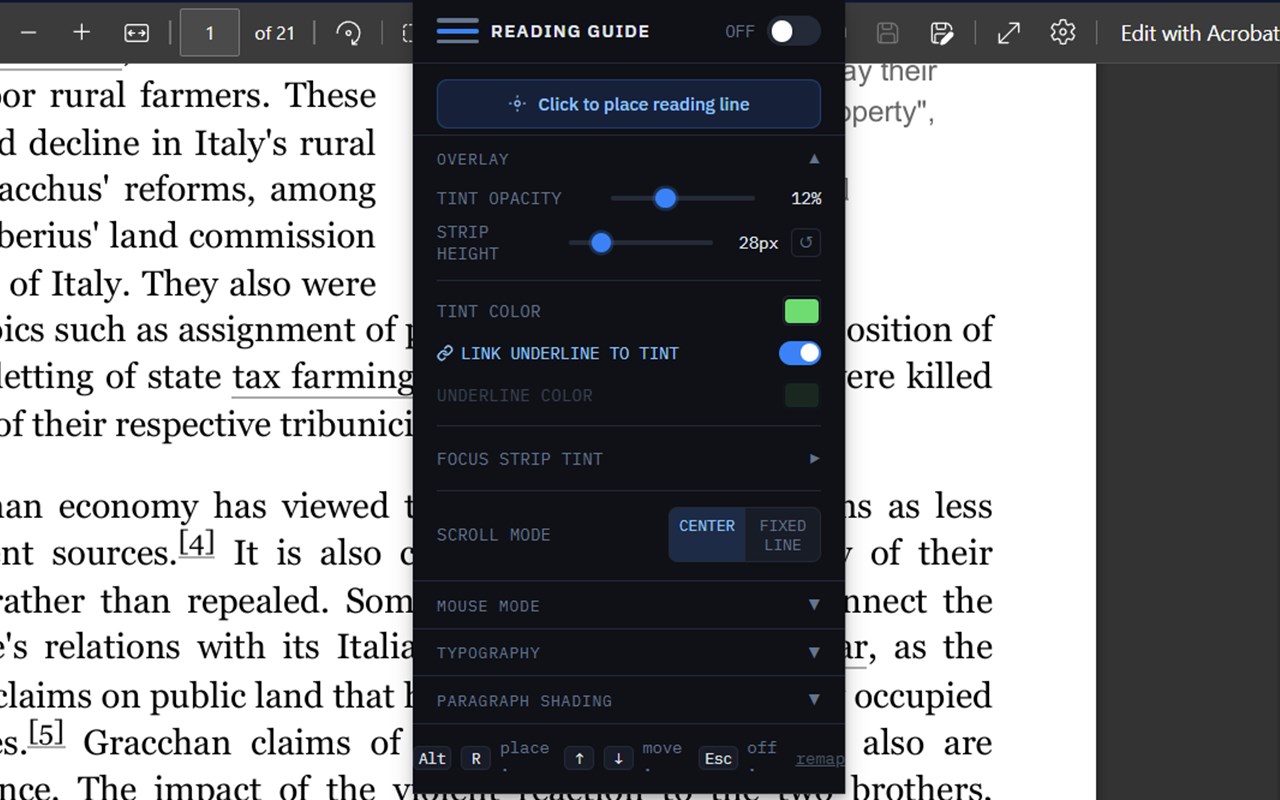
Reading Ruler brings the physical translucent reading ruler to the browser. A tinted overlay covers the page above and below a clear focus strip, reducing visual crowding and helping you hold your place while reading.
Key features:
- Line-by-line navigation using arrow keys — follows actual rendered lines, including wrapped text within paragraphs
- Two scroll modes: Center (line moves across the screen and automatically scrolls) and Fixed Line (page scrolls under a stationary ruler)
- Mouse follow mode — the strip tracks your cursor; click to lock it in place
- Font overrides: Atkinson Hyperlegible, OpenDyslexic, Lexend, Comic Sans, Verdana
- Letter spacing, line height, and column width controls for comfortable reading layout
- Alternating paragraph shading to further separate lines of text
- Focus strip tint for a colored highlight on the current line
- Scroll sensor strip for mouse-mode scrolling on browser-based pdfs
Activate with Alt+R, or click the toolbar icon. Arrow keys move the line. Esc turns it off.
No data is collected. All settings are stored locally using browser sync storage.