
Real-time Video Translator & Dubbing - DubTab
Extension Actions
Live AI speech translator with dubbing. Dual subtitles for YouTube, courses, meetings & streams. Supports 60+ languages.
DubTab helps you understand videos, livestreams, and online audio instantly by translating speech as it’s spoken, showing live subtitles, and playing a natural AI voice in your language.
If you’ve ever wanted a foreign video to just speak your language — DubTab makes that possible, directly inside your browser tab.
⚙️ What DubTab does
When audio is playing on any website, DubTab can:
- Translate spoken content in real time
- Display live translated subtitles on screen
- Play a natural-sounding AI voice that speaks the translation
- Optionally show bilingual subtitles (original + translation)
No waiting, no uploading files, no post-processing.
Just press play and understand instantly.
🎧 Real-time AI voice dubbing (core feature)
DubTab’s main strength is low-latency speech-to-speech translation.
Instead of forcing you to constantly read subtitles, DubTab listens to the audio, translates it on the fly, and speaks the translation aloud with AI voices.
This makes long videos, tutorials, and livestreams much easier to follow — even when you’re multitasking.
📝 Live & bilingual subtitles
Prefer reading? Or want both?
- Live translated subtitles appear as the speaker talks
- Bilingual mode shows original and translation together
- Ideal for language learners or accuracy checking
You can switch subtitle modes anytime while watching.
🎙️ Multiple voices, your choice
Not all voices are comfortable to listen to.
DubTab lets you choose from multiple AI voices, adjust the volume balance between original audio and dubbed voice, and create a listening experience that feels natural and clear.
🌐 Works on any tab with audio
DubTab works anywhere audio plays in your browser, including:
- YouTube and other video platforms
- Online courses and learning platforms
- Webinars, product demos, and talks
- K-pop livestreams and international streams
- Any website with spoken audio
No platform lock-in. No special player required.
✨ Common use cases
- Watch foreign YouTube videos hands-free (listen instead of reading)
- Follow livestreams in other languages in real time
- Understand fast-paced tutorials and tech talks
- Language learning with bilingual subtitles and spoken translation
- Teams consuming global content (training, demos, presentations)
🪄 How it works
1. Install DubTab from Edge Add-ons
2. Play a video or audio on any website
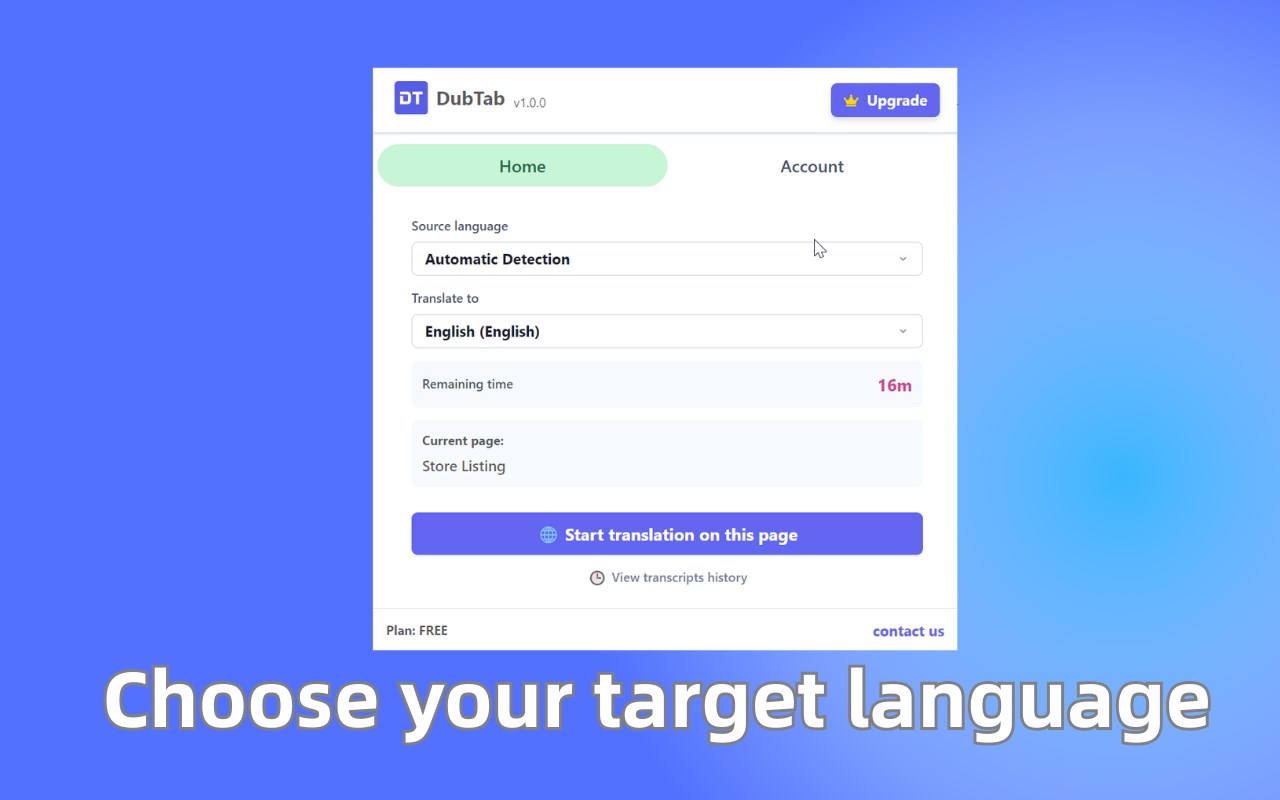
3. Select your target language (and source if needed)
4. DubTab shows live translated subtitles
5. The AI voice starts dubbing in real time
No setup, no exporting, no waiting.
🔒 Privacy-first design
DubTab is built with privacy in mind and aligned with GDPR principles.
- Your browsing history stays on your device
- Translation history is stored locally
- No unnecessary tracking or data selling
🚀 Who DubTab is for
If you regularly watch or listen to content in languages you don’t fully understand, DubTab is built for you.
From videos and courses to livestreams and talks, DubTab turns any spoken content into something you can hear, understand, and follow instantly