
Stacklume — Save Links
Extension Actions
Save the current link to Stacklume with one click. Compatible with the desktop app.
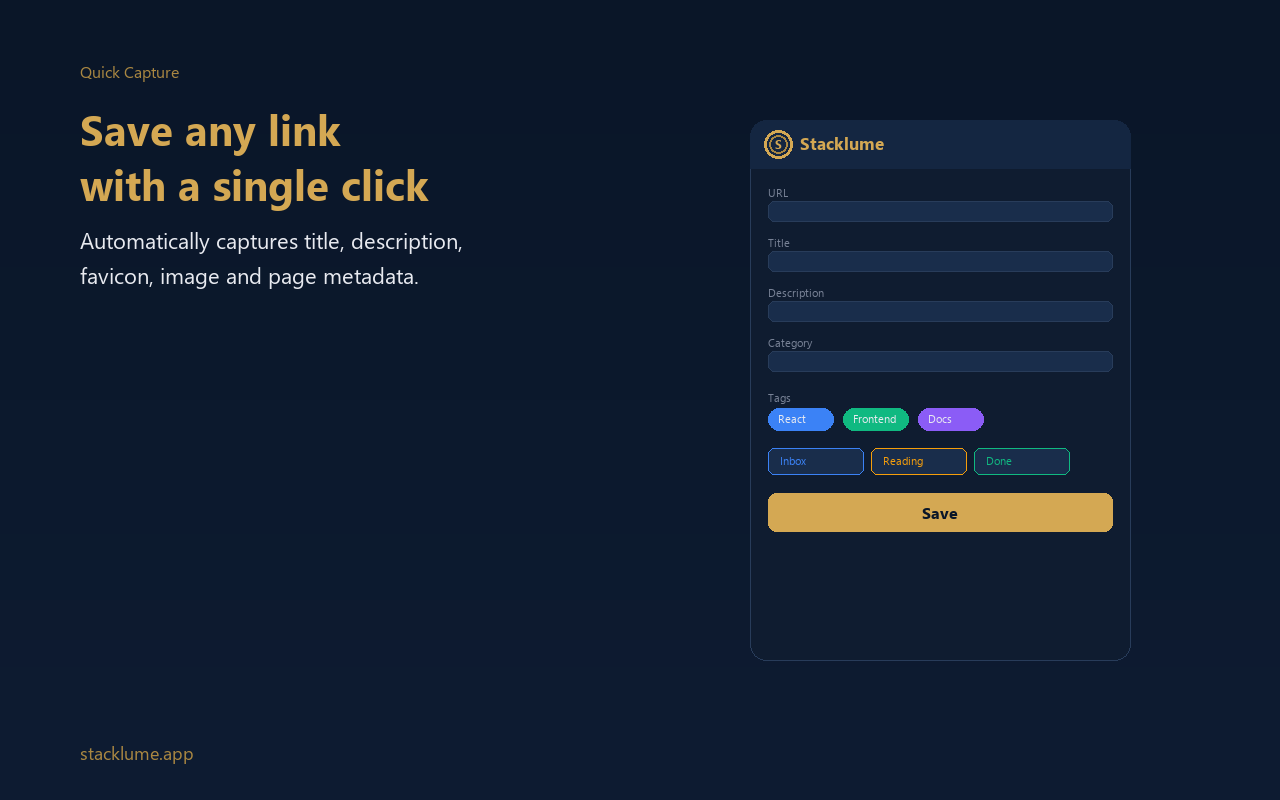
Stacklume is a cutting-edge browser extension crafted to enhance and simplify your bookmarking experience by securely saving web links directly to your personal Stacklume account. This tool is designed with a strong emphasis on privacy, efficiency, and seamless integration into your daily browsing activities. With just a single click or keyboard shortcut, Stacklume captures not only the website URL but also metadata and relevant personal notes, allowing for an organized and meaningful collection of resources.
Upon installation, Stacklume adds a convenient action button to your browser toolbar. Clicking this button opens a sleek and user-friendly popup window where you can quickly review the current page's title and URL, add customized tags, notes, or annotations, and save these details securely to your Stacklume account. For users who prefer keyboard operations, the extension supports configurable shortcuts, with the default set to Alt+S, enabling rapid bookmarking without disrupting your workflow. The extension also integrates a contextual right-click menu, enabling you to save links or entire pages directly without opening the popup, thus saving valuable time.
Security and privacy are cornerstones of Stacklume. The extension does not collect, store, or share any personal data beyond what you explicitly choose to save. All data processed — such as URLs, titles, tags, and notes — are handled exclusively when you perform a save action, ensuring your browsing habits remain completely private. No background tracking or analytics are present. Stacklume employs secure JavaScript methods to validate URLs, sanitize inputs, and guard against common security risks like cross-site scripting (XSS), maintaining the integrity of your data.
Customization is straightforward with Stacklume’s options panel. Here, you can configure the API endpoint of your Stacklume server, manage your personal access token for authentication, and adjust other preferences to tailor the extension to your needs. Whether you are managing a personal knowledge base, curating research materials, tracking references, or simply collecting articles and tutorials, this extension streamlines the organization of your valuable bookmarks.
Designed for a broad range of users—researchers, students, professionals, and anyone looking to create a secure, accessible archive of web content—Stacklume supports a modern, responsive interface that meets contemporary design and accessibility standards. It is cross-browser compatible, making it a versatile tool regardless of your preferred browsing platform.
Key Features:
- One-click bookmarking of webpages, including automatic capture of page title, URL, user-defined tags, and notes.
- Contextual right-click menu for instant saving of any link or page directly from the context menu.
- Configurable keyboard shortcuts (default Alt+S) for fast and efficient bookmarking.
- Robust input validation and XSS protection to ensure security of all saved data.
- Customizable options panel for API endpoint management, personal access token configuration, and user preferences.
- Clean, modern, and responsive popup interface designed for ease of use and quick annotation.
- Privacy-first architecture ensuring no personal data collection or tracking: your data is yours alone.
How It Works:
1. Install the Stacklume extension from your preferred browser’s extension store.
2. Click the Stacklume toolbar icon or press the default keyboard shortcut (Alt+S) while browsing any webpage to open the popup.
3. Review the auto-filled page title and URL; add any tags, notes, or context you find helpful.
4. Click “Save” to securely transmit the link and all associated metadata to your Stacklume account.
5. Alternatively, right-click on any link or the page background and select “Save to Stacklume” for immediate bookmarking without the popup interface.
6. Access the options panel from the extension menu to input your API endpoint, configure your personal access token, and adjust other settings as necessary.
7. Organize, access, and retrieve your saved bookmarks anytime from your Stacklume account with privacy and ease.
Privacy: - No personal data collected. Stacklume is built with privacy as a foundational principle: it does not collect, store, or share any personal information. All processing occurs solely at your request when saving links and associated metadata, ensuring complete confidentiality and no background tracking.