
Asscim
Extension Actions
Make ASCII with ease, all in one extension.
Asscim – The Ultimate ASCII Art Creation Extension
Asscim is a comprehensive and versatile browser extension designed to empower users to create eye-catching ASCII art effortlessly and directly within their browser. Whether you are a digital artist, meme creator, or simply interested in exploring ASCII art, Asscim delivers a seamless, intuitive experience supported by a powerful and optimized ASCII engine. This extension enables the transformation of images, text, or symbols into stunning ASCII masterpieces in mere seconds, offering a broad range of tools and customization options tailored to diverse creative needs.
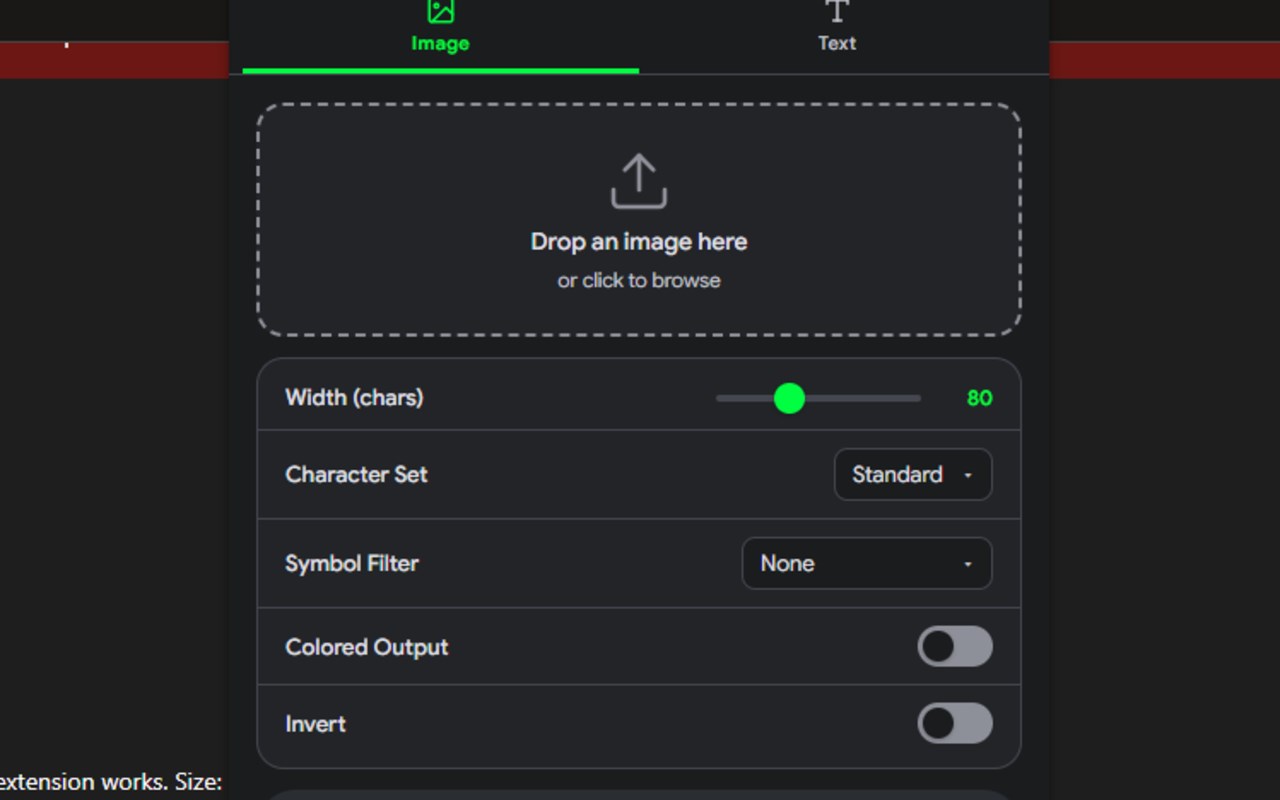
Upon opening Asscim’s popup panel, users encounter a sleek, modern interface divided into clearly organized tabs focusing on two primary creation modes: Image-to-ASCII and Text-to-ASCII. In Image-to-ASCII mode, artists can easily drag-and-drop or upload any image file and watch their creation convert instantly in real-time. The extension provides a variety of adjustable parameters including image width, choice among various character sets—such as detailed, block, minimal, emoji, and standard—alongside options to apply color effects, invert brightness, and select from symbol filters that map image brightness to playful glyphs like hearts, stars, and dots. This enables users to tailor the visual output extensively to match their intended style.
For text-based ASCII art, Asscim offers access to an extensive library of ASCII fonts, including bubble, banner, slant, shadow, script, digital, lean, mini, and block styles. Users can type in phrases or titles, adjust scaling, and explore multiple preview modes, allowing for expressive and dynamic text renditions suited for banners, headers, or memes. All modifications are shown instantly, ensuring a fluid creation process.
The underlying ASCII art engine is highly optimized for efficiency and advanced transformations. It supports numerous preset filters, extended font collections, and interaction controls to fine-tune creations pixel-perfectly. Users have the ability to copy or export final ASCII art with a single click, streamlining sharing and further use. Asscim also includes a responsive theme toggle allowing users to switch between light and dark modes for comfortable use across different lighting conditions. Its design caters equally to casual users and creative professionals alike, providing robust capabilities without requiring an internet connection or risking user privacy.
Key Features:
- Real-time Image-to-ASCII conversion with extensive adjustment options such as width, character set, color, and symbol filters.
- Text-to-ASCII art mode featuring a rich variety of fonts and scaling options to create standout banners and titles.
- Diverse character sets including detailed, block, minimal, emoji, and standard for varied artistic effects.
- Symbol filters that map brightness to unique glyphs like hearts, stars, dots, adding creative flair.
- Colorization and inversion features allow users to generate either monochrome or color ASCII art with dramatic tone effects.
- Convenient drag-and-drop support for image files alongside traditional upload methods.
- Quick, one-click functionality to copy or export ASCII art to clipboard or open in a modal for enhanced viewing.
- Theme toggle for easy switching between light and dark modes, adapting to user preferences.
- User-friendly slider and dropdown controls enable precise fine-tuning of every detail.
- Integrated toast notifications, modal previews, and reliable error handling ensure a smooth and enjoyable user workflow.
How It Works:
1. Click the Asscim icon on your browser toolbar to open the extension’s popup interface.
2. Choose your creation mode by selecting either Image-to-ASCII or Text-to-ASCII from the tabbed layout.
3. In Image-to-ASCII mode, drag-and-drop your desired image or upload it via the drop zone. Modify parameters such as width, character set, foreground color, and symbol filter to fit your vision.
4. For Text-to-ASCII, type your text into the input box, select your preferred font style from the dropdown menu, and adjust scaling and effects to enhance appearance.
5. View your ASCII art live in the preview area, and utilize the “Copy” button to send the output to your clipboard or open a larger modal for detailed inspection.
6. Continue refining your artwork through intuitive sliders and filter options until you achieve the perfect result.
7. Adjust the theme setting to light or dark mode depending on your comfort, with all preferences saved automatically for future sessions.
Privacy: - No personal data collected. All ASCII art processing is performed locally and offline within your browser, guaranteeing complete user privacy.