Procshot - Auto Step-by-Step Guides & SOPs
Extension Actions
Auto-record browser actions into step-by-step guides with screenshots. Export to PDF & Markdown. Save 90% documentation time.
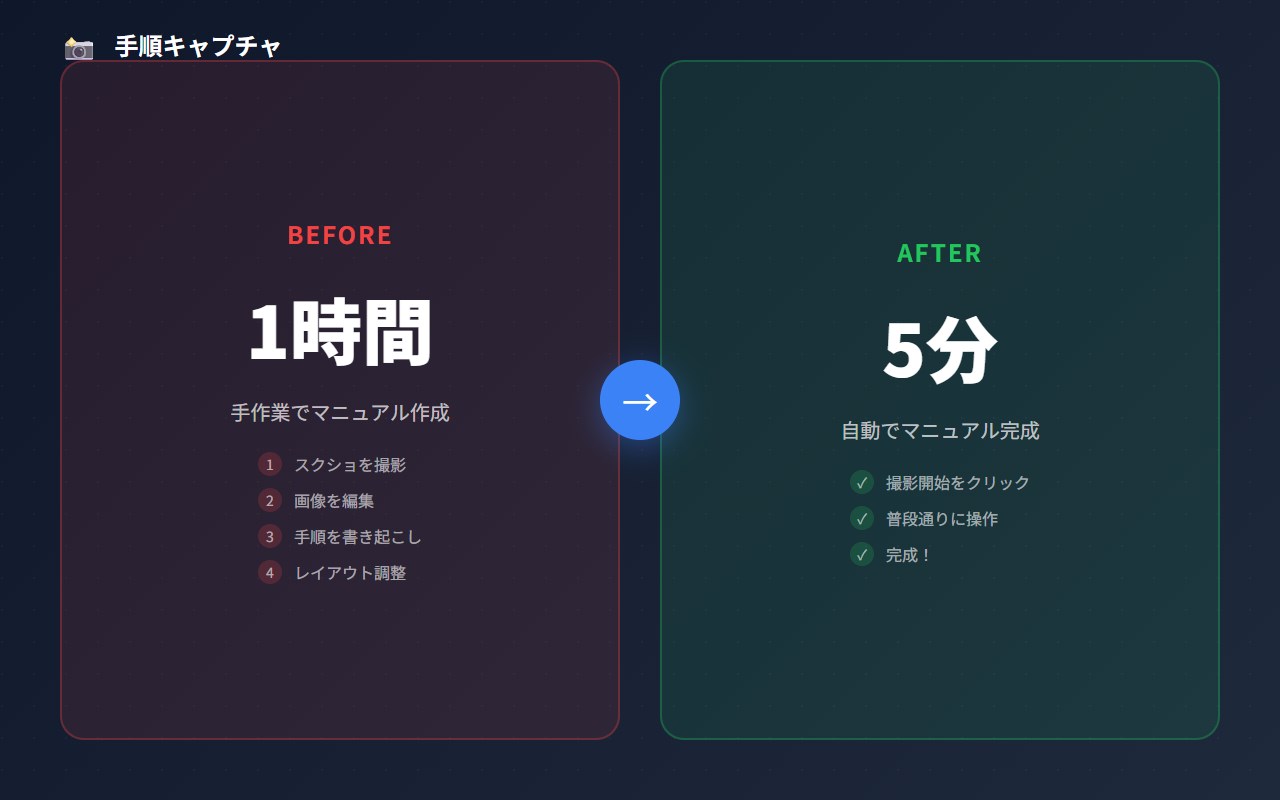
Procshot is a comprehensive browser extension designed to transform the way you document web-based processes by automatically capturing and creating detailed visual guides. Its powerful yet user-friendly interface enables users to record browser actions, capture screenshots, and annotate step-by-step walkthroughs directly from any webpage. By automating much of the documentation process, Procshot dramatically reduces the time needed to create clear, professional-quality guides—saving up to 90% of the usual effort involved in onboarding materials, standard operating procedures (SOPs), training sessions, and process documentation.
This extension excels in guiding users to easily capture relevant parts of web pages, analyze and clean up captured content through smart DOM analysis, and organize these captures into logically structured guides. With built-in annotation tools, you can add detailed notes, reorder steps, and enhance clarity for your audience. When your visual guide is ready, Procshot offers seamless export options including PDF and Markdown formats, allowing you to share or archive your documentation efficiently. Whether you're an educator creating instructional material, a trainer preparing onboarding kits, or a process owner documenting workflows, Procshot provides a streamlined, all-in-one solution integrated directly into your browser.
By operating entirely within the browser environment, Procshot eliminates the need for external applications or complicated workflows. Users can open the extension from the toolbar popup for quick access and benefit from local storage of guides for future editing or reuse. The extension’s smart interface removes unnecessary UI elements and irrelevant content to ensure your final output is clean, focused, and professional. Additionally, the integration with payment services supports premium enhancement and ongoing development.
Key Features:
- Auto-record browser actions and capture screenshots to create step-by-step visual guides effortlessly.
- Annotation tools to add detailed notes, reorder steps, and build well-structured walkthroughs with rich context.
- Intelligent DOM analysis cleans captured content by removing UI clutter, icons, and irrelevant text ensuring clarity.
- Export options including PDF and Markdown format for easy sharing, printing, or archiving of guides.
- Quick access popup interface from the browser toolbar for rapid guide creation on any web page.
- Local storage enables saving, opening, and updating guides for ongoing use or iterative refinement.
- Payment integration (ExtPay) to unlock premium features or support the development of the extension.
How It Works:
1. Install Procshot and pin the extension icon to your browser toolbar for convenient access.
2. Navigate to the web page you want to document, then open the Procshot popup.
3. Use capture controls to select elements or specific regions; Procshot automatically analyzes the DOM to maintain clean and relevant visuals.
4. Annotate each captured step within the guide viewer by adding notes, explanations, or highlights to clarify instructions.
5. Organize your guide by easily dragging steps to reorder, editing content, or removing unnecessary parts.
6. Export your completed guide as a professional PDF or Markdown document with all visuals and annotations intact.
7. Save your guides locally for future reference, revisiting or updating them as needed through the integrated guide management system.
Privacy: - No personal data collected. Procshot stores guide drafts locally in the browser and does not transmit any user content or browsing activity externally.