
VoiceInsight - YouTube Subtitles & Transcript Downloader
Extension Actions
Easily download subtitles & transcript while browsing YouTube videos.
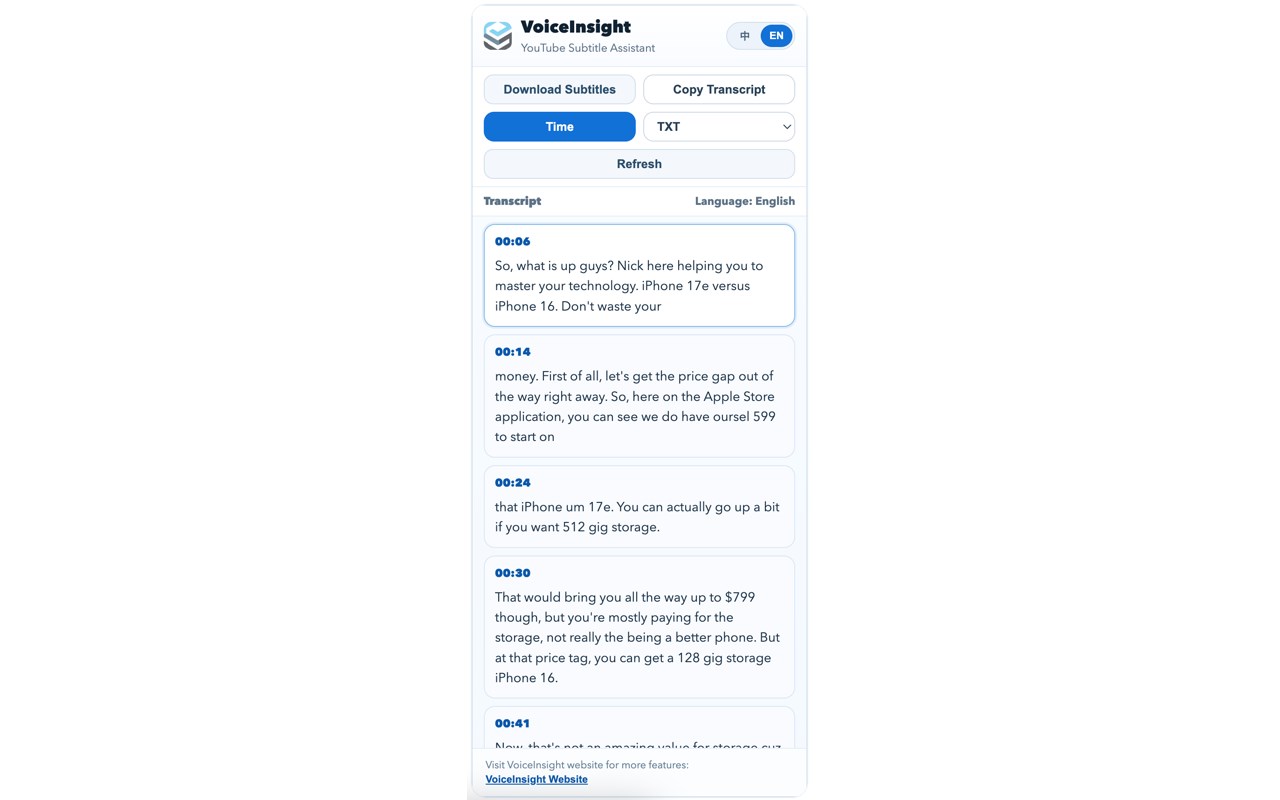
VoiceInsight helps you extract and download subtitles from the YouTube video you are currently watching.
What it does:
1. Extracts available subtitles/CC from the current YouTube video.
2. Exports subtitles in TXT / SRT / VTT formats.
3. Lets you copy transcript text to clipboard in one click.
4. Supports timestamp toggle (show/hide time).
5. Supports manual refresh after switching to another video.
6. Supports English and Chinese UI.
How to use:
1. Open a YouTube watch page.
2. Click the VoiceInsight extension icon.
3. Select subtitle format (TXT/SRT/VTT) and timestamp mode if needed.
4. Click Download Subtitles or Copy Transcript.
5. If you switch to a new video, click Refresh.
Note:
1. VoiceInsight works only when subtitles/CC are available for that video.
2. Availability and extraction results may vary by video and YouTube page state.