
SP Editor
Extension Actions
- Extension status: Featured
Create and update SharePoint Online/SP2013/SP2016/SP2019 css/js files, inject files to web, manage web/list properties, list Webhook
Create and update SharePoint Online/SP2013/SP2016/SP2019 css/js files, inject files to web, manage web/list properties, list Webhook
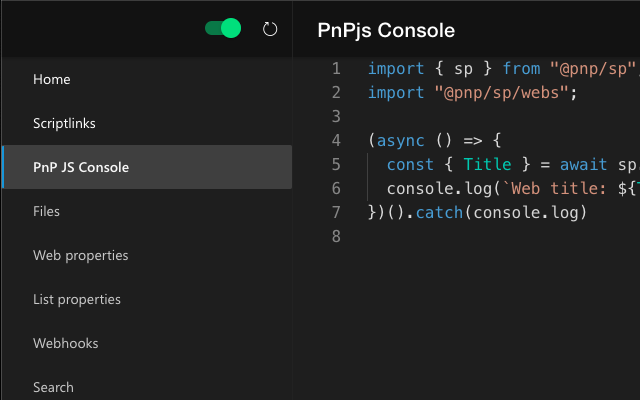
A Microsoft Edge Extension for creating and updating files (js, css), injecting files to sites, modifying web/list propertybag values (add, edit, remove, index) and creating webhook subscriptions, edit/add/remove webparts from publishing pages and run PnPJS typescript snippets in SP2013, SP2016, SP2019 and SharePoint Online from Edge Developer Tools. This tool will help you create amazing SharePoint applications fast from your browser from any computer which runs Edge!
Latest reviews
- Fonseca
- Very helpful for validating metadata when a new site is created
- Ionita,
- absolutely amazing, let's ensure this stays alive and updated!!
- Turgay
- thank you
- Ole
- Best extension ever. Absolutely essential for my daily work! I've previously used the orginal Chrome extension - first in Chrome then in Edge and now finally switched over to the native Edge version as it seems that this one has no at least feature parity.
- Don
- Update: Doesn't look like the extension was updated, but the latest version of Edge (Dev Channel) shows the SharePoint tool again. Back to 5 stars!!! Original: This a great tool, but has stopped appearing in the list of tools since they updated the DevTools in Edge and Chrome. Please fix. Please! Please! Please!
- Renee
- No longer works with Edge.
- Sandra
- Practical, go-to tool for SharePoint Developers! Recommend! Thank you so very much Tomi Tavela for your contributions to the SharePoint developer community.
- suresh
- What a great tool to query SP on the fly. Must have for every SP Developer.
- Yuan,
- Lack of instruction. Don't know what I could do with it when I was on the SP site...