
InstaSpeed - Instagram Video Speed Control
Extension Actions
Control playback speed of Instagram videos and stories with keyboard shortcuts and custom speeds
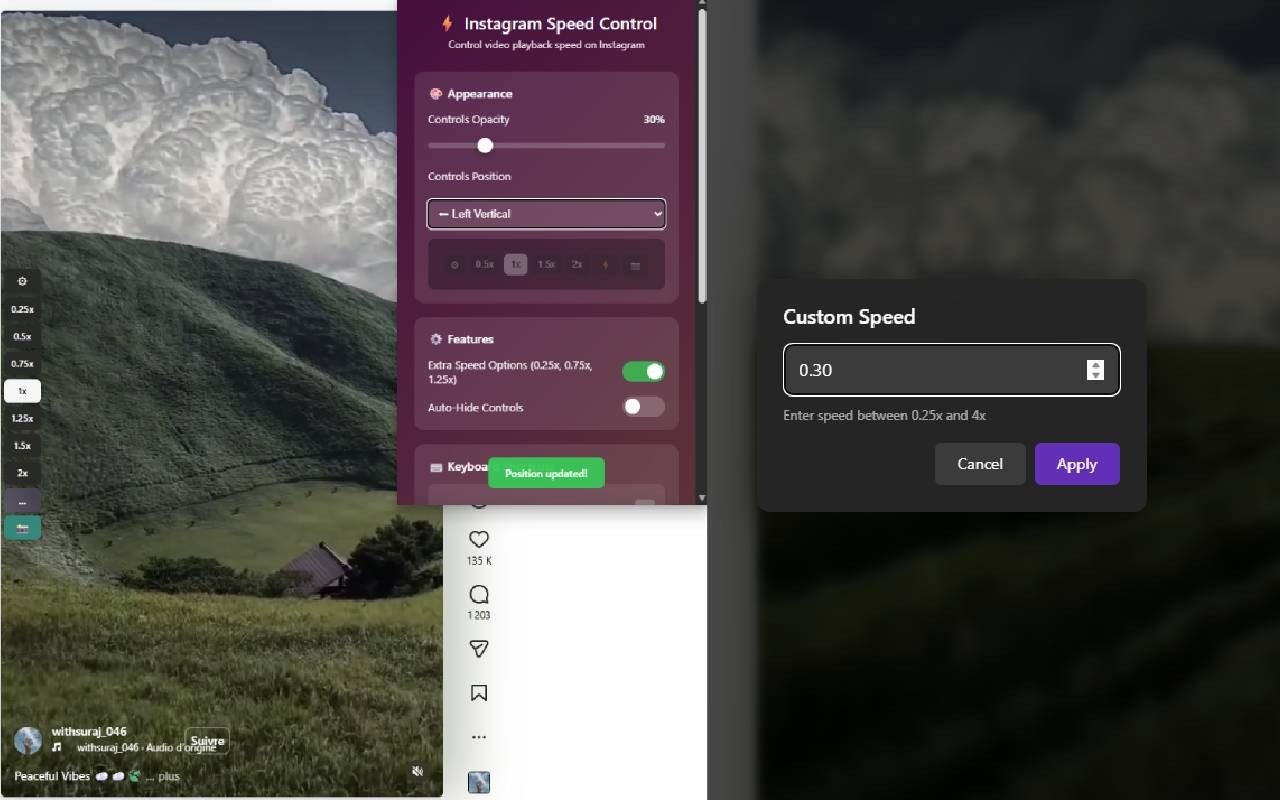
⚡ Take Control of Instagram Video Speed
Watch Instagram videos at YOUR pace - speed up boring stories, slow down tutorials, or skip through content faster.
🎯 KEY FEATURES
- 8 preset speeds: 0.25x to 2x
- Custom speed up to 4x
- Keyboard shortcuts (+ / -)
- Works on Stories, Reels, Feed videos & IGTV
- Auto-hide controls
- Adjustable position & opacity
- Speed persists across videos
⚡ SUPER EASY TO USE
1. Install extension
2. Go to Instagram
3. Click speed buttons or press +/-
4. Done!
Controls appear on every video automatically. They fade after 1.5 seconds but reappear when you move your mouse.
⌨️ KEYBOARD SHORTCUTS
+ or = → Speed up
- or _ → Slow down
No clicking needed!
🎨 CUSTOMIZABLE
- Choose control position (6 options)
- Adjust opacity (10% to 100%)
- Set any custom speed (0.25x to 4x)
💡 PERFECT FOR
✓ Skipping through long stories quickly
✓ Watching tutorials at your own pace
✓ Saving time on lengthy reels
✓ Slowing down fast content
✓ Power users who want control
🔒 PRIVACY
- No data collection
- No tracking
- No permissions needed beyond Instagram
- Works completely offline
- Open source code
📱 WORKS ON
- Instagram Feed videos
- Instagram Stories
- Instagram Reels
- IGTV videos
🆕 VERSION 1.0 FEATURES
- Redesigned modern UI
- Improved performance
- Better keyboard shortcuts
- More position options
- Enhanced stability
---
⭐ If you find this useful, please leave a review!
💝 Support development: https://ko-fi.com/techlou
Questions? Feedback? Contact: [email protected]