
Grid View For Google Meet (Works 2021)
Malware Detected
This extension has been flagged as potentially malicious.
Extension Delisted
This extension is no longer available in the official store. Delisted on 2025-09-16.
Extension Actions
- Minor Policy Violation
- Removed Long Ago
Allows More Users in Google Meet Grid View
We are solved the issue and it is now working again! ❗
- Adds a toggle to use a grid layout in Google Meets and more advanced features
Don't forget to leave a 5-Star review!! That really helps us out! 🌟🌟🌟🌟🌟
✅How-To Use:
1.) Create Google Meet Meeting
2.) Load everyone up in the meeting
3.) Click our green grid extension logo in the extension bar
4.) Click "Enable Grid View"
5.) Thats it. Everyone should be on your screen! :)
This extension forcibly loads every participant's video when grid view is enabled and may cause performance issues in extremely large meetings.
*Includes a variety of options to enhance your meeting: include your own video, highlight who is speaking, and hide participants without video!
*Some features we are still trying to fix as Google broke them with the updates that come out. We will stay on top of whats not working and fix that as soon as possible.
- PLEASE write in the support tab and even send me an email (best for quickest reply) if there are any issues! That would be much better than putting a low quality review as everything is fixable! :)
🌟 It is free to download and use! 🌟
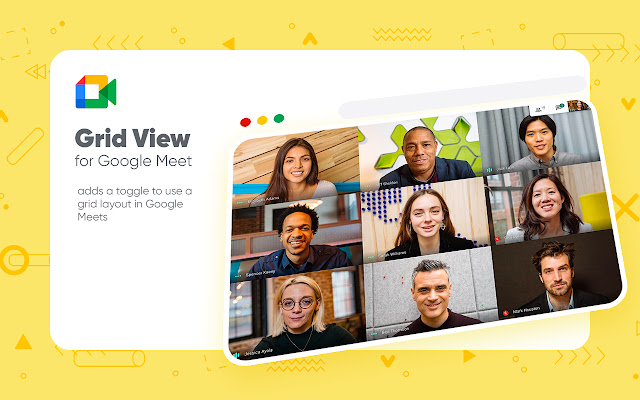
This extension adds a button to the top right bar (next to chat & participant list) to enable grid-view in Google Meets. Grid view gives every participant an equal sized video for use in meetings without a primary speaker (such as working from home silent meetings).
This extension forcibly loads every participant's video when grid view is enabled and may cause performance issues in extremely large meetings.
Includes a variety of options to enhance your meeting: include your own video, highlight who is speaking, and hide participants without video!We are solved the issue and it is now working again! ❗
- Adds a toggle to use a grid layout in Google Meets and more advanced features
Don't forget to leave a 5-Star review!! That really helps us out! 🌟🌟🌟🌟🌟
✅How-To Use:
1.) Create Google Meet Meeting
2.) Load everyone up in the meeting
3.) Click our green grid extension logo in the extension bar
4.) Click "Enable Grid View"
5.) Thats it. Everyone should be on your screen! :)
This extension forcibly loads every participant's video when grid view is enabled and may cause performance issues in extremely large meetings.
*Includes a variety of options to enhance your meeting: include your own video, highlight who is speaking, and hide participants without video!
*Some features we are still trying to fix as Google broke them with the updates that come out. We will stay on top of whats not working and fix that as soon as possible.
- PLEASE write in the support tab and even send me an email (best for quickest reply) if there are any issues! That would be much better than putting a low quality review as everything is fixable! :)
🌟 It is free to download and use! 🌟
This extension adds a button to the top right bar (next to chat & participant list) to enable grid-view in Google Meets. Grid view gives every participant an equal sized video for use in meetings without a primary speaker (such as working from home silent meetings).
This extension forcibly loads every participant's video when grid view is enabled and may cause performance issues in extremely large meetings.
Includes a variety of options to enhance your meeting: include your own video, highlight who is speaking, and hide participants without video!
Latest reviews
- David Dávila Argandoña
- Ya la instale y desinstale varias veces y no funciona, La necesito para ver a todos mis estudiantes. Arréglenla por favor
- 戴承佐
- useful without bugs.
- Marc Randell
- it doesnt work at all
- Kenia Ledoux
- Adorei o recurso!!!