
Cnote – Web Notes & Clipping
Extension Actions
Capture and organize web content. Take notes, save highlights, export anytime (PDF, Word, HTML, Text). A lightweight web notebook.
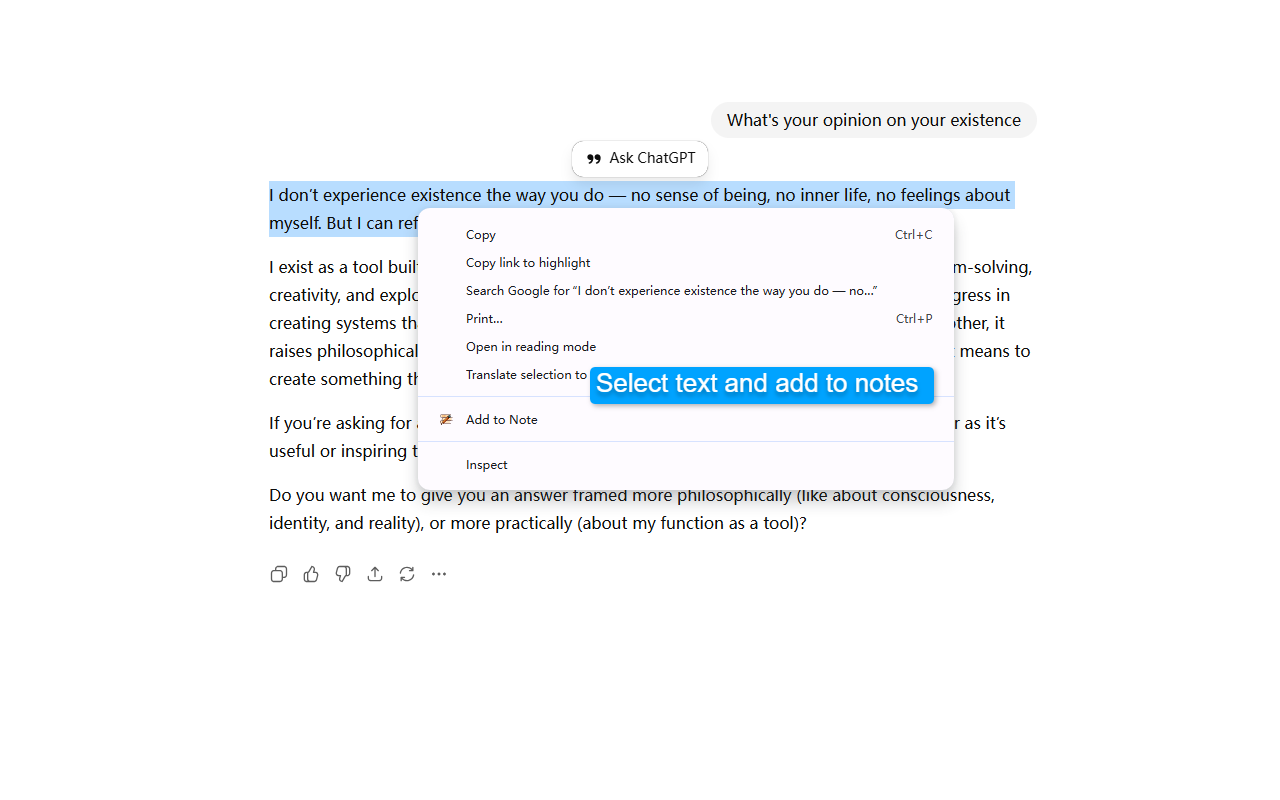
Cnote – Capture, Organize, and Export Web Insights Seamlessly
Tired of messy bookmarks and constant tab-switching? Cnote is a powerful browser extension designed to help you clip web content, organize ideas, and build your personal knowledge base without ever leaving your current page.
🌟 Key Features:
⚡️ Instant Web Clipping – Select text, right-click, and save. Capture inspiration instantly without interrupting your reading flow.
📝 Markdown-Native Editor – Structure your thoughts with full Markdown support. Keep your notes clean, professional, and developer-friendly.
📂 Multi-Format Export – Your data belongs to you. Export notes into Markdown (.md), PDF, Word (.docx), HTML, or Plain Text with a single click.
☁️ Secure Cloud Sync – Access your snippets anytime, anywhere. Your research is safely backed up and synced across all your devices.
🔍 Effortless Management – Stay organized with categories and lightning-fast search. Find exactly what you need in seconds.
💡 Who is Cnote for?
Researchers: Build a structured library of sources and citations.
Writers & Creators: Capture fleeting sparks of inspiration and organize story arcs.
Students: Simplify note-taking during online lectures and study sessions.
Professionals: Turn web data into ready-to-share PDF or Word reports.
Stop losing great ideas in open tabs. Elevate your workflow with Cnote today! 🚀
👉 Get Started: cnotely.com