
Pixcall
Extension Actions
This extension will help you to save inspiration/reference images to Pixcall.
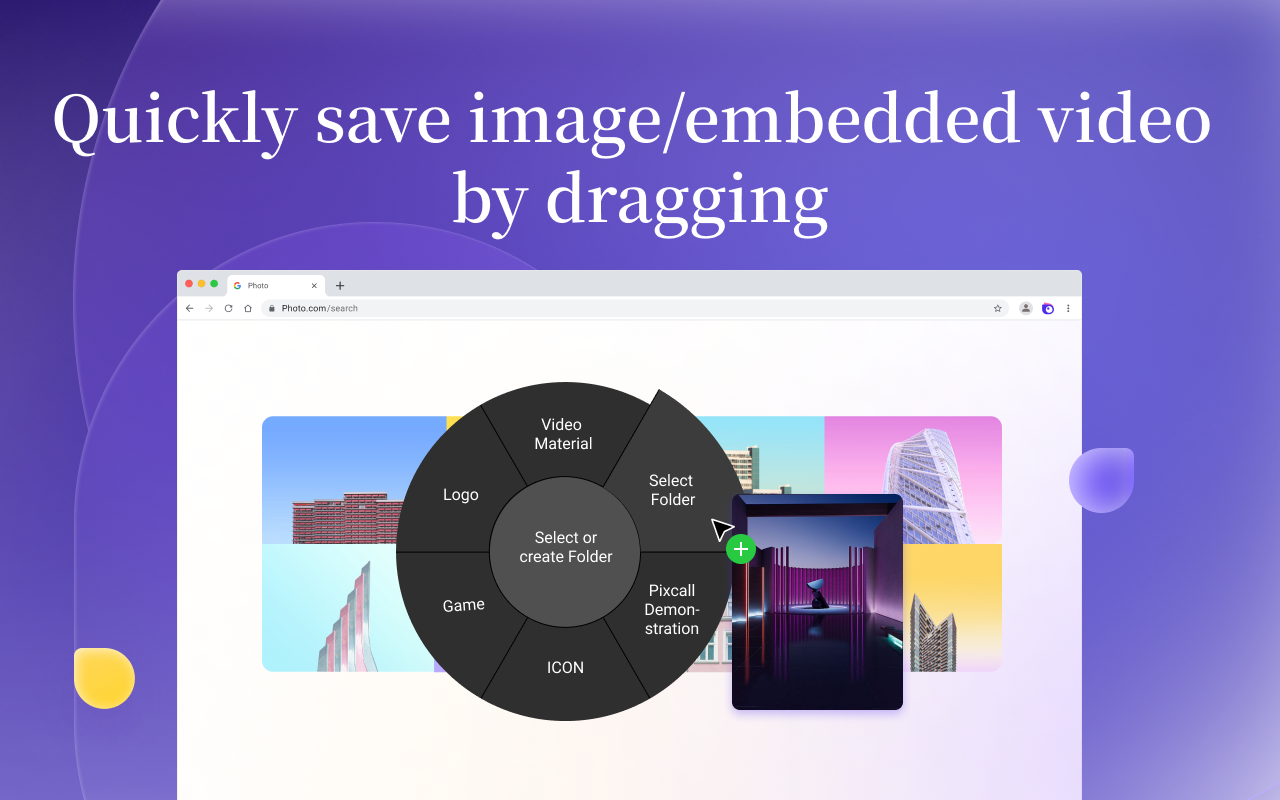
🌈 The Pixcall extension can save images/embedded videos, web page screenshots, or the entire web page as a local mhtml file on the web page.
⭐️⭐️ Save images/embedded videos on the web page ⭐️⭐️
It supports four saving methods:
👉🏻 Save images by dragging and dropping
👉🏻 Right-click on the image/embedded video and select "Save to Pixcall" in the right-click menu
👉🏻 Hover the mouse over the image/embedded video and click ALT/Option + right-click
👉🏻 Batch save all images on the web page
⭐️⭐️ Save web page screenshots to the Pixcall resource library ⭐️⭐️
It supports three web page screenshot methods:
👉🏻 Full-screen screenshot
👉🏻 Visible area screenshot
👉🏻 Full-page screenshot
⭐️⭐️ Save the entire web page as an mhtml text file ⭐️⭐️
👉🏻 When saving the entire web page, the entire web page content will be saved as an mhtml file, which contains all the static content of the web page, but does not include streaming media resources. After saving it locally, you can view the static content of the web page even if the original web page is deleted.
🌈 To use the Pixcall extension normally, you need to install and enable the Pixcall desktop client. You can visit https://pixcall.com to learn more about Pixcall product information.
Latest reviews
- SS
- It looks like it would be the perfect addon with great functionality. Unfortunately it does absolutely nothing.