
LSJ Ancient Greek Lookup
Extension Actions
- Live on Store
Look up on lsj.gr, multiple Ancient Greek and Latin dictionaries with ALT+double click on a word.
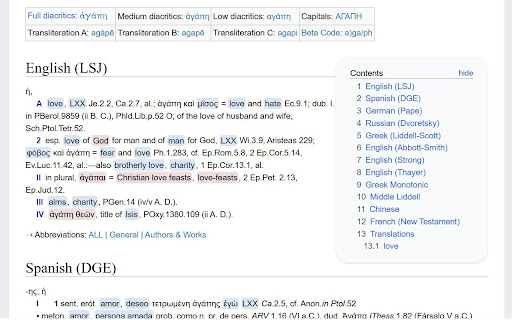
Look up multiple, multilingual, bidirectional, Ancient Greek and Latin dictionaries on lsj.gr by selecting a word and:
① using ALT+double click on a word (or instead of ALT you can use CTRL or SHIFT, see options);
② selecting a word/phrase, right clicking and then clicking on the "LSJ" context menu item;
③ selecting text and then clicking on the extension icon.
Clicking on the extension icon takes you to the lsj.gr site.
There are options to always open in new tab (default) or refresh lsj.gr tab if available.
Lexicographic content in: English, Ancient Greek, Modern Greek, German, French, Spanish, Russian, Dutch, Latin, Chinese and terminological content in over 5000 languages, for example a Greek word with translations in different languages, i.e. the "Translations" section at the end of the word https://lsj.gr/wiki/hýdōr
Latest reviews
- gjerg skender
- the tool is a great little pocket method for double checking your curiosities if you are learning. or even just passionate about the language.