


Read Frog - AI Translation & Flashcards
Extension Actions
Bilingual AI translation for web pages and YouTube, Netflix and X subtitles. Save new words and review them as flashcards.
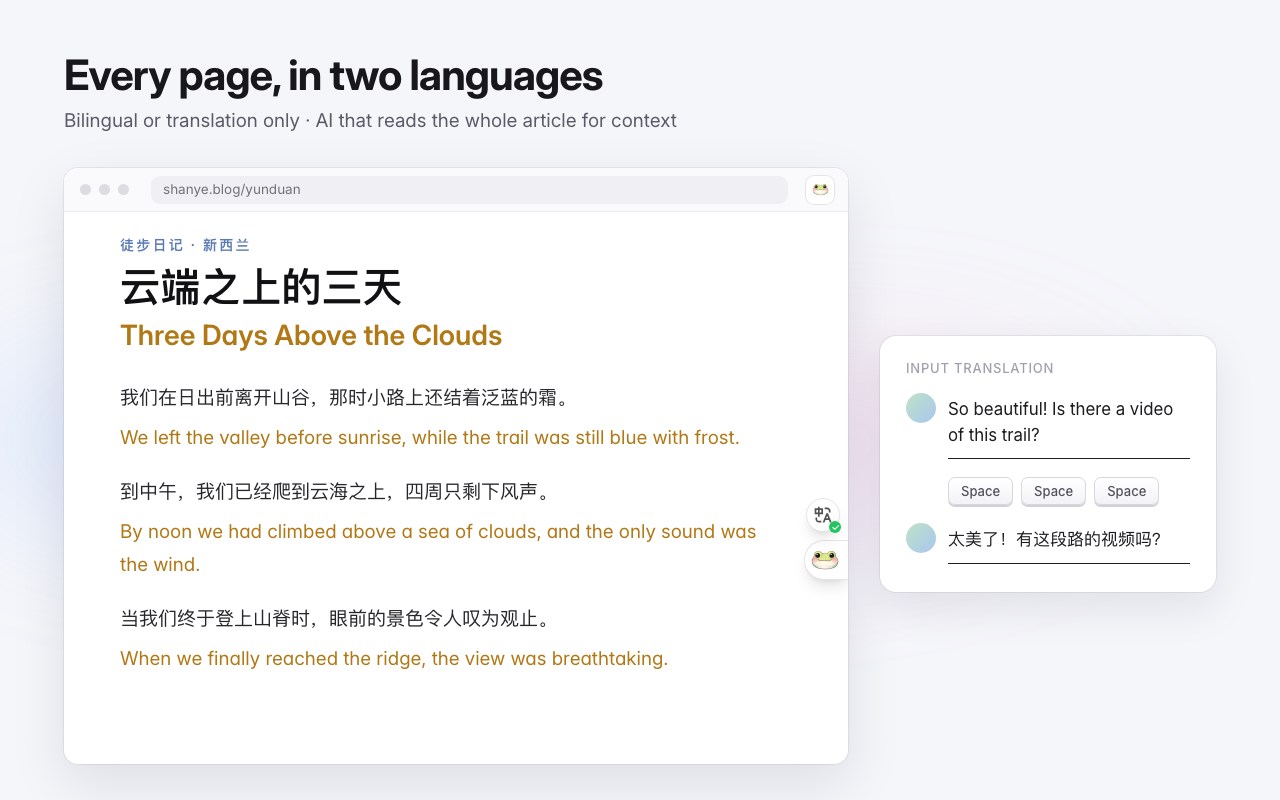
Read any website, YouTube or Netflix video, or X post in two languages. Select the words you don't know, save them, and review them later as flashcards. Read Frog is an open-source AI translation and language learning extension. Looking for an open-source alternative to Immersive Translate? Read Frog translates pages and subtitles side by side too, and turns the words you save into flashcards.
BILINGUAL WEB PAGES
• Show each translated paragraph right below the original, or show the translation only.
• AI translation reads the whole article for context, so terms and tone stay consistent.
• Shape the wording with custom prompts and your own glossary.
• Translate a page in one click, or have the sites you choose translate automatically.
SELECT TO TRANSLATE
• Select any text for an instant translation, free.
• Run AI actions on the selection: a dictionary entry with example sentences and memory tips, a teacher-style breakdown of long sentences, feedback on your writing, or actions you create yourself.
• Hear any selection read aloud in 70+ languages, at 0.25x to 4x speed.
DUAL SUBTITLES FOR VIDEOS
• Bilingual subtitles on YouTube (including Shorts and embedded players), Netflix and X.
• Hover over the subtitles to pause the video, then click any word: an AI dictionary explains it in the context of that line. You can switch it to an AI action of your own.
• No captions on a YouTube video? AI can transcribe the audio and show it as bilingual subtitles.
• On YouTube, the Learning panel lists the full transcript with translations and sums up the video with AI.
• Choose original, translation or both, and adjust the font, size, colors and position.
SAVE AND REVIEW
• Save new words and sentences to Notebase, your personal word bank.
• Review them as flashcards, Anki-style but without making cards by hand: every note you save gets its cards automatically. The FSRS spaced-repetition algorithm schedules each card for just before you would forget it.
YOUR CHOICE OF TRANSLATION SERVICE
• 30+ translation services: free machine translation, AI models with your own API key, or a local model running on your own computer.
• Batched requests keep API costs down.
• Video subtitles can use a different service and prompt from page translation.
FREE AND PAID
Read Frog is free to use with the free translation services or your own API keys. The Pro and Ultra plans add built-in AI and AI-generated subtitles for videos without captions.
OPEN SOURCE
Read Frog is open source under the GPL-3.0 license.
Website: https://readfrog.app
GitHub: https://github.com/mengxi-ream/read-frog
Discord: https://discord.gg/ej45e3PezJ
Latest reviews
- 君一
- 版本落后于chrome版,导致config同步错误。希望尽快解决版本同步问题
- Sirius
- 效果不错,就是视频字幕翻译这块目前支持的平台比较少,期待进步
- 颖豪
- 不知道为啥 沉浸式翻译翻译后的界面正常 用陪读娃翻译后文字段落会乱掉
- helen
- 请教一下,如何收藏查询过的单词呢?跳出来的save总是会跳转到蛙的登陆界面诶
- Harlin
- 支持,期待更多功能的上线
- 风
- L站过来的,支持一个!!!
- 35240
- 好用
- Yun
- user-friendly!