
SQL Formatter
Extension Actions
CRX ID
cefnebgidjhmfaiadkgljilejmnhdcpe
Status
- Live on Store
Description from extension meta
Formats your SQL for easier reading, code review, and debugging.
Image from store
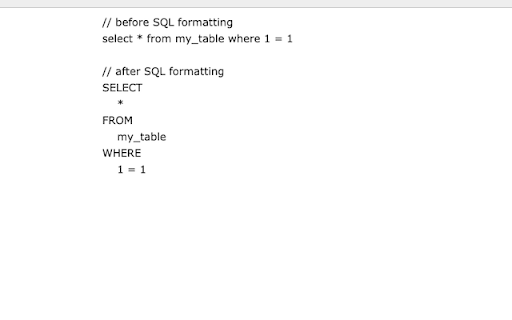
Description from store
Formats your SQL for easier reading, code review, and debugging. To use it, highlight a block of SQL on a webpage (such as inside a text field). Then click on the Chrome Extension icon in the URL bar (make sure it's pinned). For most websites, the newly formatted SQL will be written to your clipboard, and you can paste it from there! For websites that use the CodeMirror front-end text editor (Snowflake, Sisense for Cloud, and others), the SQL will be auto-pasted in the text-editor without requiring you to paste it.
Latest reviews
- David Sung
- Thanks for building this! Huge productivity hack
- David Sung
- Thanks for building this! Huge productivity hack
- Kashish Hora
- Centuries from now, when society looks back upon the technological advancements made in the 21st century, two innovations will stand above the rest. The first – a stratospheric leap in rocketry and space travel leading to humans becoming an interplanetary species. The second – DataScience SQL Formatter.
- Noah Yonack
- I really needed a tool like this! Thanks for building it :)
- Wayne Lee
- Everyone hated doing my code reviews. Ever since using DataScience SQL Formatter, everyone loves doing it!! Highly recommend it! I don't know how I used to SQL without it.
- Wayne Lee
- Everyone hated doing my code reviews. Ever since using DataScience SQL Formatter, everyone loves doing it!! Highly recommend it! I don't know how I used to SQL without it.
- Alex Muscat
- this chrome extension is the single greatest extension I've ever used. I would give it 6 stars if I could ⭐️⭐️⭐️⭐️⭐️⭐️.