
„Garso įrašymas iš kompiuterio — Chrome Audio Capture
Extension Actions
Lengvai įrašykite garsą iš kompiuterio naudodami Chrome Audio Capture, internetinį balso ir garso įrašytuvą
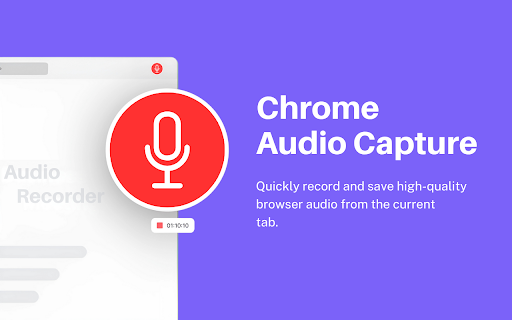
Audio Capture is a simple and useful tool that allows you record any sound playing in your current browser tab. Whether it's music, a podcast, or a video call, this extension makes it easy to save the audio directly to your computer.
Additionally, you can visit our official website! You will find the best online free tool in the pop-up section!
👉 Key Features of Audio Capture:
► Record Audio from Any Tab: Record audio from the current tab or any active tab in your browser.
► Save in Multiple Formats: You can save your recordings as either .mp3 or .wav files, giving you flexibility depending on your needs.
► Adjust Recording Time: Set a maximum recording time in minutes, so the extension automatically stops recording after the set duration. This is handy for capturing specific audio segments.
► Customize Audio Quality: Choose the fidelity of your .mp3 recordings (low, mid, or high), allowing you to control the balance between file size and audio quality.
One cool thing is that this Audio Capture Extension is free, and you don't need to log in or sign up to use the services. (Installing or uninstalling this extension may display promotional content.)
Disclaimer: All recordings are processed and saved locally on your device - nothing is ever uploaded to external servers. This makes Chrome Audio Capture a safe choice for sensitive audio like online classes, meetings, or personal notes.
Latest reviews
- Sew Bubbe
- So far, not too bad. Tests I've run produced expected results. However, there needs to be a correction made in the settings. The maximum allowed minutes is 60 unless selecting remove time limit. You can enter any value you want, but it always resets to 60 minutes when starting to record. I would like to be able to record longer set times. Finally, ctrl-shift-s and ctrl-shift-1 do not start recording. Using newester version of Chrome and Chrome Audio Capture.
- manit Waewngam
- Verygood Job
- Charles Wong Tsun Loong
- awsome
- Mercy Joseph
- perfect
- Ji-ho Song
- This is cool
- Herbert Rivera
- Very easy to use and helpfull
- {S}r[V]
- ok
- Logan Roman
- great alternative to the other one that got taken down
- Jose Delmare
- nice now version with countdown on the icon of the browser!
- Riz Wan
- used any such extension for the first time..this is staying with me fr a while..perfect capture
- Hunt
- Very simple good !!
- Heath Jones
- Seems to work about once every 4 or 5 tries. I keep getting empty .mp3 file downloads. Not very reliable...
- Milciades Adames
- Easy to use. Great quality audio. Very capable audio capture app. Recommended.
- Fernando P
- Use to be my go to. Now it either doesnt record my audio, or save the file properly, or I have to re-record 4 times to finally get it to record and encode properly
- Ty Buchanan
- It no longer produces a compatible MP3 file. Cannot make captured files play in anything. Tries Audacity and Windows Media Player. Both gave pupup saying incompatible file.
- Naren Sirimalla
- Perfect audio capturing tool
- Willa Wu
- Easy to use!
- Akia Pearli
- Really good and great extension , I am really happy to use it , This is very simple and easy to use extension.
- Kr Gautam sharma
- Great tool for homeschoolers ! Helps me capture audio streaming for webpages....
- Navnittam Sharma
- Exactly what I was looking for! Great solution for online meeting audio record .
- MAHILA COLLEGE
- was able to make 1+ hour recording without any issues, unlike other such extensions good or should we say best, i'm using last 2 months ....
- Kevin Bailey
- Change made recently broke the keyboard shortcut function, hope the developer will fix that as it is tedious to have to click the addon to capture and then again to stop.
- Bhai Shelar
- Worst. Don't use.
- J
- Won't save song. Useless.
- Vermilion Lu
- First one capture was good, but second day, correupted no reason
- Shubham Kumar
- Reallly usefull extension works really good for me , I am uisng it for last 4 months now .
- Design Drive
- work really great and fine, thankyou for this extension really needed this one .
- LiL Conroy
- Just pure perfection. Thank you.
- Stéphane Boury
- Very good extension. We can choose between WAV and MP3 and set a time limit. Very easy to use and very good sound quality.
- Ronnie Geyer Chmura
- Was looking for a fast way to record a sound bite from a website to generate a MP3 file. Boom: Chrome Audio Capture from prepphint.com was right there in Google Chrome web store. Thanks!
- Urvi Yadav
- First 2 times, it was proper then I am getting corrupted audio files
- Junior Gomes
- Awesome and so easy to use
- Basil D'Souza
- Does the job perfectly and with no fuss!
- H T
- Great extension! Work smoothly and very simple to use. I am very happy with the downloaded audio. I wish this extension could download multiple audio files from multiple Youtube vids at the same time (like the Video Download Helper extension). However, THANK YOU for a great product.
- MONKEY LOUAI
- Simple crude and effective!
- 黃崇堯
- Best tab recorder ever
- Manny Avalos
- so far so good everything works as it should and my happy with the outcome of the formats of the audios great job guys keep up the great work over there 5 stars!!!
- Aman Kumar
- Love that it works offline once installed. No account needed. Simple and effective.
- Adarsh Kumar _ 8 B
- Been using for months to record webinars. Never crashes, always works. Privacy focused which I appreciate.
- Nathaniel
- Finally! No more screen recording just for audio. Captures clean audio from any tab. Lightweight and fast.
- Daniel Scot Linton
- The concept is good, but the UI doesn't work. The recording time is limited to 60 minutes, despite setting the UI otherwise.
- Shubham bloggs
- best for capturing audio , works perfectly fine .