
Bulenox Auto Coupon Finder
Extension Actions
Scans bulenox.codes for coupons, shows expiry dates, and helps apply the best code on Bulenox in Microsoft Edge.
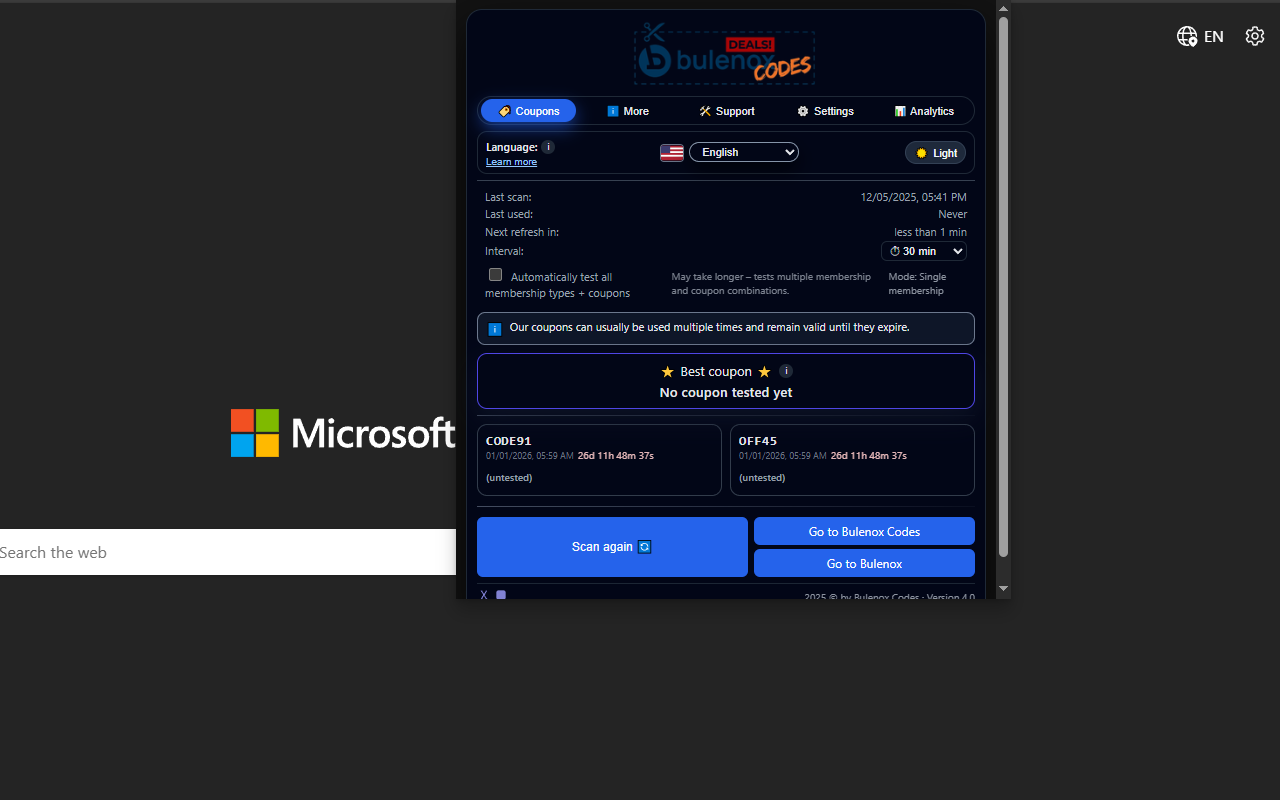
Save time and money on Bulenox – automatically.
Bulenox Auto Coupon Finder for Microsoft Edge scans Bulenox coupon sources in the background, checks which codes are still valid, and automatically applies the best one at checkout. No more manual copy & paste, no more guessing which coupon still works.
What this extension does
Automatically looks for Bulenox coupon codes when you shop on bulenox.com
Checks codes from bulenox.codes and other Bulenox-related pages
Tests valid coupons at checkout and applies the best available discount
Shows you which coupons are still active and when they expire
Works entirely inside Microsoft Edge – no extra apps or registrations required
How it works
Install the extension in Microsoft Edge.
Go to bulenox.com and add your desired product to the cart.
At checkout, the extension automatically looks for valid coupons.
It tests available codes and applies the best one it finds.
You see the final price directly in your Bulenox checkout.
Key features
🔍 Auto coupon search – Finds Bulenox coupons for you, so you don’t have to search manually.
⚡ Automatic testing at checkout – Tries the available codes and applies the best discount.
⏰ Expiry awareness – Uses coupon information with expiry dates, so fewer “expired code” errors.
🧩 Edge integration – Designed to work smoothly inside Microsoft Edge on Bulenox pages.
🧠 Smart local settings – Remembers your language, theme and notification preferences inside the browser.
Privacy & data
Bulenox Auto Coupon Finder is designed to be privacy-friendly:
The extension only runs on Bulenox-related pages (such as bulenox.com and bulenox.codes).
It does not inject code or track you on unrelated websites.
Your language, theme and notification preferences are stored locally in your browser profile.
To improve coupon quality, the extension may send anonymous, aggregated data about coupon performance (e.g. which codes work and how much they saved in total). This does not include your personal checkout details.
For full details, please read the Bulenox Auto Coupon Finder Privacy Policy linked on the add-on page.
Start saving on Bulenox in Microsoft Edge – let Bulenox Auto Coupon Finder handle the coupon hunting for you.