
Speech Recognition Anywhere
Extension Actions
Use Voice Recognition to fill out forms and dictate email with speech to text. Control the Internet with custom voice commands!
Speech Recognition Anywhere
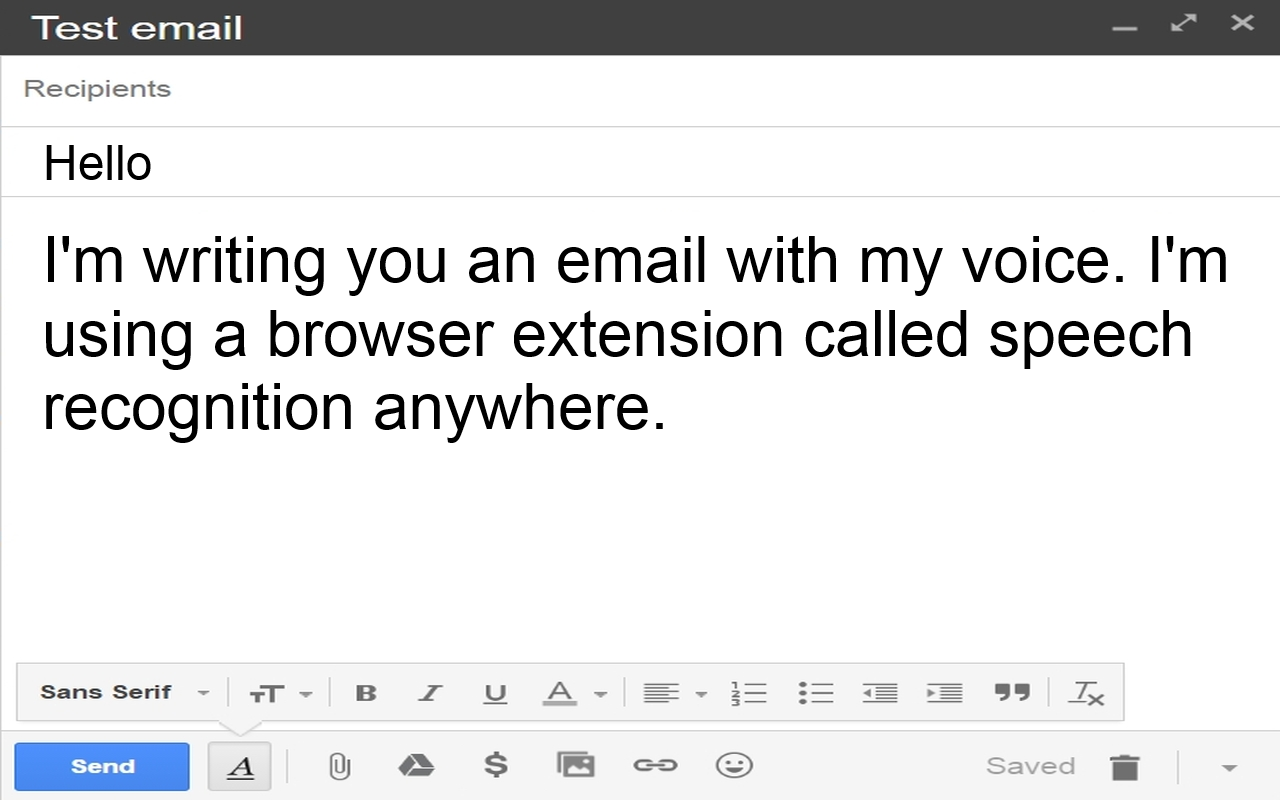
With "Speech Recognition Anywhere" you can control the Internet with your voice. Use voice recognition to fill out forms and documents on the Internet! Dictate emails with speech to text!
Speech Recognition Anywhere expands the capabilities of the Web Speech API in both Chrome and Edge, in order to allow users to control the Internet or to fill out documents and forms using their voice. A user can use simple voice commands to go to websites or to click on buttons and links. It also works with Google Docs, Microsoft Word online, Gmail, outlook.com and more. Medical professionals use it to fill out web based online medical records. Business professionals use it dictate letters and emails. Custom commands can be created by the user to allow the user to say shortcut phrases that print out a lot of text into a form.
NEW! Speech Recognition Anywhere now includes text to speech, custom voice commands and scripting. See https://seabreezecomputers.com/speech for more information.
FREE TRIAL FEATURES:
* Extension for Edge or Chrome
* Optional Windows Add-On (Free Trial)
* Choose between dozens of languages and dialects for speech recognition
* Dictate emails and online documents
* Fill in forms with your voice
* Go to the next or previous field with your voice
* Go to any web page with your voice
* Switch tabs and navigate webpages with your voice
* Scroll page up or down
* Click on links and buttons with your voice
* Cut, Copy, Paste, Clear, Highlight
* Say "Show labels" to see labels to buttons on a webpage
* Say "Youtube (name of artist or song)" to play music instantly
* Text to Speech (tts)
* Three custom voice commands
* Scripting
FULL FEATURES:
* Use Voice Activation Wake Up Phrase: (Examples: 'Ok Google', 'Computer', 'Alexa', 'Hey Siri', 'Hey Cortana')
* Start "Speech Recognition Anywhere" when the browser starts (Always Listening)
* Start "Speech Recognition Anywhere" in the background
* Submit search fields automatically
* Pause "Speech Recognition Anywhere" if audio is playing in a tab
* Virtual Assistant Mode
* Prevent system from sleeping while "Speech Recognition Anywhere" is listening
* Prevent screen from sleeping while "Speech Recognition Anywhere" is listening
* Unlimited custom voice commands
* Auto Punctuation
* Export/Import custom commands
* Optional Windows Add-On
NOTE: Extensions are not allowed to work on special chrome:// pages or edge:// pages or the Chrome Web Store or Edge Add-Ons website. Therefore, you will not be able to write a review directly at the Edge Add-ons website using your voice. This is a restriction imposed by the browser. It is not a limitation of the extension.
TIP: If speech recognition is not working on a specific webpage, then you can try (1) refresh the web page or (2) restart your computer. This will often fix the problem.
Disclaimer of Warranty: Sea Breeze Computers makes no warranties as to the performance of this product or service. This extension uses the Web Speech API built into some browsers (such as Google's Web Speech API or Microsoft Edge's Web Speech API) for speech recognition, therefore we cannot guarantee the quality or continued operation of the speech recognition service.
TERMS OF USE
By using this software you agree to the Terms of Use available at http://www.seabreezecomputers.com/speech/terms
VERSION HISTORY
10/30/2025 - Version 1.7.41
+ German: Added "Fragehaken" and "Schlusspunkt" for "question mark" and "period" because sometimes Google's Web Speech API doesn't work with "Fragezeichen" and "Punkt".
+ Fixed a Windows Add-On license issue.
9/26/2025 - Version 1.7.40
+ Spanish: Added Commands: Capitalizar todas, Capitalizar, Mayúscula, Minúscula
+ Bug Fix: \n\n in custom command action was not converting to new paragraph.
+ Bug Fix: \u{xxxx} Unicode characters in actions work again.
+ Changed billing url and title url.
8/16/2025 - Version 1.7.39
+ Windows Add-On was not working with new Lemonsqueezy subscription
8/6/2025 - Version 1.7.38
+ Spanish: Mueva el cursor hasta el final.
+ Portuguese: Acesse website.com
+ Portuguese: Mova o cursor para o (cima|baixo|esquerda|direita|fim|topo|inicio|final)
+ Bug Fix: SRA365 was not working with Windows Add-On.
+ Bug Fix: 3:00 a.m. was being converted to 3:00 a periodm.
7/25/2025 - Version 1.7.36
+ Added editor toolbar to SRA tab.
+ New payment processor.
4/15/2025 - Version 1.7.34
+ Added Spanish auto punctuation.
+ Added language menus for: Arabic, Czech, Indonesian, Swedish, Turkish, Polish,
11/20/2024 - Version 1.7.27
+ Translated menus to Chinese Simplified (zh-CN) and Chinese Traditional (zh-TW)
4/12/2024 - Version 1.7.20
+ Improved German "Press <key>" and "Delete last word|sentence" etc.
+ Added Spanish "Delete last|next word|sentence|character|paragraph".
2/27/2024 - Version 1.7.17
+ Windows Add-On Beta first release.
+ Indonesian punctuation added.
6/26/2023 - Version 1.7.13
+ Bug Fix: Fixed German "paste" not working.
5/3/2023 - Version 1.7.11
+ Now works with shadowRoot elements such as Bing Chat uses.
3/17/2023 - Version 1.7.7
+ Added French punctuation that Chrome web speech API stopped doing.
+ Bug Fix: Some languages like Thai were printing each statement twice.
+ New Setting: Use key presses to send text (Works with some websites that block paste)
3/8/2023 - Version 1.7.6
+ On 1/15/2023 Google's Chrome web speech API stopped converting punctuation such as "period", "question mark" and "comma". So now the extension will do the punctuation conversion.
+ %2C can be used in place of a comma (,) in custom command "actions". They will be converted to a text comma. Or to use a comma in an action you can put it in double quotes. Example: keypress("hello, how are you?");
2/12/2023 - Version 1.7.5
The setting 'Pause "Speech Recognition Anywhere" if audio is playing in a tab', now also pauses speech recognition if text to speech (tts) from the Web Speech API is playing.
1/10/2023 - Version 1.7.4
+ German: Google's Web Speech API stopped converting "komma" to "," for some reason. So now SRA will do the conversion itself.
12/25/2022 - Version 1.7.3
+ Can now send extra commands to tabs opened in the background with url() action. Example:
Phrase: Google (.*?)
Action: url(https://www.google.com/search?q=$1, Google, false); speak_element("[aria-level='3']")
12/10/2022 - Version 1.7.2
+ Added Hindi language commands and menus
+ replace_word() action now works better with words from other languages with letters that are not in the standard English or Latin alphabet. The word boundary is improved.
+ "Start in background" stopped working with Chrome update. Fixed.
+ Previously, in Chrome the word "period" would usually be replaced with "." but now there are more instances where it will stay "period" such as in the sentence: "It was a brief period of time."
10/13/2022 - Version 1.7.1
+ Bug Fix that started in version 1.7.0: The extension icon would not start SRA because of error: "Uncaught TypeError: Cannot read properties of undefined (reading 'addListener')" in background.js with line "chrome.declarativeNetRequest.onRuleMatchedDebug.addListener".
10/13/2022 - Version 1.7.0
+ Updated to Manifest V3. ATTENTION: Google is requiring developers to update all extensions to Manifest V3. Google's requirements for Manifest V3 may cause some things to not work properly. Please notify us if something does not work properly and we will try to fix it if possible.
9/18/2022 - Version 1.6.13
+ CKEditor was putting @ with "New line" and "New paragraph". Fixed.
+ Improved "New line" and "New paragraph" to work better with Word Online.
+ Improved "New line" and "New paragraph" to work better with Google Docs.
8/14/2022 - Version 1.6.11
+ A few users were not having the words "period" or "full stop" convert to "." so now the extension converts them instead of relying on the Web Speech API to do so.
+ Changed navigation() action to browse() because navigation is a new W3 JavaScript window function.
6/29/2022 - Version 1.6.10
+ Improved keypress() action to work better with punctuation in a string and more accurate keyCodes.
6/15/2022 - Version 1.6.9
+ Bug Fix where some single words spoken such as "endless", "finally" and "tablet" were matching commands for "end", "fin" and "tab".
+ Some Italian commands had an extra space between "il tasto".
2/23/2022 - Version 1.6.8
+ Now removing , from commands that Edge sometimes inserts.
+ New speak_element() command that works like querySelectorAll with optional [n]. For example speak_element(img._3c8e[1]) to read outloud WolframAlpha result.
+ Bug fix: tts will now read text with | (or symbol) in it if it comes from a website, instead of randomizing.
2/13/2022 - Version 1.6.6
+ Updated replace_word() action to match non-latin characters better. For example, it will now match spanish "él" and Bulgarian "ухан" in the middle of a phrase.
+ Added text color black to tooltips for "Show numbers" and "Show labels".
2/4/2022 - Version 1.6.5
+ Now using navigator.mediaDevices.getUserMedia instead of navigator.getUserMedia
+ Creating analyzer first and then starting speech recognition.
1/31/2022 - Version 1.6.4
+ Custom command regular expression error is easier to understand.
+ Fixed "Click on Google Apps" and "Click on untitled document".
+ Fixed "Allow" microphone prompt and analyzer for Edge requiring refresh before working.
1/28/2022 - Version 1.6.3
+ New Setting: "Disable continuous speech recognition mode (Works better for some users but not for others)"
1/26/2022 - Version 1.6.2
+ It now works with Microsoft Edge Chromium. Microsoft is testing speech recognition in Edge so it may have performance issues at various times. Edge automatically adds punctuation to speech. In the Full edition of SRA there is a setting to "Disable Microsoft Edge Chromium Auto Punctuation".
Latest reviews
- alekssmitt
- TRIAL (30 days left) - Buy Upgrade . Initializing error. Doing a browser reset Reset may help fix this error. Initializing...
- e46642
- 终于找到一个可以免费看谷歌和youtube的扩展了 直接搜索 ilink网络加速器 请叫我雷锋.
- Lucas
- This extension works very well, I like that you can have the mic 'always on' ready listening, its quite accurate, has a good amount of settings and features. I've been looking around online, this is the best (stable) fuss free speech to text for web browsing I've found. It would be great if we could add auto capital letters for countries and peoples names etc
- Abdo
- limited if not paying for upgrade.