


storageGPT
Extension Actions
- ★Featured
- Live on Store
Organize answers from ChatGPT and Gemini in a local Markdown workspace.
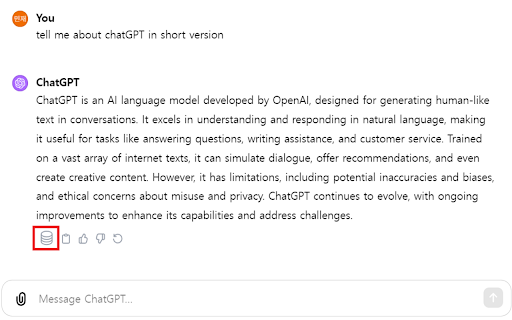
# storageGPT
storageGPT helps you keep useful ChatGPT conversations organized without sending your saved data to any external server.
## Key Features
Save conversations: Save ChatGPT responses directly from the conversation screen and keep them in your local browser storage.
Markdown download: Download saved conversations as Markdown files, one by one or in bulk.
Editable notes: Open a saved conversation in the drawer and edit both the title and the body. The body editor is powered by Milkdown, so Markdown content stays easy to read and update.
Fast drawer access: Use `Control + Shift + X` to open the storage drawer quickly.
Search and trash management: Search saved titles, restore deleted notes, or permanently clean up the trash.
Theme-aware UI: The extension follows ChatGPT light and dark modes for a more natural experience.
Local-first privacy: Saved conversations stay on your device. storageGPT does not transmit your saved data to a server.
## Recent Updates
Improved saving reliability when ChatGPT changes its UI.
Added editable saved note bodies with Milkdown.
Improved drawer layout, fixed click handling, and reduced CSS conflicts through Shadow DOM encapsulation.
Improved light mode support and visual styling.
Improved title editing so browser undo works more naturally.
storageGPT makes it easier to save, edit, search, and export the ChatGPT conversations you want to keep.