
No-Script Suite Lite
Extension Actions
Blocks scripts (and more) on untrusted websites.
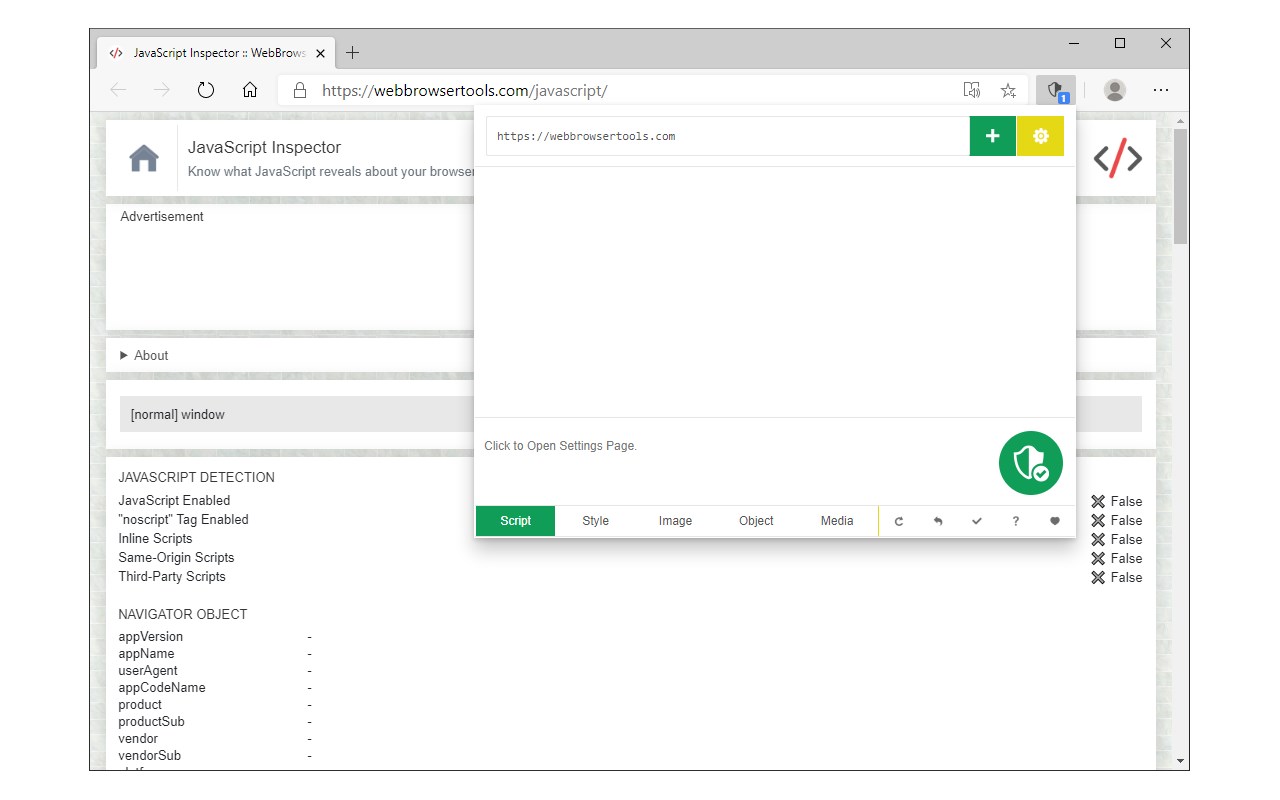
No-Script Suite Lite add-on provides extra security for your browser. It allows JavaScript (inline & external) to be executed only by trusted websites of your choice. Some websites are added to the white-list by default, but you can add or remove items at any time.
Some features:
a) Allows you to block all Scripts (inline and external) from untrusted websites (plus you can block Images, Objects, Styles and Media as well).
b) You can easily switch the extension ON or OFF from the toolbar popup.
c) Add or remove websites to the whitelist table easily from toolbar-popup.
d) Besides scripts, you can also block style-sheets, images, objects, and media from untrusted sources. To activate, open toolbar-popup and click on the desired option at the bottom of the panel.
e) Choose desired blocking engine, Web-Request-Observer or Content-Security-Policy from the options page.
f) Add desired whitelist or blacklist rules with regular expressions.
Note: to read about all the new features or reporting bugs please visit add-on's homepage (https://mybrowseraddon.com/noscript-lite.html).
Latest reviews
- Mason
- Easy to use, and works well. Great security-focused extension.
- Scott
- Great tool to disable sites that auto-refresh or load a ton of background scripts for tracking and advertising. I am amazed at how fast some sites loaded when the background scripting is disabled.
- Lucas
- Very useful