
Outlook Email Templates by cloudHQ
Extension Actions
Beautiful email templates for Microsoft Outlook
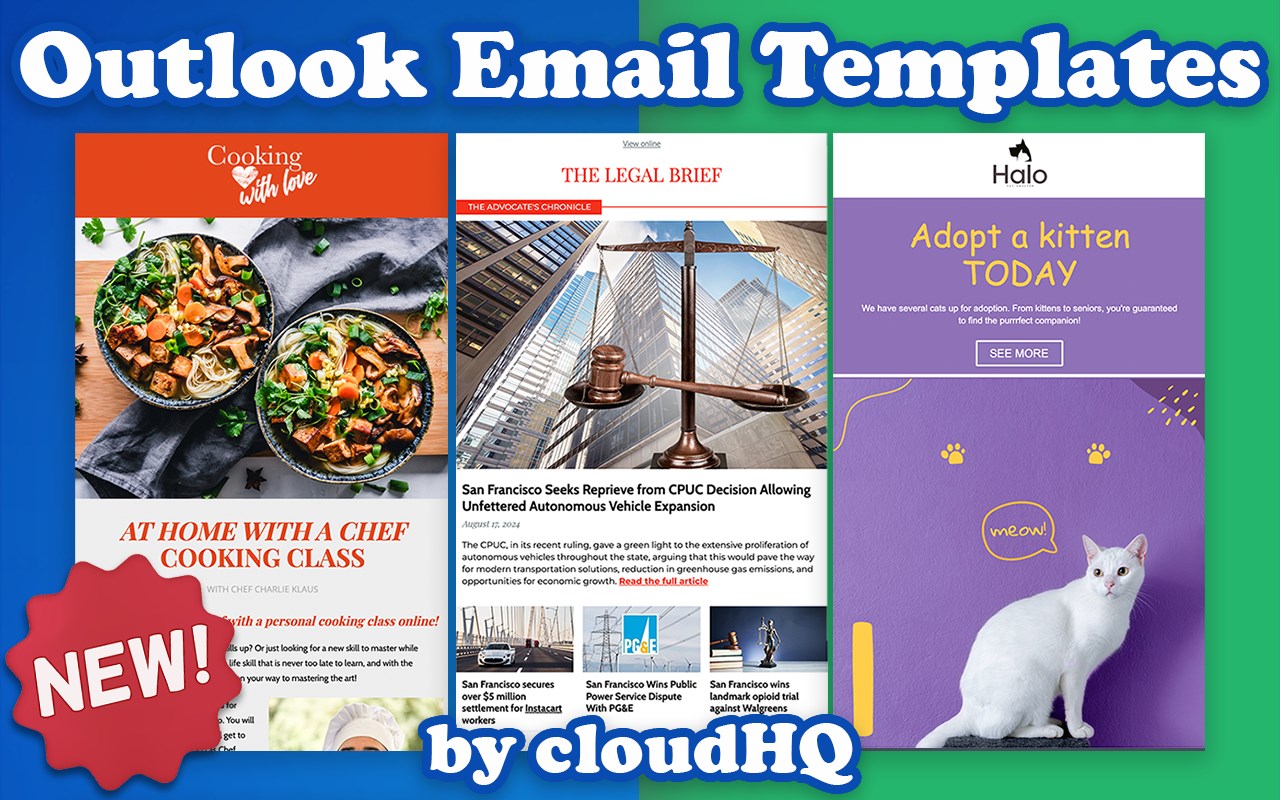
With over 1500 professionally designed, free email templates at your disposal, you can send beautiful emails that significantly increase audience engagement.
Open a template directly in your Outlook email compose window. Once you’ve personalized your template, you’ll be able to send it out just like any other email in Outlook.
This extension is easy to use:
1) Install the add on
2) Go to your Office 365 email (https://outlook.office.com/mail/), Outlook email (https://www.outlook.com), Hotmail account
3) Click on the "New mail" button
4) Click on the new "Browse Templates" button
5) Select any template from our free library of pre-designed email templates
6) Edit the email
7) Send email
Great for:
✅ Newsletters
✅ Discount sales
✅ Party invitations
✅ Congratulations
✅ Holiday greetings
✅ Event emails (like when you need to send a client a reminder to pay their bill)
✅ Common email responses (like asking a potential customer to fill out an intake form, troubleshooting instructions, etc.)
✅ Business email templates
✅ Birthday greetings
✅ Education-specific email templates
✅ Job seeker templates
✅ Legal email templates
✅ Marketing email templates
✅ Online class email templates
✅ Real estate email templates
✅ Reminders
✅ Stationery
✅ ecards
Our email templates library is completely free to use, and we’re often adding new templates to keep giving you even better value.
🔥🔥🔥 You can view our template library here: 👇
https://www.email-templates.com/email-templates
🤓 And read all about it here: 👇
https://blog.cloudhq.net/outlook-email-templates/
https://blog.cloudhq.net/email-templates-for-outlook/
cloudHQ's website: https://www.cloudhq.net/
App website: https://www.email-templates.com
Pricing: https://www.email-templates.com/pricing
Support page: https://support.cloudhq.net/category/browser-extensions/outlook-email-templates
FAQ page: https://support.cloudhq.net/outlook-email-templates-faq-frequently-asked-questions/
Blog: https://blog.cloudhq.net
Gmail, Google Calendar, and Google Workspace are trademarks of Google LLC. Use of these trademarks is subject to Google Permissions.
cloudHQ is trademark of cloudHQ LLC. https://www.cloudhq.net/trademark
Latest reviews
- Welton,
- Extension was working fine. Needed to uninstall and reinstall. Now it will not show up when creating new messages in outlook.
- Senad
- Version 1.0.0.10 (from November 8, 2024) resolves issues with the new Outlook interface (reported by Linsey)
- Linsey
- I've used the CloudHQ Gmail templates for years with no trouble. My organization moved to Outlook and so far I've wasted hours trying to get it to work. Support emailed me a troubleshooting list and unfortunately it included everything I had already tried. I can't at all recommend this product for Outlook.
- priyaaarjun
- While I loved the vast selection of designs, I wish there were more geared toward education. Nonetheless, it still enhanced my teacher-parent communication.
- hellen
- At first, I thought it might be just another gimmicky design app, but it's genuinely transformative. My emails went from bland to grand!
- suzzyhellen
- Sent out a client appreciation email and the compliments rolled in. Who knew such a small gesture could make such a difference?
- thomasharry
- I've tried many tools, but the versatility here is unmatched. Even with zero design skills, my emails look top-notch.
- Hellen
- When reaching out to potential leads, I started using this add-on. The spike in positive responses was almost immediate.
- Adam
- For our latest product launch, I used these templates. Was a successful launch.
- juicerihanna
- The drag-and-drop feature simplified my workflow. It felt intuitive, and the end results are always polished.
- jeff
- Wasn't sure about moving away from Outlook's defaults, but after seeing the difference, I'll never go back. Apples and oranges.
- rowes
- Before this, I was embarrassed by my email aesthetics. Now, every email send feels like I have a designer on my team.
- kumar
- Used it for our monthly newsletters, and the feedback has been tremendous.