
Focus Ex
Extension Actions
CRX ID
dlchhkpnfagokiecakphcgilhgdimkkg
Status
- Extension status: In-App Purchases
- Live on Store
Description from extension meta
Focus Ex is a tool aiding online reading for those with attention issues, by customizing text and reducing visual distractions.
Image from store
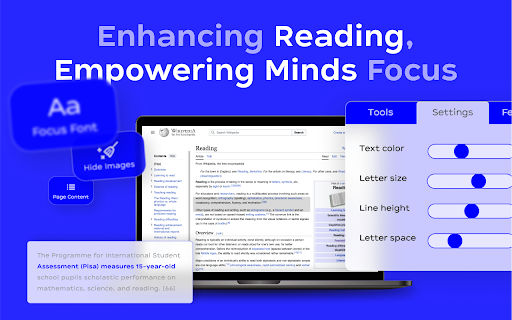
Description from store
Focus Ex is a Chrome extension that helps people with short attention spans and focus challenges stay engaged while reading online. It reduces distractions and supports deeper, more comfortable reading across the web.
Latest reviews
- Raven Hyde
- Have been using this for a while and very happy with it. It has suddenly updated and is requiring me to log in to use most features, but there does not seem to be a way to log in through the extension or through the website for the extension. I look forward to changing this review to 5 stars once functionality is restored.
- Mothersday Everyday
- Nope. doesnt do anything. extension on/off on different sites yield no changes
- James Knox
- Doesn't work for me. Doesn't change the page content on chrome when running.
- Danielle O'Sullivan
- So far so good, however, I'm giving 4 stars as there are a few tweaks and improvements that could improve my experience as this extension is still in beta (as of 30th Jan 2024). For the most part, I use the focus by line option and it's very good at getting me to keep reading! I think it would be good if there was a setting to set my preference as default whenever I click on the extension. I feel it would be better if a user right-clicks to open options and set preferences, but it would be easier if whenever the extension in the pinned extensions section is clicked it gives me the ability to click on paragraphs to focus with my default focus option straight away (rather than 3 clicks to open options, click focus, then the type of focus - and then additional clicks to make blocks focusable). Furthermore, when I move my cursor from one to the next, the next line doesn't automatically switch into focused - as the cursor is between lines, which means there is a sort of "flashing" side-effect where the first line is blue, then no lines are blue, then the second line is blue - this has an adverse effect on my focus. I think there needs to be some sort of padding/margin to close the gap between focusable blocks. This extension also doesn't seem to be able to capture those annoying 'picture-in-picture' videos (usually they are ads or cross-posting other articles from the website) when selecting the "stop video" option. Other than these bits, I have enjoyed using this app as it has the option to focus line-by-line (and sentence fragment is also useful!) which other ADHD reading help apps don't seem to use - the majority seem to use the bionic reading method (and many of these apps are quite buggy from website to website).
- Madina Amerhanova
- I have signed up with 2! emails and still didn´t received the registration confirmation therefore I cannot use the extension. What´s the point then?