
Lasga
Extension Actions
Effortlessly manage tabs. Copy/close tabs with smart filters, or open bulk URLs from your clipboard.
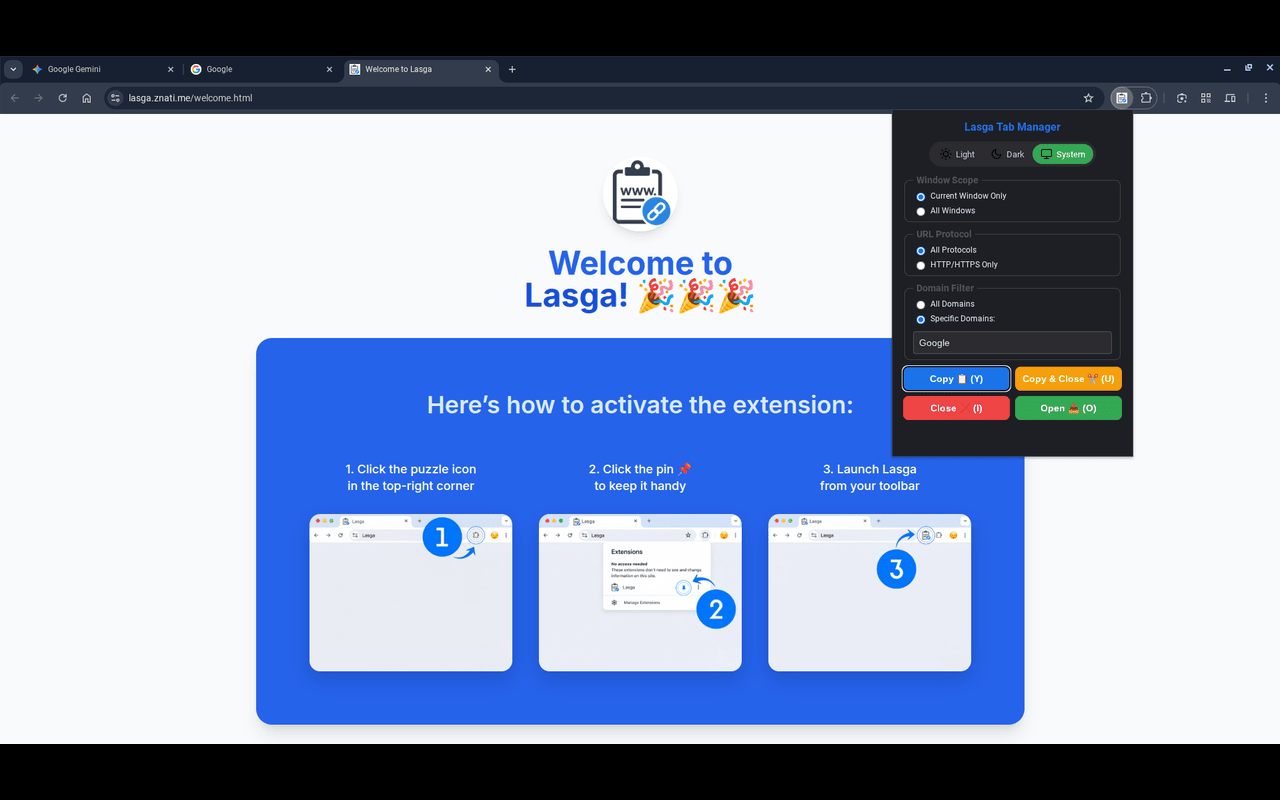
Lasga is a lightweight productivity extension that supercharges your workflow. Instantly copy URLs, close tabs, or open a list of links from your clipboard—all with a single click or keyboard shortcut. Use powerful filters to target exactly the tabs you need and get your work done in seconds.
★ Key Features
• Smart Action Suite
– Copy URLs, close tabs, or perform both actions simultaneously.
• Bulk URL Opener
– Have a messy list of links or a paragraph of text containing URLs?
– Lasga intelligently extracts all valid links from your clipboard and opens them in new tabs instantly.
• Advanced Filtering
– Filter tabs by scope: Current Window or All Windows
– Filter by protocol: HTTP/HTTPS
– Filter by specific domains
– Combine filters for precise targeting.
• Modern UI with Dark Mode
– Choose between Light, Dark, or System theme preferences.
• Persistent Settings
– Your favorite filter options and theme preferences are always saved.
• Reliable Feedback
– Get real-time confirmation with an elegant in-page toast notification or fallback system notification.
★ Streamlined Keyboard Shortcuts
Global Shortcuts (usable anywhere in Edge)
• Copy URLs: Ctrl + Shift + Y
• Copy & Close Tabs: Ctrl + Shift + U
• Close Tabs: Ctrl + Shift + I
• Open from Clipboard: Ctrl + Shift + O
Popup Hotkeys (when the extension popup is open)
• Y – Copy URLs
• U – Copy & Close
• I – Close Tabs
• O – Open from Clipboard
★ Privacy & Permissions Justification
* tabs: Needed to read and close your open tabs as requested.
* storage: Saves your filtering settings (window scope, protocol, domain filters) and theme preferences.
* scripting: Injects temporary scripts into the active tab to show confirmation messages.
* commands: Enables the global keyboard shortcuts for quick access.
* notifications: Shows confirmation notifications when an in-page toast can't be used.
* clipboardWrite: Grants the extension the ability to copy the collected URLs to your clipboard.
* clipboardRead : Required for the "Open from Clipboard" feature. This allows Lasga to read text from your clipboard to extract and open URLs.
* offscreen: Enables the extension to reliably copy URLs in the background, which is a modern requirement for Manifest V3 extensions.
* host_permissions (<all_urls>): Required to access tabs from all domains when the “All Windows” scope is selected.