
ShowWeb-可视化元素路径查看器
Extension Actions
轻松了解网页上的元素结构!这款插件允许你通过按住Alt键并点击页面上的任何元素,立即可视化查看该元素的DOM路径。无需繁琐的开发者工具,一键获取元素信息,包括标签名、类名、ID等。另外,提供了方便的弹出框,展示了元素的路径和内容,让你更直观地理解和调试页面结构。
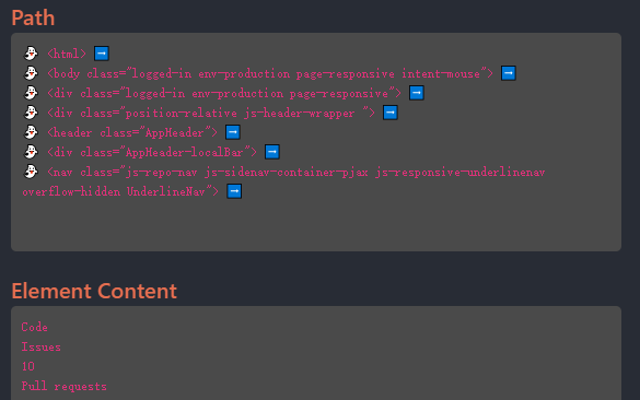
Easily Understand the Structure of Elements on Web Pages! This plugin allows you to visualize the DOM path of any element on the page instantly by holding down the Alt key and clicking on the element. No need for cumbersome developer tools; with just one click, you can obtain element information, including tag name, class name, ID, and more. Additionally, it provides convenient pop-up boxes: simply use Alt + left-click to display the path and content of elements, enabling you to intuitively understand and debug page structures. 轻松了解网页上的元素结构!这款插件允许你通过按住Alt键并点击页面上的任何元素,立即可视化查看该元素的DOM路径。无需繁琐的开发者工具,一键获取元素信息,包括标签名、类名、ID等。另外,提供了方便的弹出框,使用 Alt + 鼠标左键即可展示元素的路径和内容,让你更直观地理解和调试页面结构。