
Smart Site Alarms
Extension Actions
Easy setup alarm scheduler for websites. Open, close tabs, or get notified popup right on time.
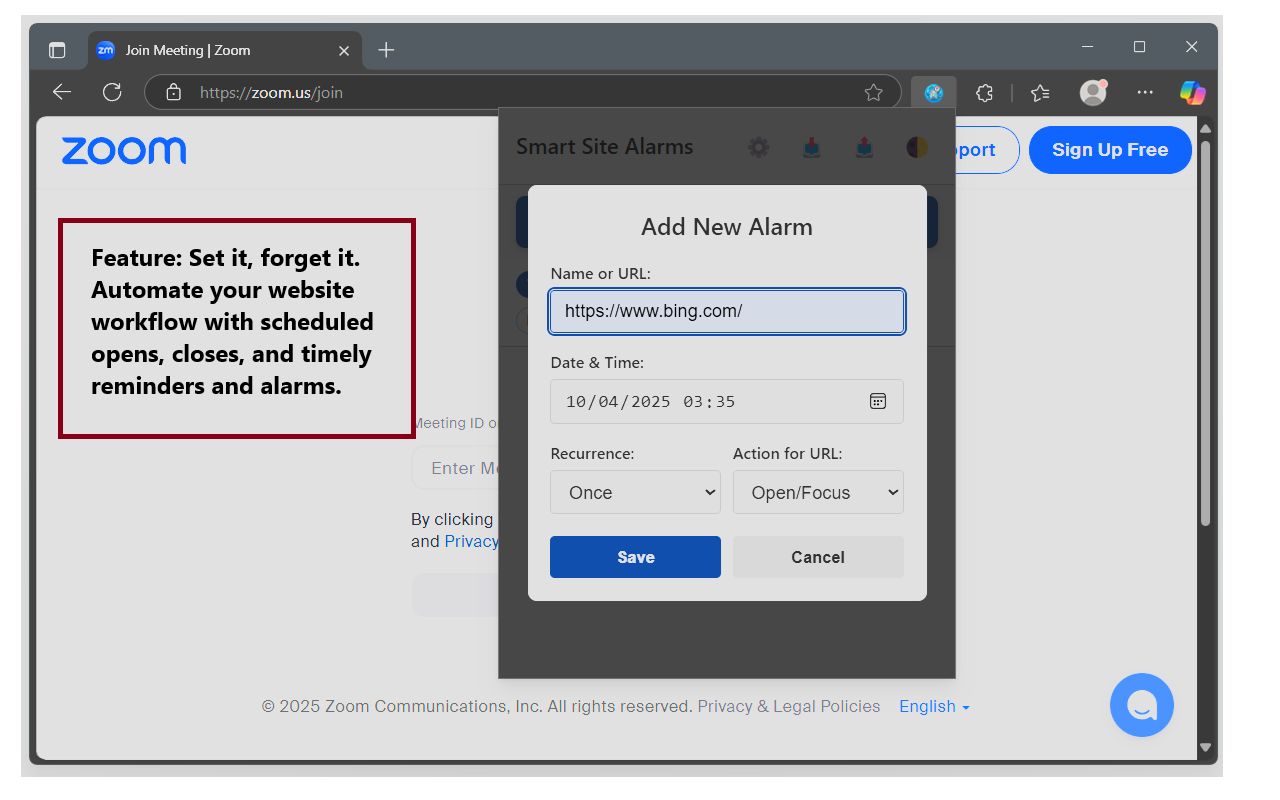
Smart Site Alarms is your all-in-one website scheduler and alarm clock. Whether you need to auto-open important sites, shut down distractions, or get timely pop-up reminders, it does it all—across every browser where you’re signed in.
Key Features
___________________________________
Alarm & Scheduling Actions
* Open Sites: Launch a URL in a new tab (or bring its tab forward if already open) at the exact time you choose.
* Close Sites: Automatically shut down all tabs matching a specific site or URL.
* Pop-Up Reminders: Get a clean notification window with a sound alert to remind you of anything—breaks, meetings, or deadlines.
* Alarm Batching: Multiple alarms triggering in the same minute are automatically combined into a single notification to keep things tidy.
Search & Organization
* Live Search: Instantly find any alarm by typing part of its name, URL, or tag in the search bar.
* Tagging: Assign custom tags (e.g., "work," "social") to your action-based alarms for better filtering and organization.
Flexible Recurrence
* Set alarms to trigger once, daily, monthly, on weekdays, on weekends, or on specific days of the week (e.g., every Tuesday and Thursday).
Customization & Sync
* Browser Sync: Set it once; your alarms and settings follow you across all your signed-in browsers.
* Customizable Display: Choose between a 12-hour or 24-hour format for the toolbar icon.
* Adjustable Sound: Control how long the alarm sound plays.
* URL Match Mode: Decide whether to match a site by its general domain and path or by its exact URL, including query parameters.
* Light & Dark Themes: Switch between themes for comfortable viewing.
How to Use It
___________________________________
1. Open the Extension: Click the clock icon next to your address bar.
2. Add an Alarm:
* Click ➕ Add New Alarm.
* Enter a name (for reminders) or a full website URL (for actions).
* Set the time and recurrence frequency.
* Choose a Mode:
* Notify: Creates a simple pop-up reminder with the name you entered.
* Action: Lets you schedule a task for the URL you entered. Choose to Open/Focus or Close the site and add optional, space-separated tags.
* Click Save.
3. Manage Your List:
* Search: Use the search bar at the top to instantly filter your list.
* Filter: Use the filter buttons to view alarms by status (Total, On, Off) or by action type (Open, Close, Notify).
* Toggle: Use the 🟢 ON / 🔴 OFF button to enable or disable any alarm.
* Edit: Click anywhere on an alarm's name or schedule to edit it.
* Delete: Click the 🗑️ icon to delete an alarm.
4. Adjust Settings: Click ⚙️ to change the sound duration, clock format, and URL matching behavior.
5. Backup & Restore: Use 📤 to export your alarms to a file and 📥 to import them later.
6. View Logs: Click 📊 to see a technical log of recent activity, which can help with troubleshooting.
Use Cases
___________________________________
* Jump-starting your day: Automatically open news or social feeds every morning.
* Maintaining focus: Close distracting sites during work hours.
* Staying on schedule: Pop-up reminders for meetings, breaks, or study sessions.
* Automating routines: Shut down work tabs at quitting time or launch class links just before they begin.