
Search on BrickLink
Extension Actions
CRX ID
eicgehidhiifikcocejmmohjmappilgo
Status
- Extension status: Featured
Description from extension meta
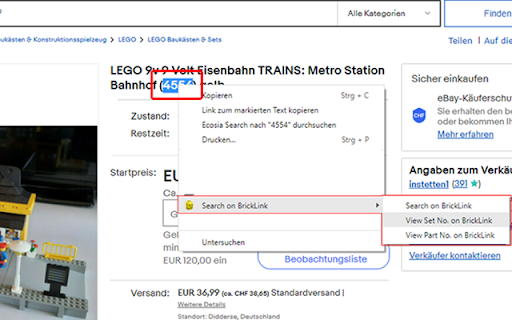
Search on BrickLink by selecting text and search via context menu or keyboard shortcut.
Image from store
Description from store
With this extension you select LEGO related text on any website and search the selected text via context menu or keyboard shortcut on BrickLink. The selected text, can be any keyword, a part number or a set number. The BrickLink website opens in a new tab with the selected text as search argument.
Release notes v1.4
Added keyboard shortcuts.
After selecting a text you can use the following shortcuts:
Alt+Shift+S => opens set info.
Alt+Shift+P => opens part info.
Alt+Shift+F => searches for keyword on BrickLink.
Keyboard shortcuts can be changed under:
chrome://extensions/shortcuts
Multiple set no. can be selected and opened.
Latest reviews
- Jeffrey Neal
- Excellent idea executed perfectly, thanks!