Salesforce Marketing Cloud - Email Downloader
Extension Actions
CRX ID
fagojbpakmkkdeomndkdlaolojmlgmak
Description from extension meta
Lets you download email from Marketing Cloud as HTML file.
Image from store
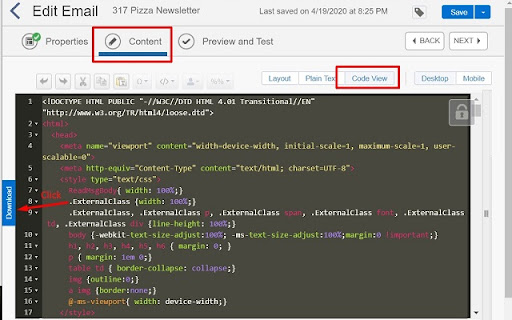
Description from store
- Select and copy email codes inside MC
- Make sure you are in the Content tab and Code View (if using template-based email)
- Click the download button next to the codes
- The download name should be same as the email name, in the screenshot's case, 317 Pizza Newsletter.html
Latest reviews
- Francisco Gonzalez
- Not working