
SnapPage Pro - Full Page Screenshot
Extension Actions
- Extension status: In-App Purchases
- Live on Store
Capture full page screenshots with advanced editing, annotations, and export to PNG, JPEG, or PDF
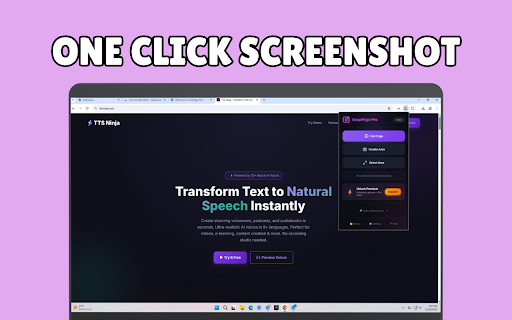
📸 SnapPage Pro - The Ultimate Full Page Screenshot Extension
Capture entire web pages in one click. No more scrolling and stitching screenshots manually—SnapPage Pro does it all for you, instantly and perfectly.
✨ WHAT YOU CAN DO
🖼️ Full Page Capture
Capture entire web pages from top to bottom with a single click. Perfect for saving articles, designs, receipts, and documentation.
📐 Custom Area Selection
Need just a portion? Draw a selection box and capture exactly what you need. Great for bug reports, quick shares, and focused screenshots.
👁️ Visible Area Capture
Capture exactly what you see on screen—fast and simple.
🚀 WHY CHOOSE SNAPPAGE PRO?
✅ Lightning Fast - Capture full pages in seconds, not minutes
✅ High Quality - Pixel-perfect screenshots at original resolution
✅ Smart Scrolling - Automatically handles lazy-loaded content
✅ Multiple Formats - Export as PNG, JPEG, or PDF
✅ Built-in Editor - Annotate, crop, and enhance your screenshots
✅ Screenshot History - Access your recent captures anytime
✅ Works Everywhere - Compatible with virtually any website
✅ Privacy First - Your screenshots stay on your device
⚡ PRO FEATURES
- Unlimited screenshots (Free: 25/day)
- JPEG & PDF export
- Advanced annotation tools
- Browser mockup frames
- Watermark support
- Numbered step stamps
- Priority support
🎯 PERFECT FOR
- Designers saving website inspiration
- Developers documenting bugs and features
- Marketers capturing competitor pages
- Students saving research materials
- Professionals archiving important documents
- Anyone who needs better screenshots
⌨️ KEYBOARD SHORTCUTS
Alt+Shift+F → Capture Full Page
Alt+Shift+V → Capture Visible Area
Alt+Shift+S → Select Area
🔒 PRIVACY & SECURITY
SnapPage Pro respects your privacy:
- No data collection or tracking
- Screenshots processed locally on your device
- Only requests necessary browser permissions
- Open and transparent privacy policy
💬 SUPPORT
Questions or feedback? We're here to help!
📧 [email protected]
🌐 https://snappage.pro/contact
Start capturing better screenshots today. Install SnapPage Pro now—it's free to get started!
Latest reviews
- Marium Iqbal
- From my experience, SnapPage Pro is a simple and reliable Chrome extension for taking full-page screenshots. I found it very easy to use, and it captures pages quickly without losing quality. It has definitely saved me time while working online.
- Kamran Ali
- i found it useful
- Muhammad Arif
- Very handy and useful tool, I have been using Windows Snipping Tool to take screenshot or clipping, but when I need a screenshot of a full webpage, my work got stuck there. Here I found SnapPage Pro which allow me to take screenshot of the entire page and save it in my PC. Thanks to the developer.
- Numan Arshad
- nice item.realy need for web..some shows bug and did.nt pick all screen but yes..it's worked fine for me...