Snap-Desk: Capture ScreenShots as PDF Notes
Extension Actions
A powerful extension to capture screenshots of any desktop window or browser tab, Add text notes, and Save them as PDF files.
Here is a polished, professional, and refined version while preserving your message and personality:
A powerful extension designed to capture screenshots from any desktop window or browser tab, annotate them with text notes, and save them instantly as PDF files.
Effortlessly take high-quality screenshots and export them as PDFs with our simple yet robust extension. Experience unmatched convenience as you take complete control of your workflow.
🤹 Enhanced Multitasking with Picture-in-Picture Mode
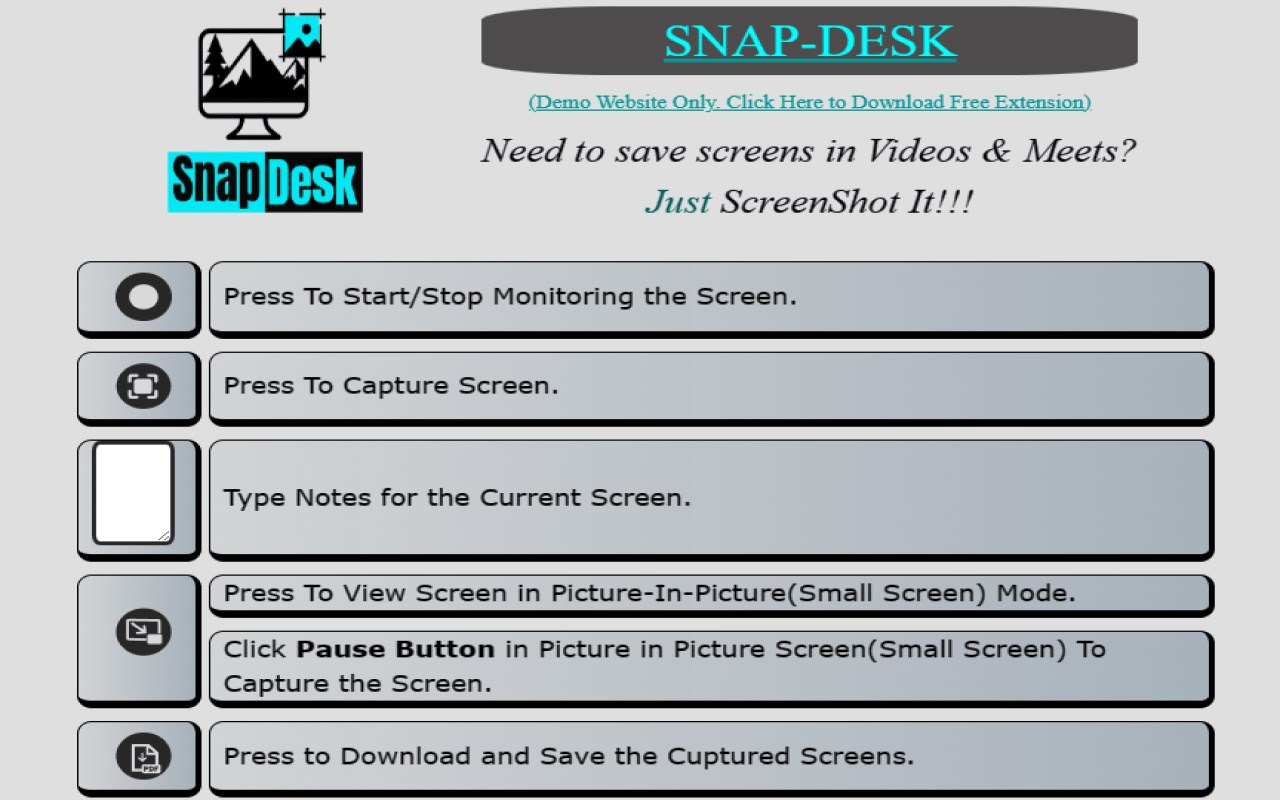
Boost your productivity with our rich multitasking features. Use Picture-in-Picture mode to seamlessly view and capture your screen while working across other open windows.
🙋♂ Dedicated Help & Demo Site
To help you make the most of every feature, we provide a dedicated walkthrough and demo site. Learn the entire workflow in minutes and start using the extension with confidence.
📝 Clean, Minimal, and Focused Design
Our extension occupies less than 5% of your screen, offering only the essential tools without blocking or distracting from your content. Enjoy a clean, clutter-free interface built for maximum focus and usability.
🚫 No Bloatware. No Unnecessary Permissions.
Your privacy matters. The extension requires only the Desktop Capture permission—nothing more. We do not access your tabs, browsing history, or personal data. Don’t just take our word for it—check your extension settings anytime.
🚫 No Ads. No Redirects.
The entire process is handled within the same page where the extension is used, without redirects or external apps. Enjoy a smooth, interruption-free experience from start to finish.
About the Developer
I am Tejas Jain, a passionate developer based in New Delhi, India. I built this extension to solve a real-world problem faced during meetings and online lectures—capturing screens and taking quick notes efficiently. This project reflects my dedication to creating tools that truly enhance productivity.
Opportunities
I am actively seeking work and collaboration opportunities where I can apply my skills, contribute to impactful projects, and continue growing as a developer.
Let’s Connect
LinkedIn Username: 1tejasjain