
Overlay Note
Extension Actions
Domain-specific sticky-note overlay with progressive step tracking and popup history.
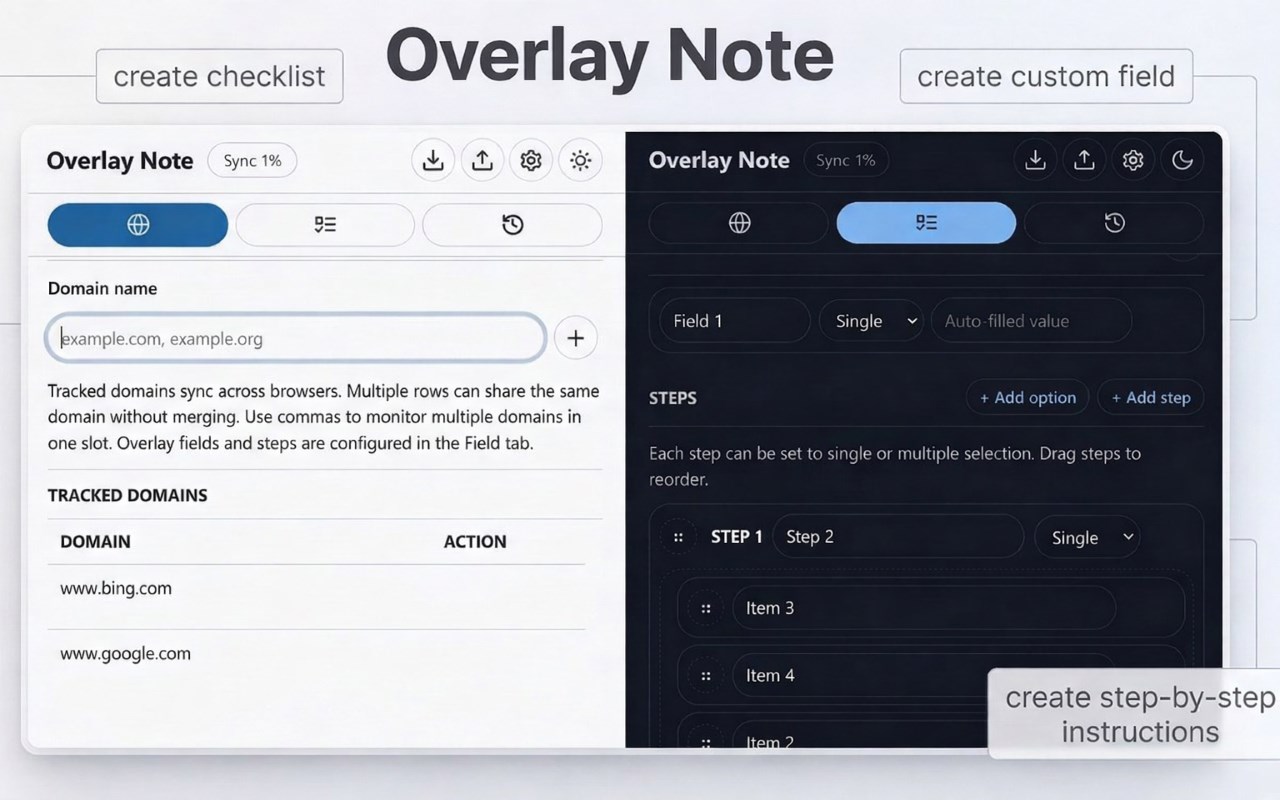
Overlay Note is a browser extension that adds a customizable, floating sticky note to specific websites to track tasks and save data.
KEY FEATURES
__________________________
* Track Websites: Enable the overlay on specific sites via the popup or right-click menu.
* Flexible Overlay: Drag, resize, or collapse the floating note. Open it instantly with a keyboard shortcut.
* Custom Fields & Searches: Create custom text fields and use a built-in button to search Google for your text.
* Steps & Checklists: Build single or multi-select step flows with a live progress tracker.
* History & Auto-Save: Automatically save drafts to prevent data loss. Save permanent snapshots to view, copy, or delete later.
* Auto-Cleanup: Automatically delete history older than 7 days, configurable up to 3650 days or disabled.
* Countdown Timer: Set, start, stop, and reset countdowns directly from the floating note.
* Quick Actions: One-click buttons to copy the formatted note or clear all fields.
* Theme Customization: Toggle Light, Dark, or Auto themes for the popup and overlay.
* Sync & Backup: Sync settings across profiles and back up or restore data anytime.
HOW TO USE IT
__________________________
1. Track a site: Add the website domain to your list.
2. Customize: Configure text fields, steps, and themes in the popup.
3. Take notes: Open the website, fill out the note, use the timer, and save snapshots.
4. Manage data: Review, copy, or configure auto-delete for saved notes in the History tab and Settings.
USE CASES
__________________________
* IT & Customer Support: Log customer details and track troubleshooting steps.
* QA Testing: Record bug details and reproduction steps.
* Recruiting: Track candidate info and rate portfolios while browsing.
* Research: Take structured notes and instantly search terms.
IMPORTANT NOTES
* Removing the extension deletes all associated data.
* For privacy, only overlay setups and domains sync, not the notes.
* Notes use local storage due to sync limits; back up your data regularly.
* Restore from a backup if needed after reinstallation.