
Chromium Open IDE
Extension Actions
Link remote source.chromium.org code path to your local chromium src.
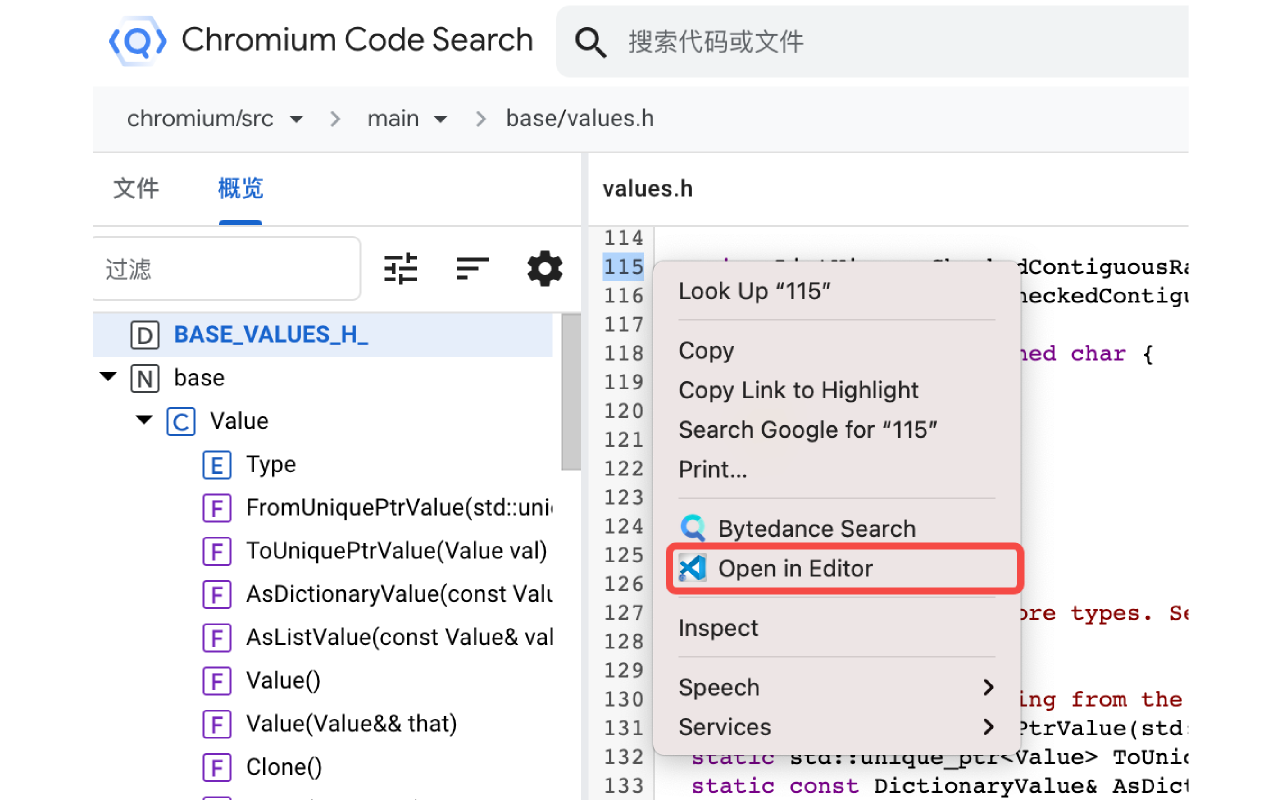
# Chromium Open IDE (COI)
`COI` gives you a context menu for opening files in your editor (`VSCode`) on
[Chromium Code Search](https://source.chromium.org),
[Chromium Code Review](https://chromium-review.googlesource.com) ,
[Google Git](https://chromium.googlesource.com) and
[webdiffForCOI](https://pypi.org/project/webdiffForCOI).
## Installation
Install this MSEdge Extension and related [VSCode Extension](https://marketplace.visualstudio.com/items?itemName=FangzhenSong.chromium-source-opener).
## Usage
- For [Chromium Code Search](https://source.chromium.org): right-click on line number and select `Open My Editor`,
it will open the file in your editor at the selected line.
- For [Chromium Code Review](https://chromium-review.googlesource.com): right-click on code block and select `Open My Editor`,
it will open the file in your editor at the selected line.
- For [Google Git](https://chromium.googlesource.com):
- click on the line number (optional).
- choose and right-click on any code block.
- select `Open My Editor`.
It will open the file in your editor (at the selected line).
- For [webdiffForCOI](https://pypi.org/project/webdiffForCOI): right-click on code block and select `Open My Editor`,
it will open the file in your editor.
*Tips: Before using, we should check that have started listening from `VScode`.*
**Enjoy!**
Latest reviews
- 庭威
- 不能来个中文介绍吗
- Quike
- https://microsoftedge.microsoft.com/addons/searchdeveloper=Fangzhen%20Song