
JSON Formatter
Extension Actions
- Extension status: Featured
Formats JSON automatically! Open Source, Available with 60+ Themes, Syntax Highlighting, automatically linkifies links and more.
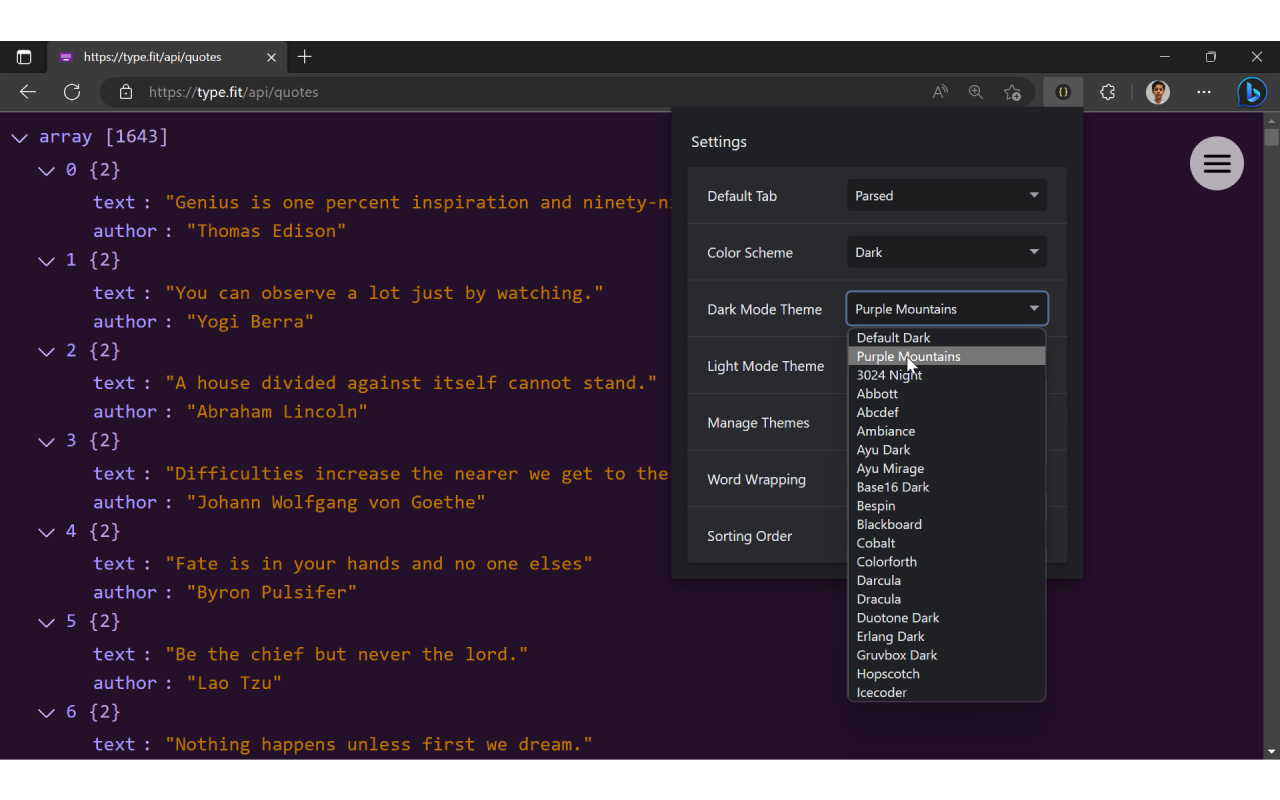
JSON Formatter is a fast, lightweight JSON viewer and beautifier for Microsoft Edge. It does one thing and does it well — no ads, no popups, no affiliate injections. Just clean, beautiful JSON formatting. Fully open source.
Whether you're a web developer inspecting REST API responses, a data analyst reviewing JSON exports, or anyone who encounters JSON in the browser, JSON Formatter transforms unreadable data into clean, syntax-highlighted, collapsible trees in one click.
WHAT MAKES JSON FORMATTER DIFFERENT
● 60+ Built-in Themes — Choose from over 60 light and dark syntax highlighting themes. No other JSON formatter offers this level of customization.
● Three Viewing Modes — Switch between Parsed Mode (collapsible tree), Formatted Raw Mode (indented text), and Raw Mode (original).
● Syntax Highlighting — Color-coded keys, values, strings, numbers, booleans, and null for instant readability.
● Dark Mode — Follows your system theme automatically, or set your preferred theme manually.
● Collapsible Tree View — Expand and collapse nested JSON objects and arrays. Use [ to collapse all and ] to expand all.
● Clickable Links — URLs inside JSON values become clickable automatically.
● Keyboard Shortcuts — Navigate fast: P (Parsed), R (Raw), Shift+R (Formatted Raw), D (Dark Mode), T (Toggle Toolbar).
● Customizable Shortcuts — Remap any shortcut key to your preference from extension settings.
● Word Wrapping — Toggle word wrap for long values and stay organized.
● Sort Keys — Alphabetically sort JSON object keys.
● No Ads, No Popups — JSON Formatter will never inject ads, affiliate links, or popups into your browsing.
● Open Source — Fully transparent. Inspect every line of code on GitHub.
● Works Offline — No server requests. Your JSON is processed entirely in your browser.
KEYBOARD SHORTCUTS
P — Parsed View
R — Raw View
Shift + R — Formatted Raw View
D — Toggle Dark Mode
[ — Collapse All
] — Expand All
T — Toggle Toolbar
All shortcuts can be customized in extension settings.
SETUP TIPS
To ensure JSON Formatter works on all sites, go to extension permissions and set site access to "On all sites."
To use with local files, enable "Allow access to file URLs" in extension settings.
LINKS
Website: https://json-formatter.js.org
Source code: https://github.com/jformatter/json-formatter-crx
Bug reports: https://github.com/jformatter/json-formatter-crx/issues
Changelog: https://github.com/jformatter/json-formatter-crx/blob/main/CHANGELOG.md
Latest reviews
- Tim
- This is perfect, thanks! Running quick API checks with JSON results in Edge has just become so much easier.
- Troy
- From one developer to another, thank you for this. Fantastic work!
- Gage
- Exactly what I was looking for and I'm leaving a review because the developer responds to reviews and updates the extension accordingly (bug fixes, adding features, etc.)
- 端
- 一直在使用,非常好用。但是请注意,edge新版本已经自带了jsonview,如果再使用这个插件,会导致被美化的json再次被美化,会大致报这个错提示:文本非json格式。 解决办法: 1.停用这款插件。使用edge自带的jsonview 2.停用edge自带的jsonveiw。在edge浏览器输入:edge://flags/,找到jsonview,改成disable
- Rolando
- be careful with this extension. It edits your string values removing double spaces. The values you see in the parsed view are not the same values you see in the raw formatted view. I'm removing this extension and look for something else
- King
- Very helpful for when working with a large json object. Huge fan
- Jakub
- Best JSON formatter!