
AI Sider: ChatGPT + DeepSeek + Gemini
Extension Actions
Seamlessly access ChatGPT, DeepSeek, and Gemini side-by-side in your browser sidebar.
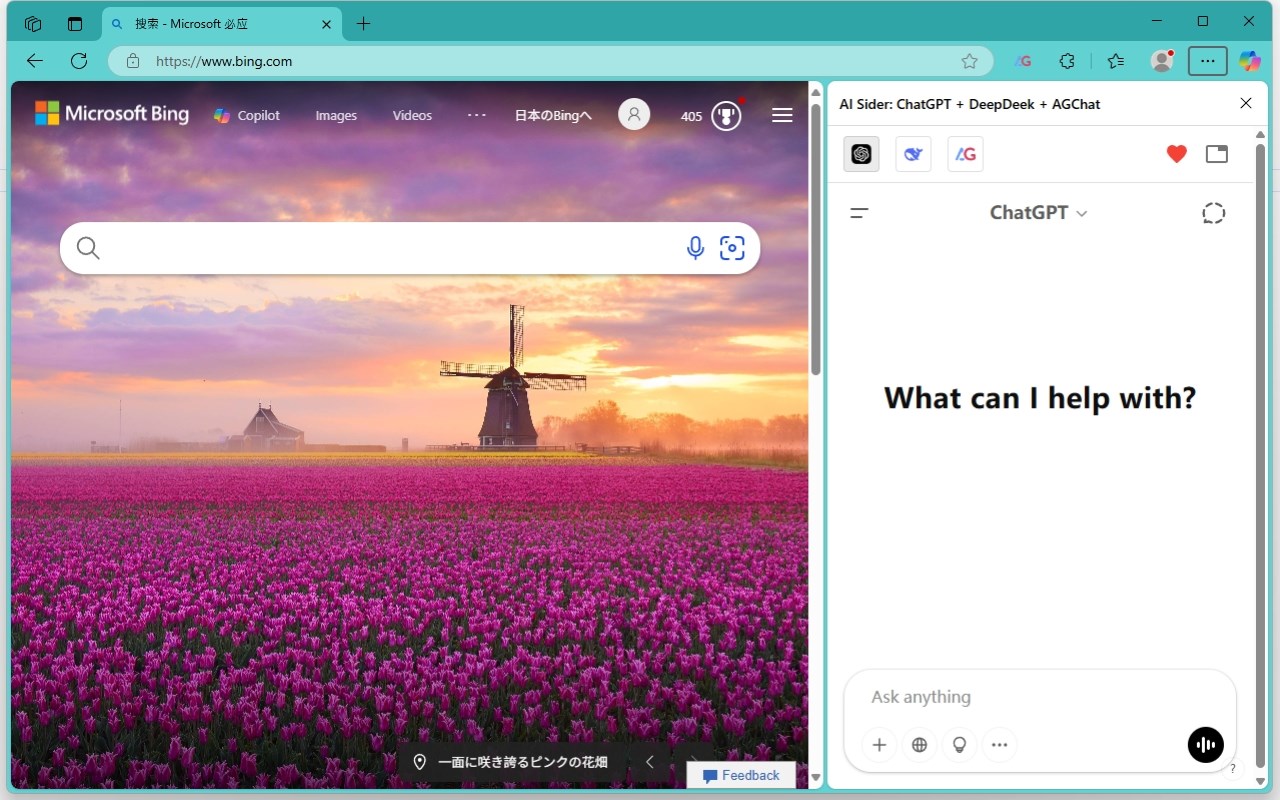
🚀 AI Sider — Your All-in-One AI Sidebar
Access the world's most powerful AI chatbots — ChatGPT, DeepSeek, Gemini, Grok, Kimi, Qianwen (通义千问), Doubao (豆包), and Yuanbao (腾讯元宝) — all from a convenient sidebar, without leaving the page you're on.
⚡ KEY FEATURES
🤖 8+ AI Providers in One Sidebar
Switch between ChatGPT, DeepSeek, Gemini, Grok, Kimi, Qianwen, Doubao, and Yuanbao with a single click. No need to open multiple tabs — compare answers and pick the best response instantly.
📸 Smart Screenshot & Paste to AI
• Full Page Screenshot — Capture the entire visible viewport and send it directly to any AI chatbot.
• Region Screenshot — Select a specific area to capture and paste into your AI chat.
📋 Copy & Send Page Context
Extract text content from any webpage and send it to your preferred AI for summarization, translation, analysis, or Q&A — all without copy-pasting manually.
📄 DOM File for Deep Analysis
Generate a simplified, clean HTML representation of any webpage and upload it as a file to AI chatbots. Perfect for asking AI to analyze page structure, extract data, or debug web issues.
🎬 YouTube Video Summarization
Automatically extract YouTube subtitles (with timestamps) and send them to AI for instant video summarization. Never watch a long video just to find the key takeaways.
⚡ Smart Page Actions
Context-aware action buttons that adapt to the website you're visiting. Get relevant AI-powered shortcuts based on the page content — configured remotely and always up to date.
🌐 Works on Any Website
AI Sider lives in your browser's native side panel. Browse any website while chatting with AI — no popups, no tab-switching, no distractions.
🔒 Privacy & Security
• No data collection — your conversations stay between you and the AI providers.
• No account required — just install and start using.
• Open communication via official AI provider websites only.
━━━━━━━━━━━━━━━━━━━━━━━━━━━━━━━
💡 USE CASES
• 📝 Summarize articles, PDFs, and web pages
• 🌍 Translate content on-the-fly
• 💻 Debug code with screenshot context
• 🎓 Research and study with AI assistance
• 🎬 Get YouTube video summaries in seconds
• 📊 Analyze webpage data and structure
• ✍️ Draft emails and content while browsing
━━━━━━━━━━━━━━━━━━━━━━━━━━━━━━━
🆚 WHY AI SIDER?
Unlike other AI extensions, AI Sider doesn't try to be yet another chatbot. Instead, it brings YOUR favorite AI providers together in one sidebar with powerful browser integration:
✅ 8+ AI providers — the most comprehensive selection
✅ Native side panel — not a popup, not an iframe hack
✅ Screenshot → AI in one click
✅ YouTube subtitle extraction built-in
✅ Page context awareness with smart actions
✅ Completely free to use
━━━━━━━━━━━━━━━━━━━━━━━━━━━━━━━
📬 SUPPORT & FEEDBACK
Have questions or feature requests? Leave a review or reach out — we're constantly improving AI Sider based on your feedback!
🏷️ Tags: ChatGPT sidebar, DeepSeek sidebar, Gemini sidebar, AI browser extension, Grok, Kimi, screenshot to AI, YouTube summarizer, AI assistant, browser AI tool, webpage analyzer