
VOIDSync
Extension Actions
- Extension status: Featured
- Live on Store
Integrate third-party services with VOID platforms.
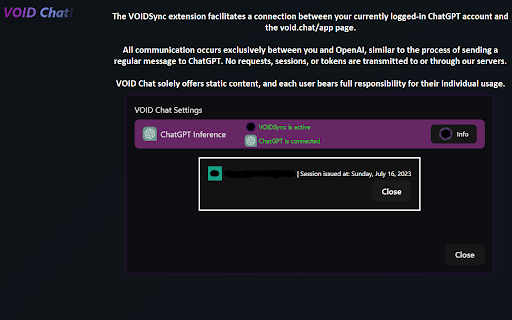
VOIDSync offers a seamless client-side integration between 3rd-party services and VOID apps.
Key Functions of VOIDSync:
- Allows use of VOID's Playground with compatible ChatGPT models (limited features).
VOID Chat vs ChatGPT differences:
- You can use direct system instructions known as "subprompts."
- You can modify the AI's responses to fine-tune its behavior or re-shape its output.
- Advanced features from interaction predictions/continuing to in-place adjustments without triggering re-inference.
Q&A:
- Difference between subprompts and OpenAI's Custom Instructions?
-> VOID's subprompts are far superior since they do not surround your instructions with internal safe gurads, and have been available much longer before the introduction of Custom Instructions.
- What sets VOID substrates apart from GPTs?
-> Fine-tuning of the AI instance through free-editing of any part of your timeline.
-> Predict/Continue any kind of text of your timeline.
-> Flexibility to alter instructions during interactions and insert them at any point.
-> UX suitable for advanced users.
Safety Notice: The VOIDSync extension safely re-uses the access tokens from your currently logged-in sessions on other sites, such as ChatGPT. It does not transmit such data anywhere else from your device at any point during use, thus remaining completely on your side.
VOID Chat: https://void.chat
Playground: https://void.chat/s/s-9akCttJYytgtYna89ZqO-playground
Update: GPT-5.x compatability is slightly unstable due to the internal classifier. Specifically, with GPT-5.2.
Latest reviews
- Ethan Lundstedt
- I say only a few characters and it says "Request was too large. Try lowering the context size." How do I fix this???
- Kendra S.
- Love it! But I am a little confused after chatting for a while it says: Request was too large. Try lowering the context size. What do I do? Oh, I figured it out lol. But I have a question, can I go ChatGPT with the Void extension working on ChatGPT's website, getting past the restrictions?
- Jason Dallas
- It works. Just know that if you are logged into your OpenAI ChatGPT account in that browser session, this extension will utilize that account to communicate with OpenAI servers even while you are on the Void website. This means your primary OpenAI account can be monitored, flagged, and banned based on how you use the Void Chat website.
- Jason Dallas
- It works. Just know that if you are logged into your OpenAI ChatGPT account in that browser session, this extension will utilize that account to communicate with OpenAI servers even while you are on the Void website. This means your primary OpenAI account can be monitored, flagged, and banned based on how you use the Void Chat website.