
secretlint
Extension Actions
CRX ID
hidpojbnemkajlnibhmeilpgoddkjjkf
Description from extension meta
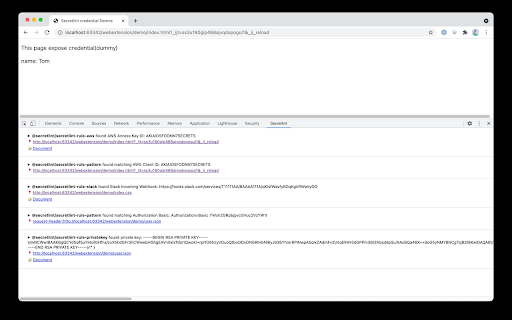
Integrate secretlint into DevTools.
Image from store
Description from store
Secretlint detect credentials that are included in your request/response.
Usage
1. Open browser's Developer Tools
2. ✅ Disable Cache
3. Reload page and secretlint report found credentials in your request/response.
Supported secrets
- API tokens: GitHub/Slack/SendGrid/AWS/GCP etc.
- Private keys
- IP Address
- Plain Authorization header
Source Code