
PDF to JPG | ilovepdf.com
Extension Actions
Extract all embed images in a PDF or convert each page to a JPG file.
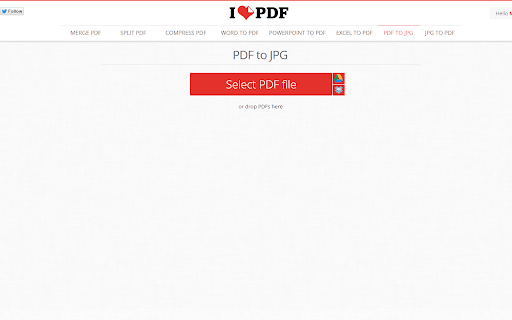
Now, it is easier than ever to convert PDF to JPG with ilovepdf’s online tools; no installation is required, it is completely free, and you do not have to register. With the PDF to JPG option, you can extract images from a pdf document or convert each page into JPG files. And it’s all very easy and fast!
To convert a PDF to a JPG image, select the file from your device or from your Google Drive or Dropbox account. The PDF to image conversion function supports the JPG format. Thanks to the rendering process, you can see thumbnail images of your document’s cover as long as the file is smaller than 200MB, and you can apply different degrees of rotation. You can also convert password-protected documents. The new version of ilovepdf also allows you to manage files in classic view. You have to upload the selected files, process them, and then download them. The number of documents you can convert, their size, the number of downloads you can perform, and the validity of the download link will depend on what type of user you are: Non Registered, Free Registered or Premium.
Latest reviews
- Mark Boyland
- Started trying to use it and then before it would convert my PDF it wanted me to download more "freeware" I logged out immediately.
- teodora iordache
- cool
- National Paramedical Techs & Assists Assoc. (NPTAA)
- works like magic! love it
- Scott Reed
- Used this to do a simple PDF to JPG conversion in Google Drive - worked like a charm!
- Anonymous
- not working
- Tinotenda Albert Chihota
- nice app
- Logan Skidmore
- Worked great!
- محمد .الطريف
- great
- DAP Trans
- good
- Exposing The Social Injustice
- misrepresents
- Felipe Dominguez
- ok
- AE F
- I show this application already downloaded in Chrome but when I go to convert one file using the APP, it is a page with no instructions how to use or convert anything and it is non-existent in Chrome?
- Iggie Dalrymple
- If it works for me, the world dumbest geek, it's gotta be good.
- Diane Gentile
- Easy!
- 송시원
- good~!
- Benjamin Davidow
- I couldn't get this to sync to my drive for some reason so I rated it 4 stars instead of 5, however I just went straight to the website and it converted my .pdf to a .jpg immediately which is exactly what I needed. Thanks for making software that actually works!
- Denny Soewarno
- good
- pembina sitepu
- good
- google galaxy
- love it
- Scott Moe
- Nice tool for sure, helps when my phone only downloads PDF's and can convert them w/this tool.
- Anonymous
- I was using another app & was told at page 10 that I had my limit for the day. This app allowed me to convert the remaining page & the 12 months of year pages that I needed in the fastest conversion I ever saw! I love this app!
- Lesta Kocher
- I'm a MS Chemistry student and this just saved my life! Really, easy to use. Love this application
- Halina Meza
- Easy and friendly :)
- Chris Riches
- Solved my problem - for now. Would like to have the ability to extract composite images as a single complete image, but is still a useful tool.
- stephen via
- ease of use by drop and or chrome button