
Web Messenger 2.0
Extension Actions
CRX ID
iafbabeofaionihnjokdmogbdelfdbkm
Status
- Live on Store
Description from extension meta
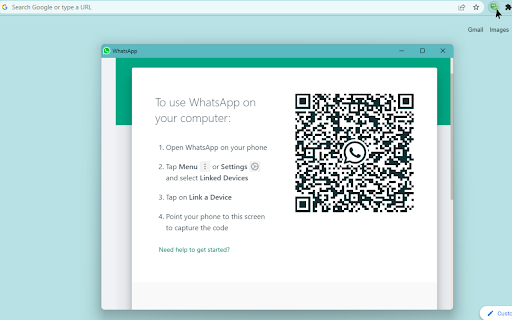
WhatsApp Messenger in a standalone sandboxed window in your browser.
Image from store
Description from store
⬇️ Easy to set up ⬇️:
1. Install and add the extension to Chrome.
2. Click on the extension and your Whatsapp will open in a new window. 💬
✨ Features ✨
1. Unread count badge notifications 🔕 on your browser windows.
2. Controls and customize notifications. 🔕
3. Makes access to the official web service simpler.
This extension brings the official WhatsApp web service as a standalone sandboxed window. 📑
Latest reviews
- Nicolas Martin
- Great extension.
- Nicolas Martin
- Great extension.
- Emmanuel Lawrence
- It work perfectly. It also easy to use.
- Emmanuel Lawrence
- It work perfectly. It also easy to use.