
Read Aloud AI
Extension Actions
Select any text on a webpage and have it read aloud with AI-generated voices. Free, fast, and works offline.
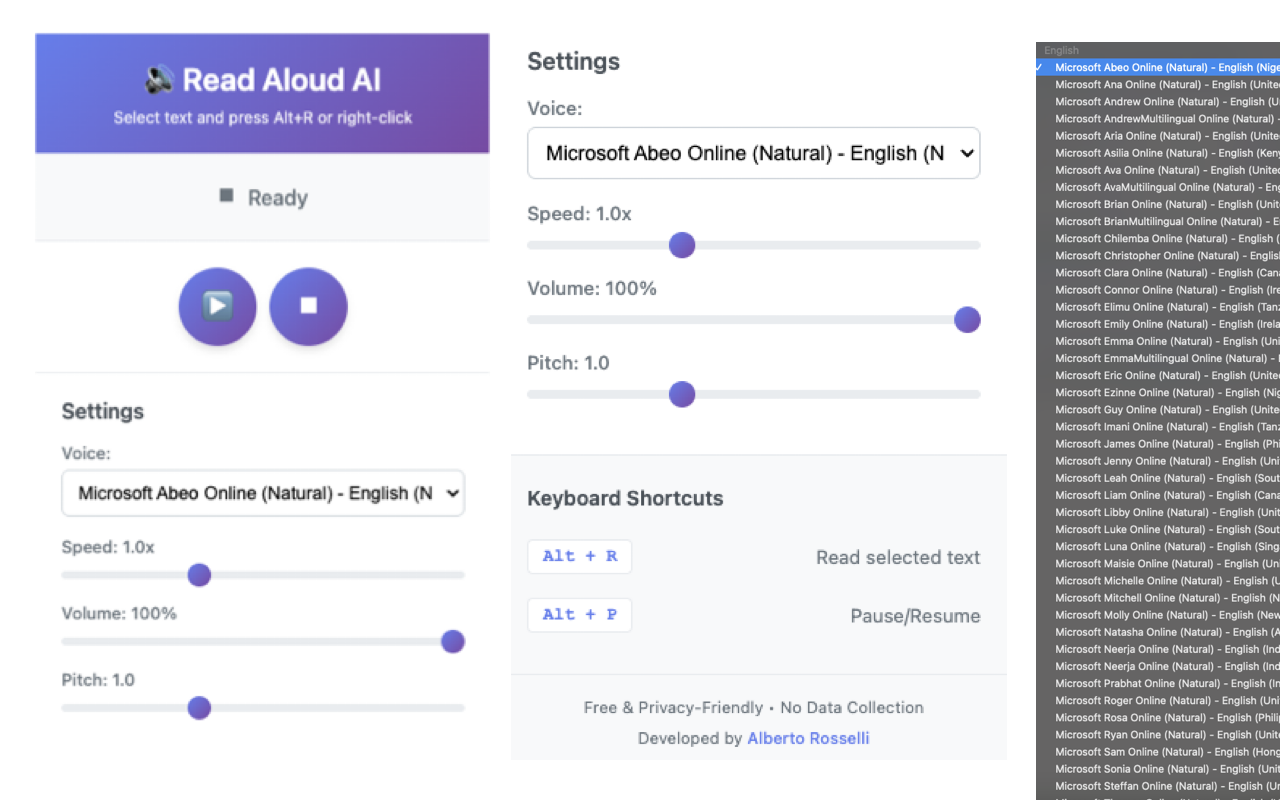
Read Aloud AI - Natural Text-to-Speech Extension
Select any text on a webpage and have it read aloud with natural-sounding AI voices. Fast, private, and works completely offline.
✨ NEW IN v1.0.4:
• Intelligent language detection - automatically selects the right voice for Spanish, English, French, German, Italian, and Portuguese text
• Enhanced text cleaning - removes awkward symbols, URLs, and formatting for natural-sounding speech
• Improved voice selection for regional variants (es-MX vs es-ES, en-US vs en-GB)
🎯 KEY FEATURES:
• Fast keyboard shortcuts (Alt+R to read, Alt+P to pause/resume)
• Natural AI voices - automatically prioritizes Neural/Premium voices
• Multi-language support with automatic detection
• Adjustable speed, volume, and pitch
• Right-click context menu integration
• Privacy-first design - no data collection, no tracking
• Works completely offline - no internet required
• Free forever - no subscriptions, no hidden costs
🔒 PRIVACY & SECURITY:
• All processing happens locally in your browser
• No data is ever sent to external servers
• No user tracking or analytics
• No account required
• Open source code available for review
⚡ HOW TO USE:
1. Select any text on a webpage
2. Press Alt+R (or right-click → "Read Aloud")
3. Listen to natural AI voices read your text
4. Press Alt+P to pause/resume
5. Adjust settings in the extension popup
🎨 CUSTOMIZATION:
• Choose from all available system voices
• Adjust reading speed (0.5x to 2x)
• Control volume and pitch
• Settings saved automatically
🌍 SUPPORTED LANGUAGES:
Automatic language detection for Spanish, English, French, German, Italian, Portuguese, and more. Works with any language supported by your browser's text-to-speech engine.
⚠️ IMPORTANT NOTES:
• Browser restart required after installation for full functionality
• Security warnings on chrome:// and edge:// pages are normal (browser restriction)
• Voice quality depends on your operating system and browser
• Natural voices may not be available on all systems
🔧 TECHNICAL DETAILS:
• Uses Web Speech API (browser-native TTS)
• Manifest V3 compliant
• Works on Microsoft Edge, Google Chrome, Brave, Opera
• Lightweight and fast
• No external dependencies
📋 PERMISSIONS EXPLAINED:
• "Read and change all your data on all websites" - Required to access selected text on any webpage. The extension only reads selected text when you activate it and never modifies or transmits any data.
• Context Menus - Adds "Read Aloud" option to right-click menu
• Storage - Saves your voice and speed preferences
💡 PERFECT FOR:
• Reading long articles and documents
• Accessibility and assistive technology
• Language learning and pronunciation
• Multitasking while consuming content
• Reducing eye strain
• Proofreading your own writing
👨💻 DEVELOPER:
Alberto Rosselli
Website: https://alberto.rosselli.no
Privacy Policy: https://alberto.rosselli.no/read-aloud-ai-privacy.html
🆓 100% FREE FOREVER:
No subscriptions, no in-app purchases, no ads, no tracking. Just a simple, powerful tool to make the web more accessible.
Try Read Aloud AI today and experience the web in a whole new way!