
CRX id
iddkjmekenhoniogbdaiplngacnlggnl
iddkjmekenhoniogbdaiplngacnlggnl
Description from extension meta
Quickly snip, organize and insert text. Backup-compatible with Clippings.
Image from store
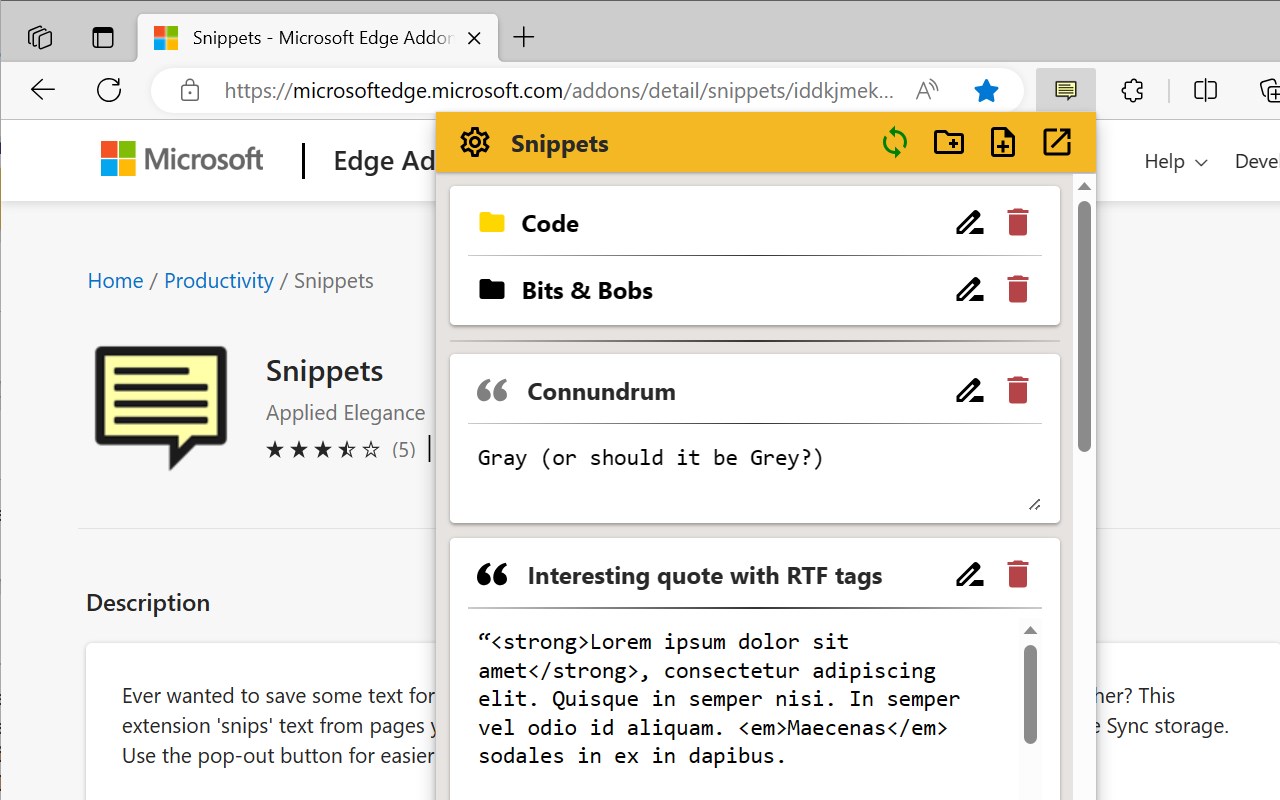
Description from store
- Want to speed up your work with saved text templates?
- Want to throw some info over from one of your computers to another?
- Moving from Firefox to Edge and miss your Clippings extension?
This extension 'snips' text from pages you visit (or you can create them manually) and saves them in your browser, allowing you to quickly insert them into forms and editors. Fully backup compatible with the Clippings extension for Firefox.
MAIN FEATURES
- Snip/clip text from a webpage using the context menu or Alt+Shift+C where available.
- Insert saved text automatically using the context menu
- Use standard and custom placeholders for each time a sniplet is pasted or sent to the clipboard
- Easily organize sniplets with folder management, drag & drop and colour highlighting
- Backup and restore from Clippings
- Work locally, synchronize across logged in browsers or do both depending on your needs
KNOWN LIMITATIONS
- Keyboard shortcuts will not work on selections inside cross-origin iframes (embedded pages on a different domain)
- Context menus and keyboard shortcuts will not work on browser pages or the extension store
NOTE: As of v0.10.4, this extension has been renamed Sniplets for ease of finding in the store. You may still see the old name Snippets during this transition period.
Latest reviews
- (2023-08-29) Hendrik: nettes Tool. Leider ist es seit dem letzten Update von Edge unbrauchbar. Es öffnet sich nur noch ein schmaler Streifen der Benutzeroberfläche
- (2023-08-28) Khalid: Imported my Clippings notes without a hitch. The only issue is that the menu is showing up without a width specified in the CSS. It's so thin that I cannot see the options and I have to use "Inspect" and manually make the body of the HTML 300px wide to be able to see anything. Maybe it will display better after a restart, but this is what I had to do to use the extension the first time. Update: I restarted, and it still shows a squished menu. : / Also not posting my messages after selection. I'll attempt to uninstall it and reinstall it again.
- (2022-06-16) Josh: Tried it out and it is exactly what I need, but while adding snippets manually previously added snippets would get erased. If it worked correctly, it would be great.
Statistics
Installs
1,899
history
Category
Rating
3.8 (12 votes)
Last update / version
2024-05-14 / 0.10.4
Listing languages