
Claude Code Browser Bridge
Extension Actions
Bridges Claude Code CLI to Edge Android via WebSocket
# Edge Add-ons Store Listing
## Extension Name
Claude Code Browser Bridge
## Short Description (132 chars max)
Connects Claude Code CLI to your browser — enables AI-powered browser automation, screenshots, page reading, and form interaction.
## Full Description
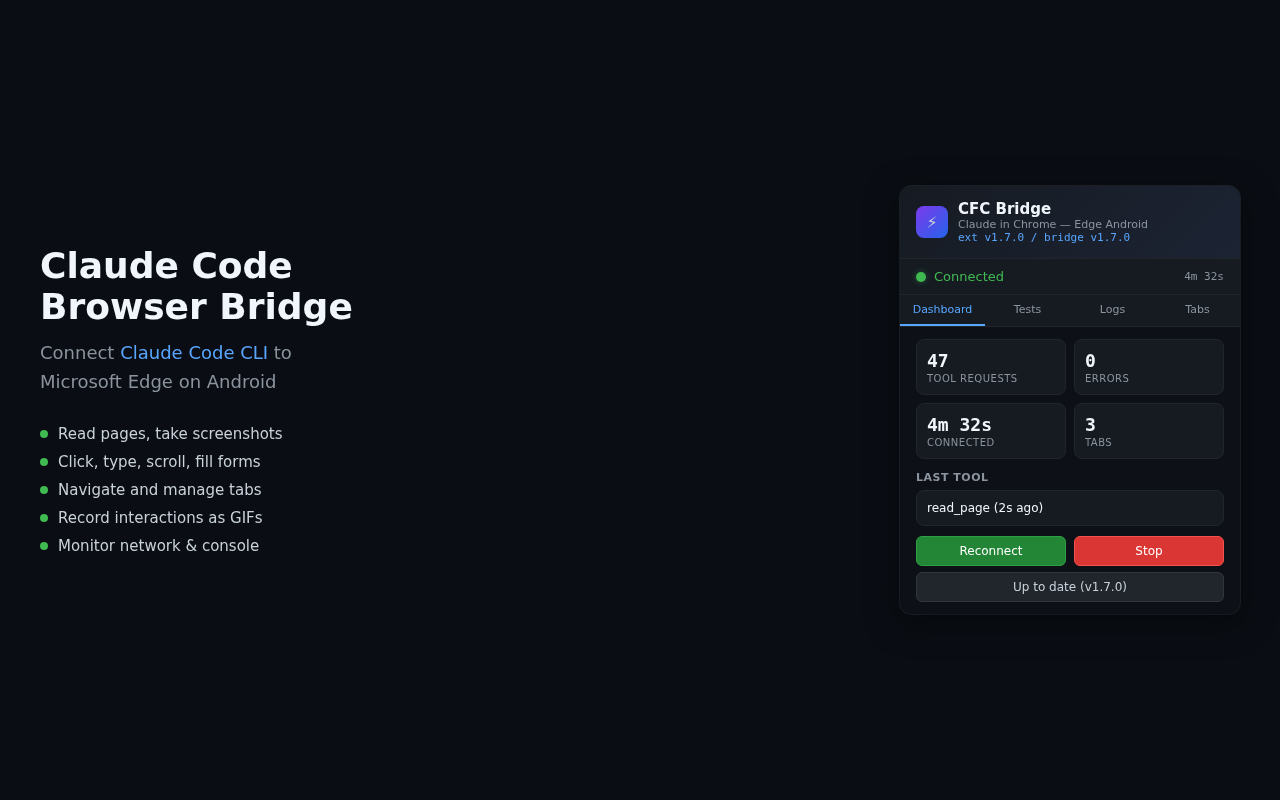
Claude Code Browser Bridge connects the Claude Code command-line AI assistant to Microsoft Edge on Android. It enables Claude to interact with web pages through your browser — reading page content, taking screenshots, clicking elements, filling forms, and navigating tabs.
**How it works:**
- A lightweight WebSocket bridge runs in Termux on your Android device
- This extension connects to the bridge and exposes browser capabilities to Claude Code
- Claude Code's MCP (Model Context Protocol) tools can then control the browser
**Features:**
- Read page accessibility trees and full text content
- Take screenshots of any tab
- Click, type, scroll, and interact with page elements
- Navigate between tabs and create new ones
- Fill forms and upload images
- Record multi-step interactions as GIFs
- Monitor network requests and console messages
**Requirements:**
- Android device with Termux installed
- Claude Code CLI (via npm: @anthropic-ai/claude-code)
- Node.js or Bun runtime in Termux
**Setup:**
1. Install this extension in Edge
2. In Termux, run: `npx claude-chrome-android --setup`
3. Start the bridge: `npx claude-chrome-android`
4. The extension auto-connects to the local bridge
**Open Source:** https://github.com/tribixbite/termux-tools
## Category
Developer Tools
## Privacy Policy URL
https://github.com/tribixbite/termux-tools/blob/main/edge-claude-ext/PRIVACY.md
## Support URL
https://github.com/tribixbite/termux-tools/issues
## Website
https://github.com/tribixbite/termux-tools
## Screenshots needed (640x480 or 1280x800)
1. Extension popup showing connected status with bridge
2. Claude Code interacting with a web page via the extension
3. Extension popup showing tab management