
Quilt - Tiling Window Manager
Extension Actions
- Extension status: Featured
Quilt keeps your workspace tidy by automatically tiling your windows.
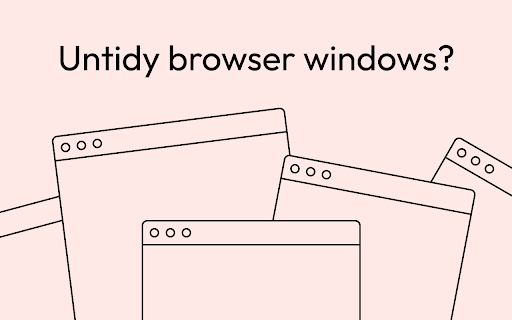
Quilt is a tiling window manager extension for your browser. Think of it as the friend who can't help but tidy up your place when they visit. It creates a neat little pattern with your windows - plus, it's smart enough to consider your screen size and orientation, making sure every window fits just right, every time.
WHAT IT DOES
- Automatically tiles your windows when they are created or closed.
- Thoughtfully tiles your windows taking into account your display resolution, orientation, and preferences.
- Reserves a spot for a fixed size master window in a size ratio that suits your style.
- Select a window spacing or choose to have none at all.
- Toggle auto-tiling on/off.
- Manually tiling works independently on different displays.
USAGE
Once Quilt is installed, it'll get straight to work, tiling your new browser windows to fit your screen just right. Click the extension icon to tweak preferences or to turn off the automatic tiling.
Latest reviews
- Chad Muller
- Excellent extension that does exactly what I need it to do. Perfect drop in replacement for xmonad on ChromeOS. The only potential improvement would be to add the keyboard shortcuts from xmonad, but that is not necessary for the extension to work fantastically well. Keep up the good work, Dev! UPDATED 12/1/23: also works gloriously on MacOS. THANKS, DEV! UPDATED 12/4/23: can report that it works fluidly on Windows 10 as well. Great work, DEV! UPDATED 3/29/24: Still an absolute life and time saving extension for Chrome. Using it now in ChromeOS, and it continues to be exactly what is needed to maximize productivity and workflow. Thanks, Dev! UPDATED 6/7/24: I'm back to using ChromeOS, and this extension makes everything just that much better. Keep up the great work, Myster Violets. UPDATED 3/26/25: Continues to be an absolutely game-changing extension. Makes ChromeOS the best Linux distribution available by combining out-of-the-box support for hardware, simplicity, and productivity.
- Chad Muller
- Excellent extension that does exactly what I need it to do. Perfect drop in replacement for xmonad on ChromeOS. The only potential improvement would be to add the keyboard shortcuts from xmonad, but that is not necessary for the extension to work fantastically well. Keep up the good work, Dev! UPDATED 12/1/23: also works gloriously on MacOS. THANKS, DEV! UPDATED 12/4/23: can report that it works fluidly on Windows 10 as well. Great work, DEV! UPDATED 3/29/24: Still an absolute life and time saving extension for Chrome. Using it now in ChromeOS, and it continues to be exactly what is needed to maximize productivity and workflow. Thanks, Dev! UPDATED 6/7/24: I'm back to using ChromeOS, and this extension makes everything just that much better. Keep up the great work, Myster Violets. UPDATED 3/26/25: Continues to be an absolutely game-changing extension. Makes ChromeOS the best Linux distribution available by combining out-of-the-box support for hardware, simplicity, and productivity.
- E B
- Thank you. It's very helpful.
- Kaiju
- For the first time I leave a review in the Chrome Web Store, as the extension is really very useful and works perfectly! ❤️ Thank you, this was sorely missed. I don't like to use i3wm, yabai, etc., because I need tiling only for the browser and that's it.
- Kaiju
- For the first time I leave a review in the Chrome Web Store, as the extension is really very useful and works perfectly! ❤️ Thank you, this was sorely missed. I don't like to use i3wm, yabai, etc., because I need tiling only for the browser and that's it.