
CRX id
ikomcdngibfmlobeebnejmeapnjmhcfl
ikomcdngibfmlobeebnejmeapnjmhcfl
Description from extension meta
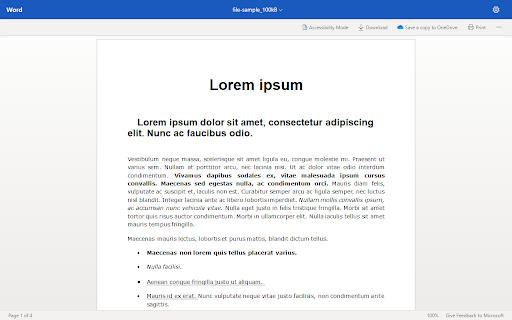
Displays online office documents in the browser (.doc*, .ppt*, .xls*, .odt)
Image from store
Description from store
View office apps by intercepting their downloads and parsing it to an online viewer engine.
Once viewed, you may download the file via the download button on the viewer page or by resuming the intercepted download through the downloads panel (ctrl + J) . Otherwise, disable the extension to download office files directly.
Latest reviews
- (2024-08-09) Abdul Basit Khawaja: Opening 20s of tabs for no reason resulting shutting down the browser unexpectedly on Brave Browser
- (2024-04-14) Артём Гурьянов: Thank you for good and useful extension. But I think it would be better if the behavior was slightly different: - If user clicks "Open" button in the file download dialog, the extension intercepts the download and displays the file in browser. - If user clicks "Save" or "Save As", the file is downloaded normally. It would allow user to choose if they want to view file in browser or download it directly. Or alternatively, please at least add a on/off toggle button to the extension. Because it's not very convenient to disable the extension every time you want to download files normally.